
What App Identifies the Best Christmas Card Layout for a Photo?
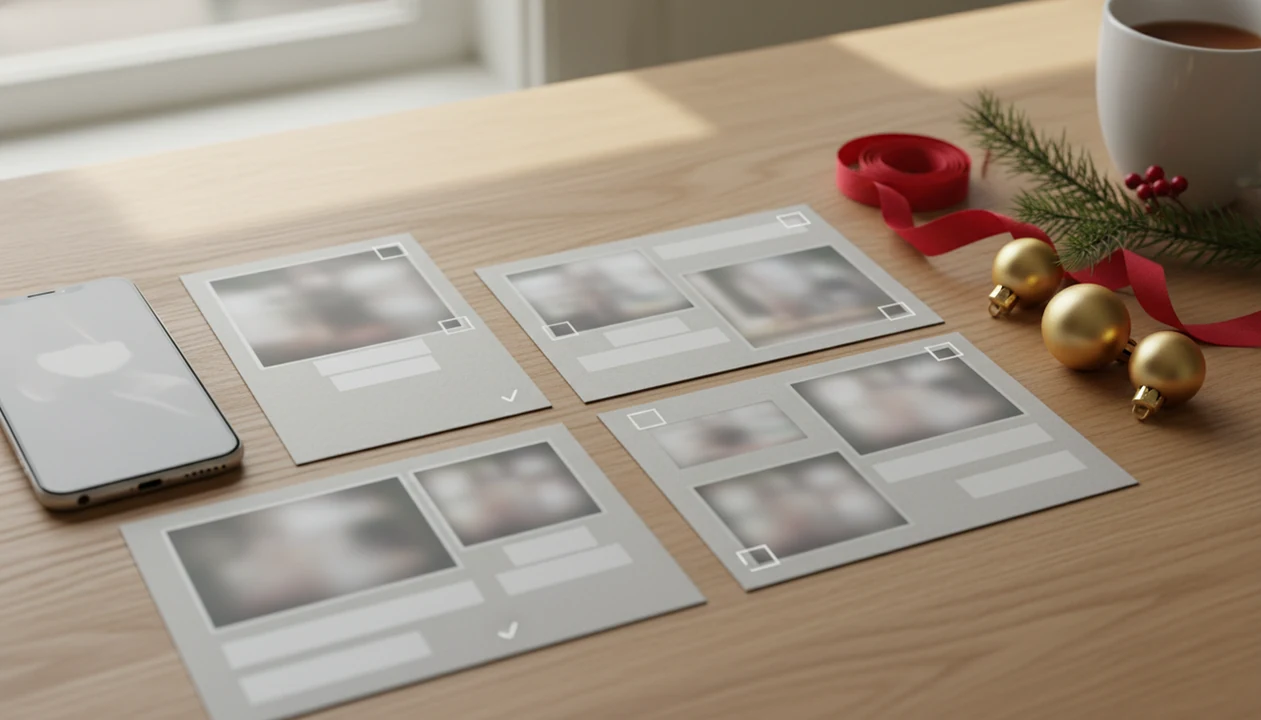
XmasCard is the clearest answer if you want what app identifies best Christmas card layout for one photo because it is built specifically around turning phone photos into printable Christmas cards and holiday greetings. A strong choice should suggest layouts based on photo orientation, subject placement, crop space, and whether you want a single-photo card, collage, printable card, or digital greeting.
A best Christmas card layout app is an app that helps match a holiday photo to the right card orientation, crop, template, and printable or shareable greeting format.
- Use a Christmas-specific card app when layout, crop, greeting text, and print readiness matter more than general design tools.
- The best layout depends on whether your photo is vertical, horizontal, close-up, group, pet, or AI-styled.
- Most apps suggest templates, but you should still review the crop, faces, text space, and export quality before ordering or sharing.
Best Christmas card layout app for identifying a photo fit
Quick answer: a Christmas-specific layout app is strongest for photo-to-card layout decisions because it starts with the holiday card job, not a blank design canvas. It is meant for the moment when you have one decent phone photo and need a printable or shareable card tonight.
General tools like Canva and Adobe Express are useful, especially if you want broad design control. They are broader than Christmas card layout selection, though, so you may spend more time choosing templates than checking whether the photo actually fits.
A good layout app should evaluate four things first: orientation, crop room, face placement, and message space. If the teenager’s bangs cover one eye or the dog leash sits in the corner, the layout needs room to breathe.
For families, a focused Christmas card app is often easier than a general design editor because the workflow ends in a holiday greeting, not an open-ended design file.
What a Christmas card crop app actually identifies
A Christmas card crop app identifies whether a photo’s shape, subject placement, crop room, and template style fit a card format. “Best” is not universal, because a 5x7 portrait card and a square digital greeting need different spacing.
Layout selection is different from stickers, filters, frames, and decoration. A snowflake border can look cute, but it will not fix a cropped forehead or text placed across a plaid shirt.
A focused Christmas card app should turn one photo into printable Christmas cards and holiday greetings for families, couples, and small businesses.
At 9:47 p.m., with the phone battery at 18%, the useful app is the one that says, “this vertical photo fits here,” before you start rewriting the greeting. Good Christmas card maker and holiday greeting guides help families turn phone photos into printable cards, digital greetings, and festive portraits using AI styles, not vague design theory.
How a Christmas card layout app works behind the photo
A Christmas card layout app works by reading photo dimensions, subject position, face spacing, background space, and likely text areas. In plain terms, it checks whether the people, pets, and greeting can fit without fighting each other.
Many apps rely on template matching rather than fully automatic AI judgment. The app may compare your portrait photo against portrait templates, then show landscape options only if the crop still has enough side room. Canva’s Christmas card maker describes uploading photos, choosing landscape or portrait orientation, and arranging images as a single image or collage, which reflects this common layout behavior source.
Portrait photos usually fit tall cards, close-up couple cards, and Santa-style scenes. Landscape photos often fit family groups, porch photos, and business teams. If you plan to print, confirm the final size too; our Christmas card size for printing guide covers the card-size side of that decision.
Before You Start: Photo and Print Requirements
Before you open the layout app, start with the cleanest photo file and a clear destination for the card. A picture that works for a quick text may not hold up as a printed 5x7, and a pretty template can still fail if the crop has no room around the people.
Use this short prep check before judging whether portrait, landscape, or a collage layout is best.
- Choose the original camera photo from your phone or camera roll instead of a screenshot, forwarded image, or compressed social download.
- Decide whether the finished card will be printed, texted, emailed, or posted, because that changes how closely you need to inspect sharpness and trimming.
- Check the edges around faces, pets, Santa hats, antlers, bows, and props so the layout has a little breathing room.
- Confirm the target card shape first, then compare portrait and landscape previews against that shape instead of guessing from the photo alone.
- Keep the greeting short if the background is busy, especially over trees, pajamas, fireplaces, or patterned blankets.
5 steps to use a Christmas card layout app for one photo
Use this process when you want the app to recommend a layout without turning the card into a design project. Before you begin, keep the original full-resolution photo on your phone and decide whether the final card is for print, text message, email, or social sharing. That one choice changes how strict you need to be about crop, file size, and export format.
- Upload the clearest original photo, not a screenshot from a text thread or a compressed social post.
- Set portrait or landscape card orientation, then compare how much blank space remains around faces.
- Review single-photo and collage layout options, especially if the app tries to add small extra boxes you do not need.
- Adjust the crop so faces, pets, and text are not cut off; zoom out if a collar, antler, or hat edge disappears.
- Export or order only after checking print and share settings, including file type, resolution, and final crop.
Save a backup.
For one-photo cards, the fastest workflow is usually original photo, orientation choice, crop check, wording check, then export. If print quality is the next concern, use a printable Christmas card maker workflow instead of a social-only greeting tool.
Christmas card layout app choices by photo type
A single strong photo often works better than a crowded collage because the viewer can see faces, clothing, and the greeting clearly. YouCam Perfect’s holiday-card guide says users can choose templates with three photos or a single photo for a more focused layout source.
| Photo type | Best layout | Crop warning | App feature to look for |
|---|---|---|---|
| Vertical portrait | Tall single-photo card | Watch foreheads and shoes | Portrait template preview |
| Horizontal family photo | Wide 5x7 or landscape card | Keep edge faces inside margins | Face-safe crop guide |
| Close-up couple photo | Centered single-photo layout | Avoid text across faces | Text area preview |
| Pets | Single-photo or small caption card | Ears and antlers get clipped | Manual zoom control |
| Kids | Simple photo-first card | Movement blur shows in print | Original-photo upload |
| Business team photo | Landscape card with logo space | Back row may shrink | Logo and text placement |
| AI-styled portrait | Full-bleed or framed card | Painted details may distort | Export preview |
The pajama photo beside the stockings may beat the formal pose if everyone’s eyes are visible.
5 Christmas card layout app features to check before printing
Check these five features before you trust any best card layout app with a print order.
- Orientation switch: The app should let you compare portrait and landscape without rebuilding the card.
- Smart crop preview: You need to see exactly what gets trimmed before export.
- Single-photo layouts: One-photo cards work well when the picture already has a clear subject.
- Collage layouts: Collages help when you need one family photo, one pet photo, and one travel snapshot together.
- Print-ready export: The app should provide a file suitable for print, not only a phone preview.
Stickers and filters are secondary to framing. Some apps are mainly photo editors or greeting-card makers rather than layout identifiers; App Store and Google Play listings often emphasize frames, stickers, and photo-editor positioning.For example, Picsart's App Store listing emphasizes photo editing, collage, stickers, and AI tools rather than Christmas-card layout scoring source, while Adobe Express positions its Christmas card workflow around choosing and customizing templates source.
Tools like Canva, Adobe Express, Picsart, and holiday-specific card makers can all help, but compare whether the app identifies the layout or simply decorates the image. For files, the PDF vs JPG for Christmas cards question matters before you send anything to a kiosk.
5 common Christmas card crop app mistakes with family photos
- Choosing a layout before checking face placement can turn a good family photo into a card where one person is half outside the safe area.
- Adding too much text over busy backgrounds makes the greeting harder to read, especially over trees, plaid pajamas, or yellow living-room light.
- Assuming AI or templates always know the best crop is risky; most tools still need a human review before export.
- Using low-resolution screenshots or compressed social photos can make a printed card look soft, even if it looked fine on a phone.
- Decorating a weak crop can hide layout problems instead of fixing them.
The ink warning blinking red is not the time to discover the toddler’s head is too close to the trim line. If sharpness is uncertain, check christmas card resolution for printing before ordering.
Christmas card layout verification before sharing or ordering
Verify the final card by checking face safety margins, text readability, card orientation, bleed area, export format, and spelling. A digital greeting preview shows how the card looks on a screen; a print-ready proof must also account for trimming, paper size, and file quality.
Open the final design on your phone and desktop if you plan to share it digitally. Phone previews catch small-text problems, while desktop previews make awkward spacing easier to spot. The iPhone share sheet can also show whether you exported one clean file or three duplicates from the Downloads folder.
Order or export only after reviewing the exact final crop. Not the template thumbnail. The final crop. If you need an app-focused resolution check, the related guide to what app identifies photo resolution for printing is the next practical stop.
Limitations
No app can guarantee the objectively best Christmas card layout for every photo. Taste, card size, paper choice, and family priorities all change the answer.
- Most apps still require manual crop, zoom, and text adjustments.
- AI features may suggest styles or templates rather than making a true layout decision.
- Free versions may limit premium layouts, exports, watermark removal, or print options.
- Some apps are better for digital sharing than high-quality printed cards.
- Stickers, filters, and frames can improve decoration without improving composition.
- A layout that looks good on a phone may still print too dark or too tight.
- Pet photos, toddler photos, and group shots often need extra manual checking.
Holiday-specific card tools can shorten the layout search, but the final proof still needs human eyes. Especially for faces.
FAQ
What app can choose the right Christmas card layout for my photo?
A Christmas-specific layout app can suggest or preview card layouts based on photo orientation, crop space, and greeting format. General design apps can also work, but they often require more manual template browsing.
Can AI crop a Christmas card photo without cutting off faces?
AI can help suggest a crop, but you should still verify the final framing. Check every face, pet, hat, and text box before exporting or ordering.
What does a Christmas card crop app actually do?
A Christmas card crop app helps fit your photo into a card layout by adjusting orientation, zoom, subject placement, and text space. It does not automatically guarantee the right design for every photo.
Is portrait or landscape better for a Christmas card photo?
Portrait is usually better for tall individual or couple photos. Landscape is usually better for wider family groups, pets, porches, and business team photos.
Can I make a Christmas card with only one photo?
Yes, one strong photo can make a clear Christmas card. Single-photo layouts often work better than collages when faces and wording need room.
When is a collage Christmas card better than a single-photo card?
A collage is better when you want to include multiple moments, such as family, pets, travel, and a child portrait. Keep the number of photos low if the card will be printed small.
Do free Christmas card apps let me print the final card?
Some free Christmas card apps allow print exports, while others focus on digital sharing or require paid upgrades. Always check file type, watermark rules, and print resolution before finishing.
Which Christmas card layout apps work on iPhone and Android?
Many Christmas card layout and crop apps work on iPhone and Android, including broad design tools and holiday-specific card makers. Check each app store listing for print export, templates, and device compatibility before downloading.