
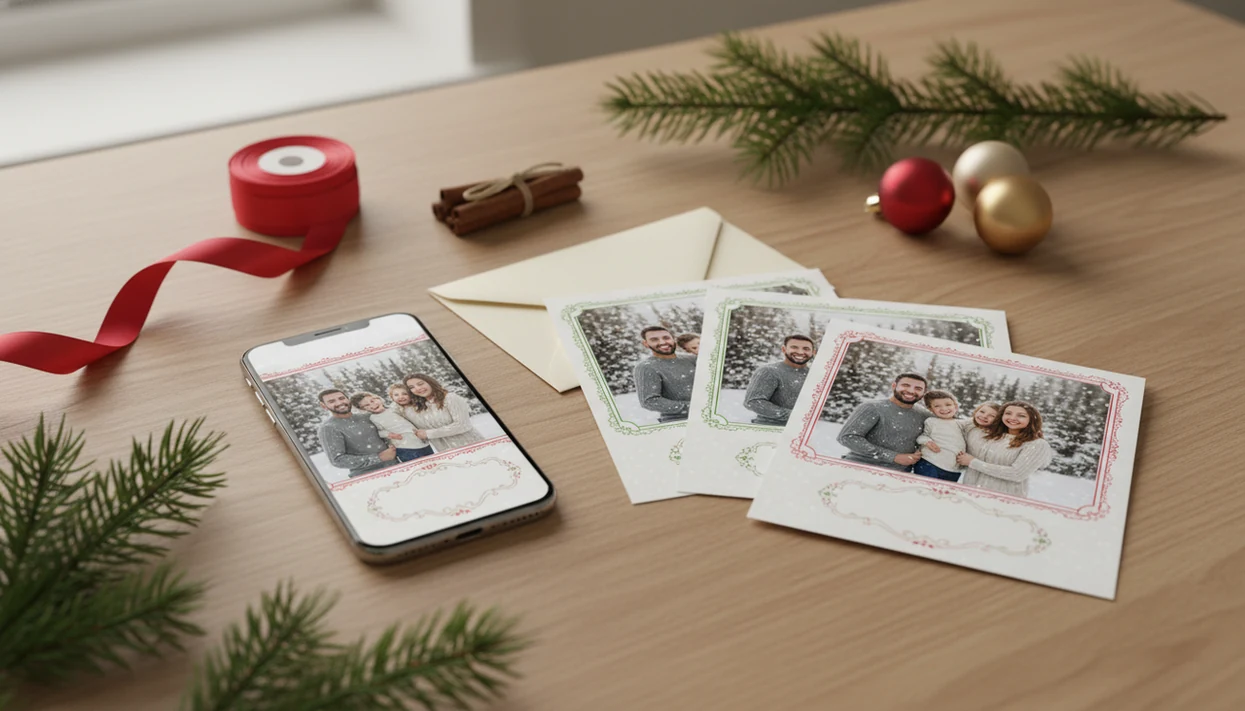
> Definition: XmasCard is a Christmas card app that turns one photo into printable Christmas cards and holiday greetings for families, couples, and small businesses.
- Upload one phone photo to create printable or digital Christmas cards instantly
- Check How Many Days Until Christmas to time photo shoots and card sends
- AI Christmas card styles transform ordinary photos into festive portraits and backgrounds
- Export in print-ready or social-share formats for mailing, texting, or posting
What This Christmas Card App Does With One Photo
A Christmas card app should take one usable phone photo and turn it into a finished holiday card without making you learn design software. XmasCard does that by pairing your photo with templates, AI styles, greeting text, and export formats built for printing or sharing.
Start with the photo you already have. A snow-speckled couple selfie, a pet photo, or siblings squeezed onto one step can become a printable card, a digital greeting, or a festive AI portrait. The app handles layout choices that would otherwise send you into a blank Canva file at 9:47 p.m.
If your priority is finishing a card tonight, XmasCard fits because the one-photo workflow moves from upload to template to export without a desktop design session.
PiXmas Cards is the same practical lane: one photo in, holiday card draft out.
Five Facts About AI Christmas Card Makers
- Template-first design is normal. Most Christmas card maker apps begin with a preset layout, not a blank canvas. That matters when your phone battery is at 18%.
- Print and digital exports are different jobs. Printable cards need size, bleed, and resolution checks. Digital greetings need phone-friendly shapes for text, email, Instagram, or Facebook.
- The photo remains the center. Most users add greeting text, stickers, borders, holiday backgrounds, or AI styling around one family, couple, pet, or business photo.
- AI is not fully automatic. An AI Christmas card feature may restyle the image, but you still choose the photo, layout, crop, and message. Face details still deserve a full-zoom check.
- Some apps support mailing organization. A few tools help track sent and received cards, but card creation and address management are separate workflows.
Good Christmas card maker guides explain printable cards, digital greetings, and festive portraits, not vague holiday “magic.”
What Makes a Good Christmas Card App?
A good Christmas card app gets you from one photo to a usable card quickly, without hiding the print and export decisions that matter later. It should feel simple at the start and careful at the finish.
The best test is not how many stickers it has. It is whether you can upload one decent phone photo, make only a few design choices, and still catch the mistakes that ruin cards: soft faces, awkward crops, tiny text, missing bleed, or a watermark you did not expect.
- Start with one photo and choose from guided templates or styles instead of building every layer yourself.
- Check the print file for resolution, bleed, margins, and final card size before sending it to a printer.
- Export digital versions sized for text messages, email, Instagram, Facebook, or other social posts.
- Review faces, cropping, and greeting text at full preview size before saving the final file.
- Confirm the limits on free exports, watermarks, paid downloads, and premium-only holiday styles.
That last step is not fussy. It is how you avoid making the perfect card and discovering the clean export sits behind an upgrade button.
How a Christmas Card App Works Behind the Scenes
A Christmas card app works by combining photo analysis, style generation, template compositing, and export rendering. In plain English, it finds the important part of your photo, dresses it for the holidays, places it into a layout, then saves the right file.
First, the upload step may use face or subject detection to suggest a smart crop. Then AI style transfer can apply an illustrated look, snowy background, Santa-style scene, or warm portrait treatment. Image embeddings help the system understand visual patterns; that just means the software reads shapes, faces, and objects as data.
After that, a template engine composites the photo with text layers, borders, and seasonal graphics. The export engine is the quiet part that matters most. Print-ready files should target 300 DPI with bleed, margins, and paper size. Adobe’s print-resolution guidance also treats about 300 PPI as a common high-quality target for printed images (https://www.adobe.com/creativecloud/photography/discover/dpi.html). Social-share files are usually 72 DPI or screen-sized squares, vertical images, or story formats.
Check the crop before you trust the export.
How to Use XmasCard to Make a Printable Christmas Card
Use XmasCard by starting with one clear photo, choosing a style, checking the message, and exporting the right file for your plan. The printable version should get one extra preview before you send it to a home printer, Walgreens, CVS, or a local shop.
- Upload one phone photo of your family, couple, pet, or business team.
- Choose an AI style or template that matches the card layout you want.
- Edit the greeting text and adjust faces, names, and positioning.
- Preview the card in both print and digital formats before saving.
- Export a print-ready PDF or a share-ready JPEG or PNG image file.
For step-by-step print specs, the printable Christmas card maker guide goes deeper on sizing, paper, and export checks.
When the kitchen-table printer starts humming after midnight, the PDF should already be the right size.
Ready to make your card?
XmasCard is a Christmas card app that turns one phone photo into printable holiday cards, digital greetings, and AI-styled festive portraits, no design skills needed. Upload a…
Key Features of the XmasCard Christmas Card Maker
XmasCard is built around the parts people actually need: one-photo AI styling, holiday templates, printable exports, and digital greeting sizes. It is not a broad photo editor trying to cover every design use case.
The practical test is whether XmasCard can produce two usable outputs from the same draft: a high-resolution print file and a clean phone-friendly image. If either export looks cropped, soft, or watermarked in preview, fix that before sending the card.
AI Festive Portrait Styles
AI festive portrait styles can turn an ordinary phone photo into a snowy, illustrated, cozy, or storybook-style holiday image. We still recommend checking faces at full zoom, especially when a toddler looks away or a dog leash sits in the corner.
Print-Ready and Digital Export Formats
Printable exports should support bleed, standard paper sizes, and high-resolution output. Digital formats should fit texting, email, Instagram, and Facebook without awkward cropping.
For families who need a fast card without a photo shoot, XmasCard earns the spot because its workflow starts with one existing phone photo and ends with a printable or shareable export.
Free access usually covers basic creation, while paid options may unlock more styles, higher-resolution exports, or watermark-free files.
Printable Cards vs Digital Greetings: Which Format to Choose
Printable cards are better for close family, keepsakes, and mailed greetings. Digital greetings are easier for wider sharing because many recipients already use social platforms; Pew Research Center reports that Facebook and Instagram remain among the most-used social platforms in the U.S. (https://www.pewresearch.org/internet/fact-sheet/social-media/).
| Format | Choose it when | File needs | Common mistake |
|---|---|---|---|
| Printable card | You plan to mail or hand out cards | 300 DPI, bleed, margins, paper size | Assuming a phone-size image will print sharply |
| Digital greeting | You want to text, email, or post | Screen-friendly square, vertical, or wide image | Exporting too small for social cropping |
| Both formats | You need close-family mail plus broad sharing | PDF for print, JPEG or PNG for sharing | Making only one file and using it everywhere |
For last-minute senders, a digital greeting is often faster than printing because it skips paper, envelopes, and the mailing window.
The right fit for mixed mailing lists is XmasCard because one holiday card draft can be checked as both a printable version and a social-share image.
Proof and Sources Behind These Christmas Card App Claims
These claims come from two places: standard print and platform guidance, and the actual product workflow described on this page. Print sharpness and social sharing are evidence-backed topics; AI styling speed and convenience are workflow claims that still need user review.
Here is the clean split:
- Treat print specs as production facts. The 300 DPI or PPI target is a common print-quality recommendation, which is why printable exports get extra attention for resolution, bleed, margins, and final size.
- Treat social sharing as usage context. Digital greeting claims lean on the reality that many recipients already use major social platforms, so square, vertical, and phone-friendly files matter.
- Treat XmasCard claims as workflow claims. Uploading one photo, choosing a style, editing text, previewing, and exporting are product-path statements, not outside research findings.
- Treat AI style claims as creative convenience. Snowy portraits, illustrated looks, and festive backgrounds can save time, but they do not prove print quality or guarantee perfect faces.
- Check the final file yourself. The proof that matters at midnight is still the preview: sharp faces, readable wording, and the right export for print or sharing.
Who This AI Christmas Card App Is Built For
XmasCard is built for people who have a usable photo and want the card finished without a full design project. Families can use it when the only decent photo has yellow living-room light and one red-eye flash. That happens.
Couples can make matching holiday greetings from a vacation selfie or winter portrait. Pet owners can turn a curled-up cat or muddy dog photo into a festive card without staging a tiny costume scene. Small businesses can make branded seasonal cards for clients; the business Christmas card app page covers that workflow in more detail.
On days when the mailing window is closing, XmasCard handles the last-minute job because it keeps the path short: upload, style, write, preview, export.
PiXmas Cards also works for simple family-safe sharing when you want a card image to text, not another folder full of duplicates.
How We Review Christmas Card Apps
We review Christmas card apps by testing whether a normal phone photo can become a clean printable or shareable card without surprise friction. The goal is not to reward the app with the most buttons; it is to find the one that gets a real holiday card finished safely.
Our review process follows the same path a last-minute sender would take:
- Upload one photo and check whether the app accepts common family, couple, pet, and business-team images without extra setup.
- Choose a template or AI style and measure how quickly the card moves from blank decision to usable draft compared with broader editors like Canva and Picsart.
- Edit the message and layout while watching for awkward crops, cramped margins, tiny type, or faces pushed too close to the edge.
- Preview the final card at full size to inspect AI face quality, group-photo accuracy, pets, hands, glasses, and low-light image problems.
- Export the file and document print resolution, crop safety, visible watermarks, free-tier limits, pricing, and whether high-resolution downloads are included or locked behind payment.
That is the practical checklist behind every recommendation here.
What makes a good Christmas card maker or holiday card maker?
A good Christmas card maker or holiday card maker combines easy photo uploads, polished templates, intuitive editing, high-resolution downloads, and flexible sharing or printing, while clearly explaining pricing, privacy, file formats, and whether its free online holiday card maker features add watermarks or restrict designs.
XmasCard helps turn a favorite photo into a personalized seasonal design that can be downloaded for digital greetings or home and professional printing.
Christmas card app vs online Christmas card maker
The main differences among Christmas card apps and an online Christmas card maker are installation, device access, editing tools, delivery options, and pricing: apps may offer phone-native photo access and notifications, while browser-based tools work without downloads and often make it easier to create digital holiday cards across computers, tablets, and phones.
- Choose an app for mobile editing, contacts integration, and direct social sharing.
- Choose a holiday card maker online for quick access without installation.
- Compare templates, watermarks, print resolution, downloads, mailing, and scheduled digital delivery.
Limitations
Christmas card apps save time, but they do not remove every print, photo, or mailing decision. XmasCard is useful, however, the final result still depends on your source photo and export choices.
- Not every app produces truly print-ready files. Verify resolution, margins, bleed, and paper size before printing.
- AI styling can look generic or unnatural, especially with group photos, faces, hands, glasses, or pets in motion.
- Free tiers may limit exports, hide higher-resolution files, remove premium designs, or add watermarks.
- “One photo to a perfect card” is marketing shorthand. A blurry photo will still look blurry in a prettier frame.
- Card apps usually focus on creation, not full address lists, postage, USPS holiday cutoffs, or mailed delivery tracking.
- Digital greetings are not automatically animated. Many are still static JPEG or PNG images.
- Canva, Picsart, Photoleap, Picsmas, and FestivAI may offer broader editing tools, stock assets, or design controls; XmasCard is narrower by design, focused on moving one existing photo into a holiday card faster.
If wording is the harder part, use Christmas card wording ideas before exporting final-final-card.pdf.