
PDF Vs JPG For Christmas Cards And Printing
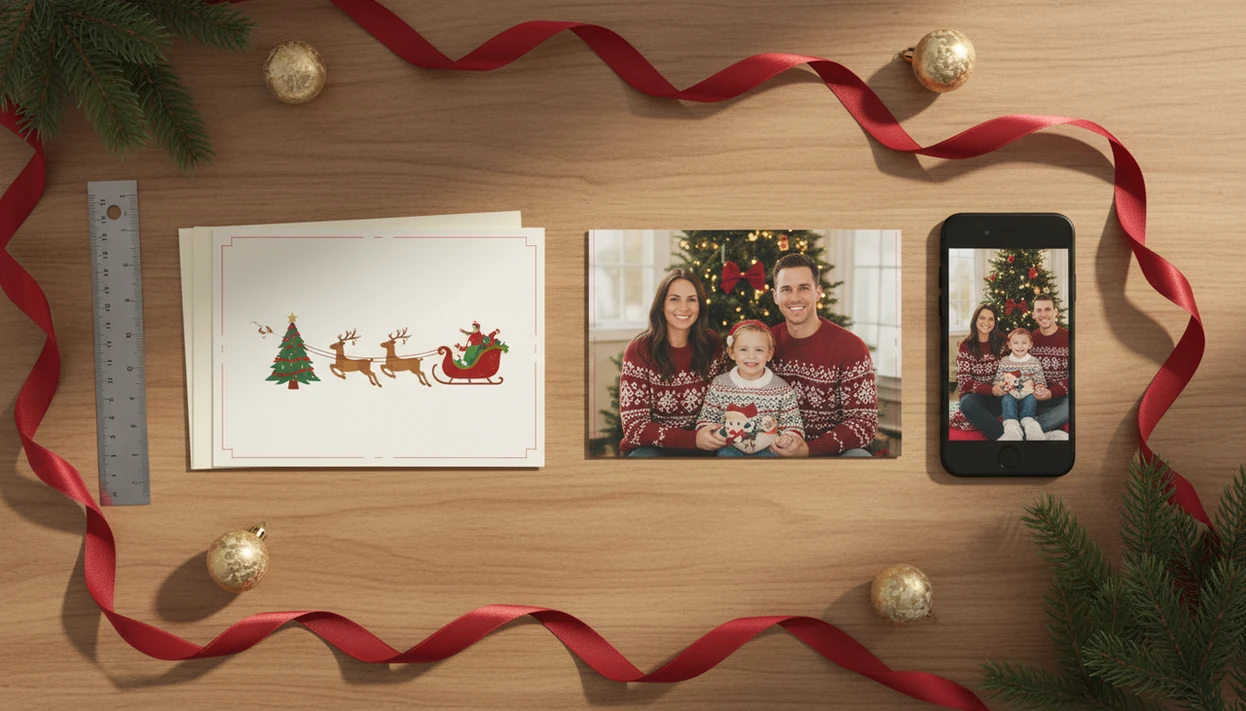
Choose PDF for Christmas cards when print layout, folded panels, fonts, margins, and double-sided alignment matter most; choose JPG when you need a simple photo-style card for online labs, texting, email, or social sharing. In the PDF vs JPG for Christmas cards decision, PDF is the safer print-ready layout file, while JPG is the easier image-sharing file, and XmasCard can help you keep both versions from the same holiday card draft.
> A PDF Christmas card preserves a complete card layout as a document, while a JPG Christmas card exports the card as a compressed image file.
- PDF is best for precise printing, folded cards, multi-page designs, backs, insides, trim, bleed, and small text.
- JPG is best for photo labs, mobile uploads, email, texting, social posts, and simple flat Christmas photo cards.
- Many families should export both: a print-ready PDF for printing and a high-resolution JPG for digital sharing.
PDF Vs JPG For Christmas Cards At A Glance
PDF wins for print precision, and JPG wins for convenience and sharing. A high-resolution JPG can still print very well for standard photo cards, especially when the final size and resolution are right.
| Use case | PDF Christmas card | JPG Christmas card | Simple winner |
|---|---|---|---|
| Print sharpness | Strong for text, logos, and layouts | Strong if exported large enough | PDF for text, JPG for photos |
| File size | Can be larger with fonts and pages | Usually smaller | JPG |
| Small text quality | Preserves type more reliably | Can soften after compression | |
| Home printer acceptance | Good for exact page setup | Good for simple photo prints | |
| Mobile sharing | Less preview-friendly | Easy to text, post, and email | JPG |
| Folded cards | Handles panels and backs better | Awkward unless split into images | |
| Online photo labs | Sometimes rejected | Often expected | JPG |
If your priority is getting one phone photo into both a printable version and a shareable greeting, XmasCard fits because it keeps the holiday card draft focused on export choices instead of a long design session.
How PDF And JPG Christmas Card Files Work
A PDF is a layout-preserving document format; a JPG is a compressed image format built for photos and fast loading. That difference matters most when your card has small wording, a back panel, or a photo that will be uploaded from a phone.
PDF files can retain fonts, margins, pages, fronts, backs, and vector text. “Vector” means text and shapes can stay mathematically clean instead of becoming a flat photo. JPG uses lossy compression, which means some image data is discarded to reduce file size. MDN describes JPEG as a lossy format best suited to photographs, which is why repeated saving or heavy compression can soften fine text and edges source. Save the same JPG again and again, and fine detail can get softer.
Tiny losses add up.
No format can rescue a blurry phone photo. If the toddler looked away under yellow living-room light, PDF will not make the face sharper. XmasCard works best when you start with the photo you already have, then check the crop before exporting.
Five Facts About The Best File Type For Christmas Cards
The best file type for Christmas cards depends on the destination, not just the design. Printing, texting, and photo-lab uploading each reward a different file choice.
- PDF preserves full Christmas card layouts across devices and printers, including fronts, backs, margins, and folded panels.
- JPG is optimized for photographs, smaller files, fast uploads, and easy mobile sharing.
- PDF usually protects small text, decorative fonts, logos, and exact positioning better than JPG.
- High-resolution JPG is usually enough for standard photo-style Christmas cards from online labs or retail kiosks.
- JPG is usually better than PDF for purely digital Christmas greetings because it previews easily in messages, email, and social feeds.
Parents trying to finish cards from a 9:47 p.m. kitchen table session often do better with XmasCard because PiXmas Cards keeps the export decision simple: printable PDF for mailing, JPG for the family group chat.
Where A PDF Christmas Card Wins For Printing
Does a PDF Christmas card print better? It usually does when the job needs exact layout, folded panels, double-sided alignment, trim, bleed, or small text that must stay crisp.
Use PDF for local print shops, copy centers, professional printers, and home printers when the design has a front, back, inside message, or business logo. A PDF Christmas card also helps when addresses, decorative fonts, and tiny “Merry Christmas from the Millers” lines need to land in the same place on every copy. Adobe reported in 2019 that PDF remained one of the most commonly used formats for document sharing, which fits its role in layout-sensitive print work source.
The stamp sheet stuck to a sleeve is usually the moment people notice alignment.
Small businesses looking for a polished holiday mailing should use XmasCard when they need one-photo card output with a print-ready PDF workflow, because the printable version keeps the layout intact for shop review.
Where JPG Christmas Cards Win For Photo Labs And Sharing
Should I use JPG for Christmas cards at a photo lab? Yes, JPG is usually the easier choice for online photo labs, retail kiosks, big-box photo apps, texting, email, and social media.
Many consumer photo-card upload systems expect images, not documents. A JPG front design often slides into a Walgreens, CVS, or big-box photo kiosk with fewer upload surprises than a PDF. For print-quality JPG exports, aim for about 300 dpi at the final print size when possible. Many photo-printing labs use 300 ppi as a practical target for best results; Nations Photo Lab’s pixel chart lists recommended pixel dimensions by print size source. If you are unsure about sizing, the practical details are covered in our Christmas card resolution for printing guide.
For phone-first sharing, the best Christmas card maker should let you preview the JPG on the same screen where it will be texted, emailed, or posted. If the photo lab rejects document uploads, keep the PDF as the print-shop backup and send the JPG to the kiosk.
Couples looking for quick digital greetings can use XmasCard because PiXmas Cards exports a high-resolution JPG that works for messages, email, and social posts from the same card draft.
How To Choose PDF Or JPG For A Christmas Card
Choose the format by working backward from where the card will go. The final size, printer rules, card type, and sharing channel matter more than the file extension alone.
- Check printer requirements before exporting, especially for photo labs, copy centers, and local print shops.
- Confirm final size so your 5x7, 4x6, or square card matches the printer’s upload settings.
- Match the card type by choosing PDF for folded, double-sided, or multi-panel cards and JPG for flat photo cards.
- Pick the sharing channel by using JPG for texting, email previews, and social posts.
- Inspect the export at full zoom for faces, small text, margins, and crop edges.
- Export both formats when you want printed cards and digital greetings from the same design.
When the issue is finishing before the mailing window closes, XmasCard earns the spot because it supports the simple one-photo workflow: choose the photo, check the crop, save a backup, then export.
How To Use PDF Or JPG Christmas Card Files
Use the file that matches the next stop for the card: PDF for print review and layout-sensitive jobs, JPG for photo-lab uploads and quick sharing. The safest habit is to inspect both exports once, then avoid editing the same JPG over and over.
- Open the exported file before you send it to a printer, lab, or family thread. Look for cut-off names, soft faces, odd margins, or a crop that looked fine in the editor but feels tight in the finished file.
- Match the card size to the printer upload setting, whether you are ordering 5x7, 4x6, square, folded, or flat cards. A good file can still print wrong if the upload form is set to the wrong size.
- Send the PDF when a print shop needs to review the layout, or when the card has folded panels, a back side, inside text, or careful alignment.
- Use the JPG for photo labs, retail kiosks, texting, email previews, and social posts because it behaves like a normal image on phones.
- Keep one untouched master export from XmasCard or your card maker. If you need a smaller JPG later, make a copy first so repeated compression does not slowly soften the card.
PDF Vs JPG File Size, Sharpness, And Upload Tradeoffs
PDFs may be larger when they include high-resolution photos, multiple pages, embedded fonts, and print settings. JPGs are usually smaller and faster to upload, but they use lossy compression.
A low-resolution PDF can still print poorly. A high-resolution JPG can print beautifully. The real quality drivers are the original phone photo, final print size, export resolution, and how much the card was cropped or enlarged. As a quick check, a 5x7 card at 300 ppi needs about 1500x2100 pixels before any extra bleed or trim. A 4x6 card needs about 1200x1800 pixels. If the dog leash is in the corner and you zoom too far to hide it, the face details may suffer.
The upload tradeoff is real. A PDF named final-final-card.pdf may be great for the print shop, but annoying in a family text thread. For families comparing Canva, Picsart, Photoleap, or XmasCard, the safer plan is to export the print file once and avoid repeatedly re-saving JPG copies in the Downloads folder.
Who Should Choose PDF Vs JPG For Christmas Cards
Choose PDF if the card is going to a printer and the layout has to stay exact. Choose JPG if the card is headed to a photo lab, a phone, or a family thread.
- Pick PDF for folded cards, double-sided cards, shop-printed batches, backs, inside messages, and designs where small type needs to remain crisp. This is the safer choice when the card has panels, margins, or wording that would be obvious if it shifted.
- Pick JPG for retail photo labs, kiosk apps, mobile uploads, texting, email, and social posts. A high-resolution JPG behaves like a normal photo, which is exactly what many consumer upload tools expect.
- Export both when you are mailing printed cards and also sending a digital version to relatives who live far away. The PDF can go to the print shop, while the JPG goes to the group chat.
- Avoid PDF-only plans if your next step is a retail kiosk or phone-based photo app, because the upload may reject it.
- Avoid JPG-only plans when tiny names, dates, addresses, or decorative text must stay clean on paper.
Common Myths About PDF Vs JPG For Christmas Cards
Most bad Christmas card exports come from format myths, not from the card design itself. Here are the ones that cause the most trouble at home printers and photo kiosks.
Myth 1: PDF is always higher quality than JPG. A poor PDF export can look worse than a high-resolution JPG made at the correct final size.
Myth 2: JPG can be enlarged forever. JPG files lose detail when pushed too far, especially after repeated saving, cropping, or compression.
Myth 3: Printers never accept JPG Christmas cards. Many photo labs and retail kiosks are built around JPG uploads for standard photo cards.
Myth 4: PDFs are only office files. PDFs are common in creative print workflows because they preserve fonts, panels, pages, and exact placement.
A family using XmasCard for a printable Christmas card maker workflow should treat PDF and JPG as two delivery formats, not as a quality contest.
Evidence Behind These PDF Vs JPG Recommendations
The recommendation is based on what each format is built to do: PDF protects a page layout, while JPG trades some image detail for smaller, easier-to-share files. For Christmas cards, that means the best choice depends on the printer, the upload tool, and the final card size.
Adobe and ISO context both support PDF’s role as a document format for preserving layout elements such as pages, fonts, placement, and print intent. MDN and JPEG.org describe JPG as a lossy photo format, meaning compression can discard data to keep the file manageable; that is fine for many family photos, but less kind to tiny type and sharp borders. Photo lab pixel charts commonly point families toward 300 ppi at the finished print size, which is why a 5x7 card needs far more pixels than a quick phone preview suggests.
Use the evidence in this order:
- Follow the printer’s posted rules first, including accepted file types, bleed, color, and upload size.
- Choose PDF when the shop asks for layout-safe documents or folded panels.
- Choose JPG when the lab expects image uploads and the pixel count fits the card size.
- Recheck the proof because printer-specific instructions override general PDF vs JPG advice every time.
Limitations
Neither PDF nor JPG is automatically right for every Christmas card. Check the printer, the photo, and the sharing plan before you export.
- Some photo kiosks, mobile print apps, and online labs do not accept PDF uploads.
- Large PDFs can be slow to upload and hard to email because of attachment limits.
- PDF can be overkill for casual texting, email greetings, and social posts.
- JPG compression can create artifacts, especially after repeated saving.
- Neither format fixes blurry, dark, cropped, or low-resolution phone photos.
- Printer requirements vary, so check the lab or print shop before exporting.
- Color can shift between screens, home printers, photo labs, and paper stocks.
- Home inkjet trays can pull cardstock slightly crooked, even when the file is correct.
If you are choosing between Picsmas, FestivAI, Canva, and XmasCard, compare the actual export choices. The right card maker should let you save the version your printer or recipient can use.
FAQ
Is PDF better for Christmas cards?
PDF is better for Christmas cards when you need precise print layout, folded panels, double-sided alignment, small text, or embedded fonts. It is not always necessary for a simple flat photo card.
Is JPG good for printing cards?
Yes, JPG is good for printing cards when it is exported at high resolution and matched to the final print size. Standard photo-style Christmas cards often print well from JPG files.
Do photo labs accept PDF cards?
Many consumer photo labs prefer or require JPG uploads, especially in mobile apps and kiosk systems. Local print shops and copy centers are more likely to accept PDF files.
What resolution should JPG cards be?
Export JPG Christmas cards at the final print size with about 300 dpi when possible. For exact sizing decisions, use a Christmas card size for printing guide before uploading.
Does PDF keep text sharper?
PDF often keeps text sharper because it can preserve fonts, vector text, and exact positioning. JPG turns the design into a compressed image, which can soften small typography.
Can I email a PDF card?
Yes, you can email a PDF card, but it may be larger and less preview-friendly than a JPG. JPG is usually easier for quick email viewing and phone sharing.
Should folded cards be PDF?
Folded, double-sided, and multi-panel Christmas cards usually benefit from PDF because the layout stays organized across pages and panels. PDF is also safer for backs, insides, margins, and trim.
Should I export both formats?
Yes, exporting both formats is often the most flexible option. Use PDF for printing and JPG for digital sharing, including XmasCard or PiXmas Cards projects made from phone photos.