
Tool That Can Send a Christmas Card Tonight From One Photo
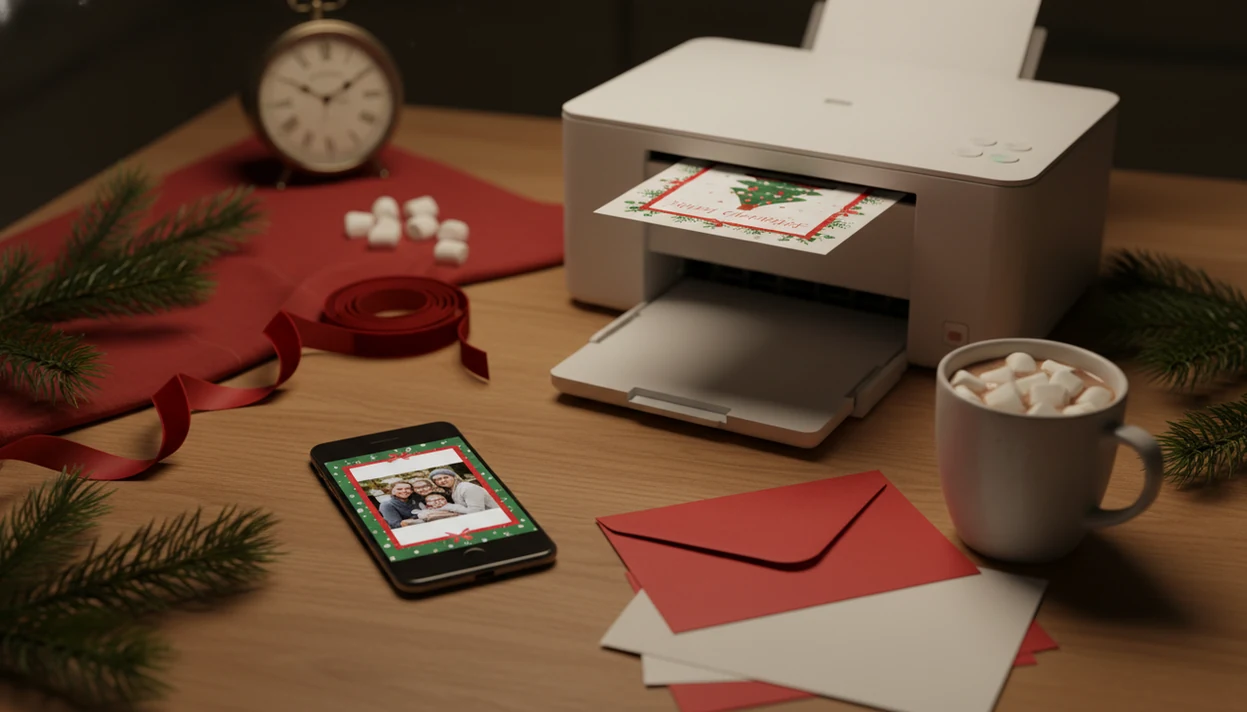
The fastest tool that can send Christmas card tonight is a mobile-friendly Christmas card maker that turns one phone photo into a digital greeting you can text or email immediately, plus a print-ready file if you want to hand-deliver it. If it must arrive tonight, choose digital delivery or home/local printing instead of postal mail.
A last-minute Christmas card tool is an app or website that helps you create a holiday card from a photo, customize the message, and export it for instant digital sending or same-night printing.
- For true same-night arrival, send the finished card by text, email, or messaging app.
- For a physical card tonight, export a high-resolution 5x7, A6, JPEG, PNG, or PDF file and print it at home or locally.
- XmasCard is a Christmas card app that turns one photo into printable Christmas cards and holiday greetings for families, couples, and small businesses.
At-a-Glance Paths to Send Christmas Card Tonight
If the recipient must see the card tonight, use digital delivery or hand-delivery. Postal mail can be prepared tonight, but USPS says First-Class Mail typically takes 1 to 5 business days, so it is not a same-night arrival path: https://www.usps.com/ship/first-class-mail.htm.
| Path | Realistic arrival | Use it when | Watch for |
|---|---|---|---|
| Text, email, or messaging app | Minutes | The card must arrive tonight | Small text may be hard to read on phones |
| Home printing | Same night | You have cardstock or photo paper | Printer scaling and crooked paper feed |
| Local photo printing | Same day if pickup is available | You want a physical card without home printer fuss | Store cutoff times and file size limits |
| Mailed card service | Days, not tonight | Convenience matters more than speed | Production time plus carrier delivery |
Printable cards still matter. Pew Research Center found that 50% of U.S. adults preferred receiving a greeting card in the mail in 2023, compared with 36% who preferred a text message: https://www.pewresearch.org/short-reads/2023/12/18/how-americans-are-celebrating-christmas-and-other-winter-holidays/. So if you are late, a printable version can still feel warmer than a rushed note.
The fridge test helps. Tape up one draft before printing ten.
What a Tool That Can Send Christmas Card Tonight Means
Users want a tool that can send a Christmas card tonight, which really means same-night creation and delivery, not same-night postal transportation. The useful tool is a card maker with photo upload, templates or AI styling, message editing, and instant export.
There are three possible outcomes. A digital greeting goes by text, email, WhatsApp, Messenger, or a family group chat. A printable file becomes a card you print at home, at CVS or Walgreens, or through a local shop. A mailed physical card is for later arrival.
For this search intent, the right tool fits the ‘make it tonight’ job only when it lets you export and send or print the finished card yourself.
Requirements Before Using a Last Minute Card Tool Tonight
Gather the basics before opening a last minute card tool. You will move faster if the photo, message, and delivery choice are already decided.
- Use one good phone photo with visible faces, pets, children, staff, or a couple centered enough to crop.
- Write the recipient name, short greeting, sender name, and optional family update first.
- Choose the path now: text/email, home printing, local print pickup, or later mailing.
- Export JPEG or PNG for messaging, and PDF for printing when the tool offers it.
- Pick 5x7 inches or A6 when possible, since those sizes are common for holiday cards.
Mobile-friendly tools matter because Pew reported that 85% of U.S. adults used a smartphone in 2022. At 9:47 p.m., with the phone battery at 18%, you do not want a desktop-only editor fighting you.
If wording is the slowdown, keep a saved line from our Christmas card wording ideas guide beside the draft.
How a Same-Night Christmas Card Tool Works
A same-night Christmas card tool works by turning a photo and a short message into an exportable card file. The usual flow is upload photo, detect the usable image area, apply a template or AI holiday style, place greeting text, then export the result.
The technical pieces are simple enough from the user side. Image detection finds faces and edges so the crop does not cut through a forehead. AI styling may use image embeddings, which are compact summaries of visual features, to create snow, lights, ornaments, or a festive portrait effect around the original photo.
Templates provide layout speed. AI styles provide variation when the living-room photo has yellow light or the dog leash is still in the corner. However, the tool does not physically transport anything. It produces a sendable image, a printable PDF, or both.
McKinsey reported in 2023 that 79% of consumers worldwide had tried a digital or AI-enabled service for everyday tasks. A fast card tool fits that same comfort zone: small task, quick output, immediate share.
How to Use a Tool That Can Send Christmas Card Tonight
Use the tool in delivery order, not design order. Decide how the recipient will receive the card, then build only the version you need.
- Choose the delivery path: text, email, messaging app, home print, local pickup, or later mail.
- Write the short message before opening the app so you do not stall on the greeting screen.
- Upload one clear phone photo with enough room around faces for a safe crop.
- Select an AI holiday style or template that matches the recipient and the photo.
- Edit the greeting, names, date, and sign-off, then zoom in for one proofread.
- Export the card and send it digitally, print it, or save a backup for tomorrow.
Tools like Canva, Picsart, and focused Christmas-card makers can all work for this job if they let you download the final file. A focused last minute Christmas card maker is usually easier than a broad design app because the card sizes and holiday layouts are already narrowed down.
Step 1: Choose the Fastest Christmas Card Delivery Path
Can I send Christmas card tonight and have it arrive tonight? Yes, if you send it digitally or hand-deliver a printed copy. No, if you mean postal delivery to someone’s mailbox the same night.
Use text or email when the recipient must see it before bedtime. Use a messaging app for family group delivery, especially if everyone already reacts there. Use home printing or local photo printing when you want a physical card tonight and can hand it over.
Postal mail is for later arrival. USPS first-class mail, including greeting cards, averages 2 to 5 days within the contiguous United States. Mailed-for-you services are convenient, but they still need production and carrier time.
Tonight means digital or hand-delivered. That rule saves the whole project from a false deadline.
If you want a phone-first path, the iPhone workflow is broken down in how to make Christmas card on iPhone.
Step 2: Turn One Phone Photo Into a Christmas Card Design
Start with the photo you already have, then make the design fit it. A clear phone photo with faces, a pet, children, a couple, staff, or a family group visible is enough for a same-night card.
Avoid blurry, dark, or heavily cropped images when speed matters. The teenager hiding behind bangs may be fine for a funny family card, but a half-cut face will make every template harder. One porch-light family snapshot can work if faces are bright enough and nobody is lost in the shadows.
AI holiday styles can add a festive background, snow, lights, ornaments, or a portrait effect without asking you to place every element by hand. Good Christmas card maker and holiday greeting guides that help families turn phone photos into printable cards, digital greetings, and festive portraits using AI styles deliver fast, usable exports, not a guarantee that every photo will look professionally staged.
For families, couples, small businesses, and late senders, the ideal flow avoids manual design skills.
Step 3: Export a Digital or Printable Christmas Card File
Export the file for the way you will send it tonight. A phone message needs a different file than a folded card or photo kiosk print.
- Use JPEG for texts, emails, and social posts when you want broad compatibility.
- Use PNG when the design has crisp type, logos, or flat color areas.
- Use PDF or a high-resolution image export for printing.
- Choose 5x7 inches or A6 when the tool offers standard card sizes.
- Check safe margins so names, dates, and gold script do not sit too close to the edge.
Save both a digital version and a print version if the tool allows it. We have seen too many Downloads folders with card-final, card-final-2, and final-final-card.pdf. Rename the chosen file before you send it.
For a text-first version, a digital Christmas greeting card should be readable on a small screen without pinching to zoom.
Step 4: Send Christmas Card Tonight Without Postal Delay
Send the finished file through a channel that does not depend on a carrier truck. Text, email, WhatsApp, Messenger, and similar apps are the practical choices for same-night viewing.
- Attach the JPEG or PNG to a text, email, or messaging app conversation.
- Add a short line, such as “Sending a little Christmas cheer tonight. We’re thinking of you.”
- Send a test to yourself first if the card includes small type or a QR code.
- Print from the PDF or high-resolution file if you want a physical copy.
- Check printer scaling, orientation, and paper type before printing the final.
- Use same-day pickup only when the local kiosk or shop still shows an available window.
For home printing, cardstock feels more like a card, but photo paper usually holds color better. A home inkjet tray can pull cardstock slightly crooked, so print one test copy before using the nice paper.
Do not rely on shipping cutoffs if the recipient must see it tonight.
Common Last Minute Card Tool Mistakes
Most last-minute card problems come from choosing the wrong output, not from choosing the wrong font. Fix the delivery plan first, then design.
- Mail-only tool: A service that only prints and mails cards cannot solve a same-night arrival problem.
- Design-first workflow: Choosing a fancy layout before deciding text, email, or print often creates the wrong file.
- Screenshot export: A screenshot may look fine on your phone but print soft or crop badly.
- Tiny-message card: Long updates become unreadable when viewed in a family group chat at breakfast.
- Proofreading skip: Names, dates, apostrophes, and plural family names are the errors people notice fastest.
- Unchecked AI output: AI can misread hands, faces, text, and small business logos, so review the draft closely.
Pet photo turned storybook cozy? Nice. Still zoom in before sending.
A free digital Christmas card maker can be enough for tonight, but check whether the free export has a watermark or low resolution.
Quick Verification Checklist Before You Send Christmas Card Tonight
Do one final pass before sending the card to everyone. Last-minute mistakes spread quickly once the file leaves your phone.
- Check the recipient name, family name spelling, sender line, and sign-off.
- Zoom in on faces, AI artifacts, red-eye flash, and text readability.
- Open the card on your own phone before sending it to multiple recipients.
- Confirm print size, orientation, margins, and paper type before printing.
- Save the final file somewhere obvious, such as a named album or Downloads folder.
The iPhone share sheet makes it easy to send fast. It also makes it easy to send the wrong draft. Pause for ten seconds and make sure the thumbnail is the finished card, not yesterday’s test export.
For most urgent senders, a digital file is often better than a mailed order because it removes production and carrier delay.
Limitations
A same-night card tool can help you finish the card, but it cannot remove every real-world constraint.
- It cannot make postal mail arrive the same night.
- Mailed-for-you services still depend on production queues and carrier delivery windows.
- Poor photo quality can limit AI styling, face detail, and print sharpness.
- Home printers may shift colors, crop edges, or print less sharply than professional printers.
- Some free tools add watermarks, limit downloads, reduce resolution, or require account creation.
- AI-generated holiday styles need review for face accuracy, text placement, and brand logo issues.
- Digital cards may feel less personal to recipients who strongly prefer mail.
- Local print pickup depends on store hours, upload cutoffs, and available paper sizes.
That last point matters on Christmas Eve. A closed kiosk is not a workflow problem you can fix inside an app.
If you need a broader app comparison after tonight, our best digital Christmas card app guide separates instant sharing from print-focused tools.
FAQ
Can I mail a Christmas card tonight and have it arrive tonight?
You can prepare or drop off a Christmas card tonight, but postal delivery will not arrive the same night. Use digital delivery or local hand-delivery if the recipient must see it tonight.
What is the fastest way to send a Christmas card tonight?
The fastest way is to export the card as an image and send it by text, email, or a messaging app. Delivery usually takes minutes once the file is ready.
Can I print a Christmas card at home tonight?
Yes, if you download a PDF, JPEG, or PNG and print it on cardstock or photo paper. Check scaling, margins, and orientation before printing the final copy.
What kind of photo works best for a last-minute Christmas card?
Use a clear, bright, uncropped photo with faces visible and enough space around the edges. Avoid dark, blurry, or heavily zoomed images.
Is a digital Christmas card acceptable for family or clients?
A digital Christmas card is acceptable when speed matters or the recipient commonly uses text or email. A printable or mailed card may feel more personal for recipients who prefer physical mail.
Which file format should I use for a Christmas card tonight?
Use JPEG or PNG for texting, emailing, and posting. Use PDF or a high-resolution image file for printing.
Can AI make a Christmas card from one photo?
Yes, AI tools can create festive layouts, backgrounds, and styles from one uploaded photo. You should proof faces, hands, text, and logos before sending.
Are free Christmas card tools enough for same-night sending?
Free tools can work for urgent digital cards if they allow instant export. Some may add watermarks, lower the resolution, or limit printable downloads.