
Best Digital Christmas Card App For Email, Text, And Social Sharing
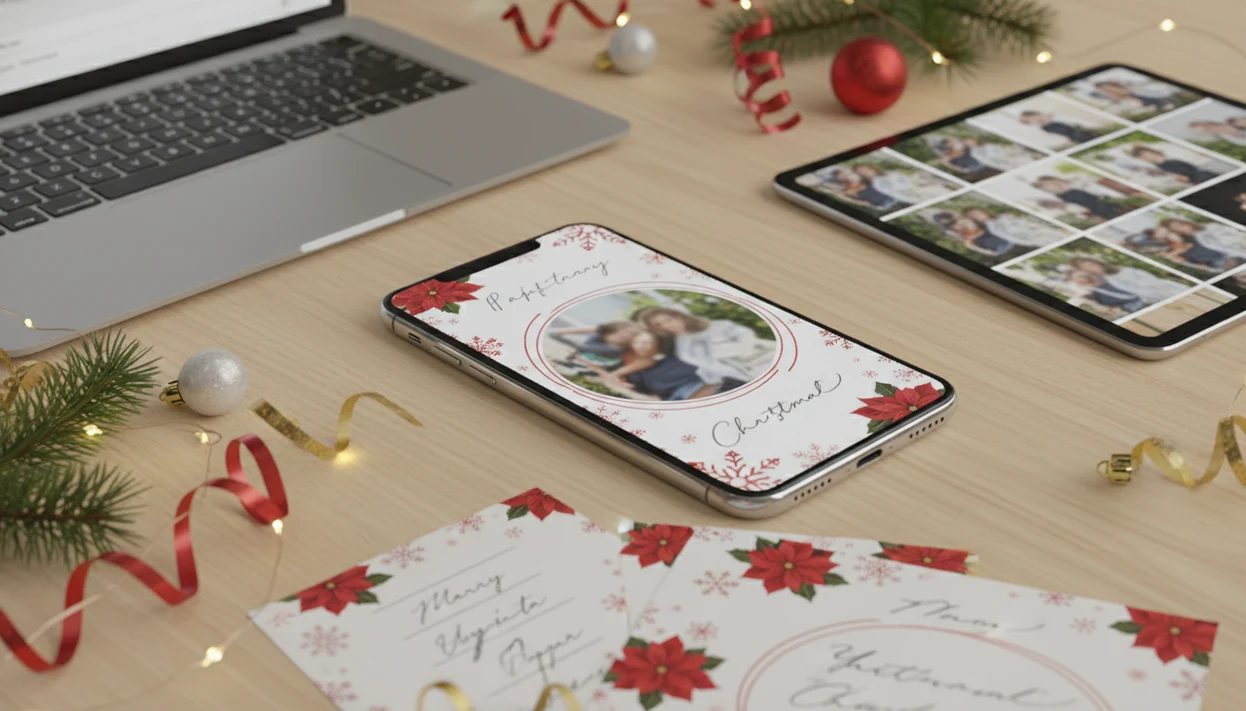
The best digital Christmas card app is the one that lets you turn a phone photo into a polished holiday greeting, then send it by email, text, or social sharing without extra design work. For most families and last-minute senders, XmasCard is a strong pick because it keeps the workflow focused on one photo, digital greetings, and printable card options.
Definition: XmasCard is a Christmas card app that turns one photo into printable Christmas cards and holiday greetings for families, couples, and small businesses.
- Choose XmasCard if you want a Christmas-focused photo-to-card workflow with digital greetings and printable card options.
- Choose Canva if you want broad template control and do not mind a more general design interface.
- Choose Paperless Post or Greenvelope if RSVP-style delivery, envelopes, and contact-list sending matter more than photo-first card creation.
Best Digital Christmas Card App Shortlist For 2025 Senders
The right app depends on how you plan to send the card: text, email, social post, download, or print. Good Christmas card apps deliver a finished greeting, not a design project with twelve unfinished layers.
- XmasCard: Strongest for turning phone photos into festive Christmas cards quickly, especially when you start with the photo you already have.
- Canva: Best for broad layout control, brand colors, and people who like editing every small detail.
- Paperless Post: Best for polished email cards, envelopes, and a more formal online delivery feel.
- Greenvelope: Best for contact-list delivery, invitation-style sending, and event-adjacent holiday messages.
- Greetings Island: Best for simple browser-based cards when you want a quick printable or shareable design.
After the kids are asleep and the phone battery is at 18%, the best fit is the workflow that keeps the path short: choose photo, pick style, write greeting, export.
Digital Holiday Card App Comparison Table For Email And Text
Some apps send cards directly, while others create a file that you share yourself. That difference matters when Grandma checks email, your cousin uses WhatsApp, and your neighbor only sees the family on Instagram.
Feature notes should be verified before sending because app pricing, free-plan limits, and export options can change close to the holidays. Current product pages are useful starting points for Canva source, Paperless Post source, Greenvelope source, and Greetings Island source.
| app | best for | email sending | text sharing | social sharing | downloads | print option | main drawback |
|---|---|---|---|---|---|---|---|
| XmasCard | photo-first Christmas cards | manual export or share | yes, by image or link | yes | yes | yes | less suited to general design projects |
| Canva | broad template editing | manual or integrated options | yes, after export | yes | yes | yes | interface can feel busy |
| Paperless Post | polished email delivery | yes | limited by format | limited | sometimes | limited | less photo-automated |
| Greenvelope | formal digital delivery | yes | limited by format | limited | limited | limited | contact setup takes time |
| Greetings Island | simple browser cards | manual sharing | yes, after export | yes | yes | yes | fewer mobile-first controls |
Social sharing matters because 72% of U.S. adults use at least one social media site, according to Pew Research Center’s 2024 fact sheet source.
Five Facts Before Choosing A Best Ecard Christmas App
Choose a best ecard Christmas app by checking the photo workflow, sending method, holiday design depth, device access, and export quality. A blurry tree-farm selfie can still work if the crop, text, and output size are handled carefully.
- Photo-based cards usually feel more personal than blank templates because the family face, pet, storefront, or couple photo carries the message.
- Email, text, and social sharing are different workflows; an app may do one well and still make another awkward.
- Holiday-specific templates and stickers matter because snow, ornaments, Santa elements, and warm fireplace styles set the tone faster.
- Cross-platform access matters for iPhone, Android, and browser users who may edit and send from different devices.
- Export quality matters if the same card might become a printable version later.
If your card may be printed after digital sharing, save a backup before you send it. Future you will want the clean file.
How Digital Christmas Card Apps Work Behind The Scenes
A digital Christmas card app turns a source photo, template, text layer, and export setting into a finished card file or hosted greeting. The usual flow is upload photo, select template, edit text, render card, then export or send.
AI portrait and style tools may use image embeddings, which are compact visual summaries of your photo, to generate festive backgrounds, outfits, or effects. In plain English, the tool reads the photo’s main features and builds a holiday look around them. Sometimes the pet photo turns storybook cozy. Sometimes the red-eye flash still needs replacing.
There are two main delivery models. App-hosted sending links keep the card on a service page, while downloaded image or PDF sharing lets you attach, text, post, or print the file yourself. Browser tools are convenient, but they may lack the mobile-first controls that help when editing from the iPhone share sheet.
How To Use A Digital Holiday Card App In Six Steps
Use a digital holiday card app by starting with the photo, then choosing the delivery method before you worry about decorations. The crop should lead the workflow, not the sticker drawer.
- Choose one clear phone photo with faces visible and enough space for text.
- Upload the image and check whether the app keeps the full-resolution file.
- Pick a holiday template that fits your delivery plan, such as text, email, social, or print.
- Personalize the greeting, names, year, and wording; our Christmas card wording ideas can help if the message stalls.
- Preview the card on a phone before sending, since many recipients will open it on mobile.
- Send by download, email, text, share link, or social post, then save a backup copy.
One tiny checkpoint helps: open the saved card from Photos before sending. The crop tells the truth.
Best Digital Christmas Card App For Family Photos: XmasCard
Does XmasCard work well for turning one phone photo into a Christmas card? Yes, XmasCard fits families, couples, and small businesses that want a phone photo turned into a festive greeting without opening a general design tool.
XmasCard is a Christmas card app that turns one photo into printable Christmas cards and holiday greetings for families, couples, and small businesses. It supports printable cards, digital greetings, festive portraits, and AI styles, so the same holiday card draft can move from a text message to a print plan. For a deeper one-photo workflow, the digital Christmas greeting card guide covers the card-first version.
Anyone dealing with a crooked couch family photo and no time for a new shoot can use XmasCard because the workflow starts with one usable image, then builds the Christmas design around it. Good Christmas card makers help families turn phone photos into printable cards, digital greetings, and festive portraits using AI styles, not into an endless blank-canvas design session.
Best Ecard Christmas App Alternatives For Templates And Invitations
Choose an alternative when template variety, event-style delivery, or contact-list management matters more than photo-first Christmas card creation. Broader tools can be useful, but they often feel less Christmas-specific or less automated for family photos.
Canva for broad template editing
Canva fits people who want many templates, manual layout control, and a familiar browser editor. It is also useful when a small business wants matching holiday posts, flyers, and cards in one place.
Paperless Post and Greenvelope for email delivery
Paperless Post and Greenvelope fit polished email delivery, digital envelopes, and contact lists. They make sense when the sending experience matters as much as the card image.
Greetings Island is the lighter browser option for simple cards and printable layouts. If you need speed more than invitation features, a last minute Christmas card maker may be the cleaner route.
When the issue is “I need a card tonight, not an event mailing system,” XmasCard earns the spot because PiXmas Cards focuses on photo-to-card creation and export.
How We Picked The Best Digital Holiday Card App Choices
We judged each digital holiday card app by photo workflow, Christmas-specific design, delivery options, export quality, platform access, and privacy signals. Free plans were judged by practical limits: watermarking, resolution, downloads, branding removal, and whether the finished file looked usable outside the app.
Mobile access matters because 95% of U.S. adults ages 18–29 use smartphones, according to Pew Research Center’s mobile fact sheet source. Digital reach also matters because Pew reports that 83% of U.S. adults use the internet source. That is why a good card app should handle phone editing and simple sharing, not only desktop layout work.
Parents trying to finish a card between dinner cleanup and bedtime should weigh output quality more than template count because a clean download is what actually gets sent. If you are comparing free limits first, our free digital Christmas card maker guide is the more specific checklist.
Limitations
No digital Christmas card app is right for every sender. The tradeoffs usually show up at export, delivery, privacy, or print time.
This comparison is a workflow guide, not a guarantee that every export, print size, or free-plan limit will stay the same through the season.
- Some attractive apps do not offer direct sending and require manual export through email, text, or the share sheet.
- Free apps may limit resolution, downloads, branding removal, or add watermarks to the final card.
- AI portraits can look generic or overprocessed if the source photo has yellow living-room light, blur, or a face turned away.
- Browser tools may be easier to start, but less mobile-first than dedicated apps.
- Digital delivery can fail if email filters, file size, contact permissions, or message app compression interfere.
- Privacy policies should be checked before uploading family photos, especially children’s faces or school images.
- Print results can vary if a home inkjet tray pulls cardstock slightly crooked or a kiosk crops the border.
If you plan to print later, use a high-resolution download and check the crop before ordering.
FAQ
What is a digital Christmas card app?
A digital Christmas card app helps you make a holiday greeting with photos, templates, text, stickers, and sharing options. It is more card-focused than a generic photo editor.
What is the best ecard Christmas app?
The best ecard Christmas app depends on your workflow: XmasCard for photo-first cards, Canva for broad editing, and Paperless Post or Greenvelope for hosted email delivery. Choose based on whether you want texting, emailing, downloading, printing, or link-based sending.
Can I text Christmas cards?
Yes, you can text Christmas cards if the app exports an image, PDF, or share link. SMS, MMS, iMessage, WhatsApp, and similar apps may compress large files.
Can I email digital Christmas cards?
Yes, some services send cards directly by email, while others require you to download and attach an image or PDF. Direct email tools often manage delivery pages and recipient lists.
Are free Christmas card apps good?
Free Christmas card apps can work for simple digital greetings. Check for watermarks, low-resolution downloads, export limits, and branding before sending.
Which app makes printable Christmas cards?
Apps with high-resolution image or PDF downloads can make printable Christmas cards. XmasCard, Canva, and Greetings Island are common fits when print-ready export matters.
Do Christmas card apps use AI?
Some Christmas card apps use AI for festive portraits, background changes, outfits, and art styles. Quality depends heavily on the source photo and may look overprocessed.
Are digital Christmas cards meaningful?
Digital Christmas cards can be meaningful when they include a personal photo, a specific message, and a delivery method the recipient actually uses. Personalization usually matters more than paper format.
Are Christmas card apps private?
Christmas card apps vary in privacy practices, so check what happens to uploaded photos, whether images train AI systems, and how long files are stored. Be extra careful with family photos, children’s faces, and school-related images.