
Does AI Christmas Card Generator Work for Real Prints?
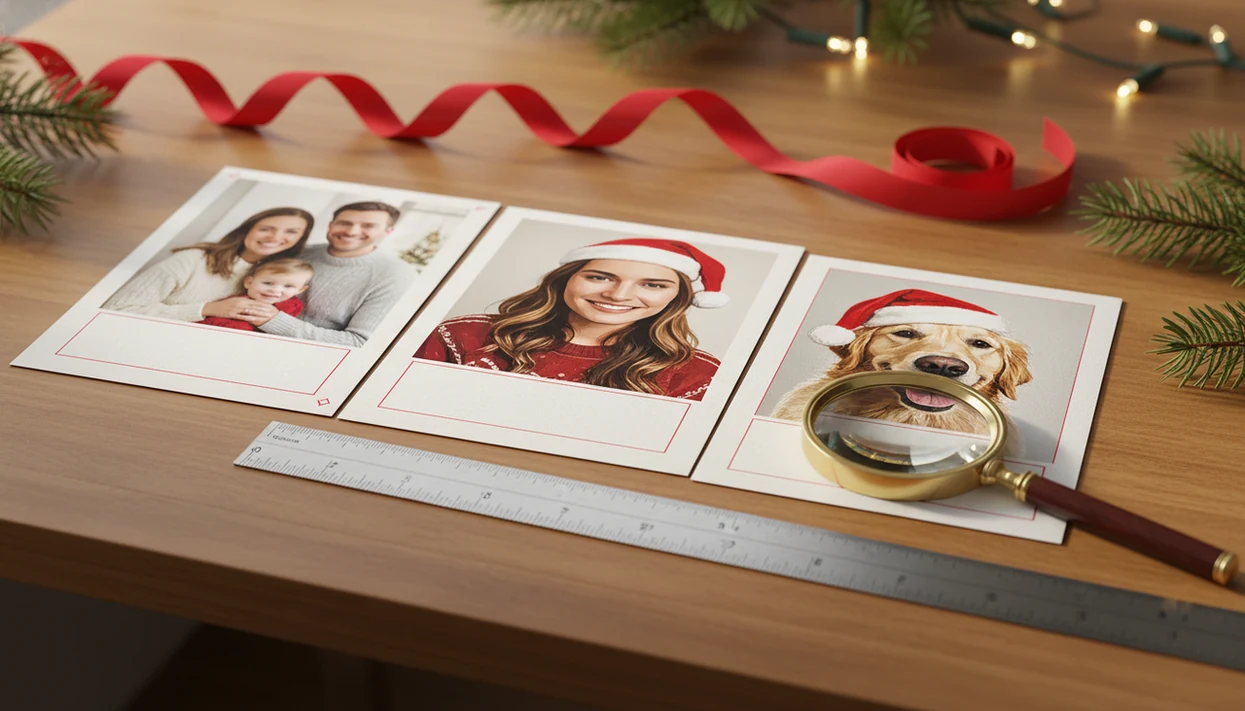
Yes, does AI Christmas card generator work depends on the photo, prompt, app, and print setup: it works well for festive styles, simple portraits, pets, selfies, and digital greetings, but it can fail on faces, hands, text, groups, and low-resolution files. For real prints, the safest workflow is to create or style the image with AI, review mistakes, then place the final image into a Christmas card maker with the right size, bleed, and export settings.
Definition: An AI Christmas card generator is a tool that uses uploaded photos, text prompts, templates, or AI styles to create a holiday card image that can be downloaded, shared, or prepared for printing.
TL;DR
- AI Christmas card generators are best for phone-photo cards, pets, selfies, simple family portraits, and stylized holiday scenes.
- AI Christmas card quality drops when photos are blurry, groups are large, faces are small, or the design needs exact text and tiny details.
- For printable results, use high-resolution exports and finish the layout in a card maker such as XmasCard rather than printing a low-res preview.
AI Christmas Card Generator Results at a Glance
AI works best as a creative assistant, not a one-click guarantee. It can give a plain phone photo a holiday look, but real prints still need resolution, aspect ratio, bleed, and layout checks.
| Use case | Usually works well for | Watch for |
|---|---|---|
| Family photos | Small groups, clear faces, simple poses | Tiny faces, odd hands, changed features |
| Pets | One clear dog or cat portrait | Extra paws, strange collars, warped ears |
| Selfies | Close, sharp, front-facing shots | Over-smoothed skin or changed identity |
| Small businesses | Seasonal mood boards and greeting drafts | Logos, brand colors, readable text |
| Printable cards | Styled image placed in a card layout | Low-res previews, missing bleed |
| Digital greetings | Quick texted or emailed cards | Crops on phone screens |
A dedicated card maker can turn one strong photo into printable Christmas cards and holiday greetings for families, couples, and small businesses. That matters when your Downloads folder already has three almost-identical exports named final-final-card.pdf.
How an AI Christmas Card Generator Works Behind the Scenes
An AI Christmas card generator creates a holiday image by combining user inputs, such as a prompt, uploaded photo, template, style preset, or several of those together. The model predicts a festive visual result from patterns in training data and the instructions you give it.
Under the hood, many tools use image embeddings, which are numerical summaries of what a photo contains. In plain English, the system “reads” the picture, matches it with the prompt, then builds a new styled result. That is why snowy backgrounds, warm lighting, watercolor looks, and cozy illustrations often come out nicely.
The weak spots are more human. Exact identity, fingers, small text, logos, and complex group composition can drift. A parent kneeling to fix a collar may become a strange extra arm if the source photo is busy. Good christmas card maker and holiday greeting guides that help families turn phone photos into printable cards, digital greetings, and festive portraits using ai styles deliver practical card workflows, not a promise that every face will survive untouched.
Five AI Christmas Card Quality Facts Before You Start
- Clear prompts and sharp photos produce better AI card generator results because the model has fewer details to guess.
- Front-facing, well-lit photos of a few people preserve recognizability better than crowded group shots.
- AI is usually better at festive mood than exact anatomy or readable image text.
- Print-quality cards need high-resolution exports, not screenshots, social previews, or tiny downloads from a test screen.
- Copyright, likeness, and commercial-use permissions must be checked in each tool’s terms before printing, sharing, or selling cards.
Most users need a few tries. That is normal. At 9:47 p.m., with the phone battery at 18%, rejecting the version with six fingers is part of the card session.
For one-photo projects, an AI Christmas card from one photo usually works best when the subject is close, bright, and easy to separate from the background.
Photo Requirements for Better AI Card Generator Results
Start with the photo you already have, but choose the cleanest one. A sharp, high-resolution phone photo with good lighting gives the generator more real detail to preserve.
Pick eye-level, front-facing photos with visible faces and simple backgrounds. Yellow living-room light can be corrected a little, but deep shadows and sunglasses make the AI guess. A few people usually work better than a large family group because each face gets more space and detail.
Avoid blurry images, cropped heads, tiny faces, harsh flash, and busy backgrounds. The dog leash in the corner may disappear nicely, or it may turn into a mystery ribbon. Pets and selfies can be strong candidates when the subject is clear, centered, and not half hidden behind a chair.
Small details matter.
How to Use an AI Christmas Card Generator for Printable Cards
For printable cards, treat AI generation as the art step and card layout as the finishing step. The safest workflow is to generate the image, inspect it closely, then build the actual holiday card draft in a print-ready layout.
- Choose a sharp photo and target card format. Decide first whether you need a 5x7, 4x6, square, folded, or digital-only card.
- Write a specific Christmas prompt. Include people, setting, mood, color palette, orientation, and style.
- Generate several versions and reject mistakes. Look for distorted faces, hands, pets, teeth, glasses, or unreadable image text.
- Export the best image at high resolution. Match the aspect ratio before placing it into the card design.
- Place it into a print-ready card maker. Add greeting text, check bleed, and save for print or family-safe sharing.
If you are working entirely from your phone, the step-by-step version is covered in how to make AI Christmas card with phone.
Christmas Card Prompt Examples That Usually Work
Good prompts include subject, setting, style, color palette, orientation, and card mood. Do not ask the AI to create final wording inside the image if you need the text to be readable. Add typography later in the layout tool.
Family photo prompt
“Use this family photo to create a warm Christmas card portrait by a decorated tree, soft golden lights, natural faces, red and cream color palette, vertical 5x7 composition, cozy but realistic mood.”
Pet Christmas card prompt
“Create a festive pet Christmas card from this dog photo, Santa scarf, soft snow background, playful expression, bright red and white palette, portrait orientation, cheerful holiday mood.”
Small business holiday prompt
“Create a clean small business holiday greeting image with a winter storefront feel, subtle snow, navy and gold palette, modern illustrated style, horizontal card layout, friendly professional mood.”
For a small business holiday email draft, keep the greeting text outside the generated image so it stays editable.
Couple and baby announcement prompts
“Turn this couple selfie into a snowy watercolor holiday portrait, soft blue and ivory palette, vertical card, romantic and simple mood.”
“Create a gentle baby announcement Christmas card background, soft knit textures, warm lights, pale green and cream palette, space for text at the bottom.”
Troubleshooting Common AI Christmas Card Problems
Most AI Christmas card problems are easier to fix before layout than after the card is built. If a result changes someone’s face, clips a pet, or turns greeting text into mush, go back one step instead of trying to rescue a bad export.
- Compare the result with the original photo at full size. If eyes, teeth, glasses, or the child’s face look unfamiliar or uncanny, regenerate with a simpler prompt such as “natural faces, preserve identity, realistic features.”
- Reframe the source image when heads, paws, or hands are cropped. Use a photo with more space around the subject, or choose a card format that matches the image instead of forcing a tight 5x7 crop.
- Regenerate when the mistake affects identity, hands, pets, or body shape. Manual editing is better for small cleanup, not rebuilding a face or inventing missing fingers at midnight.
- Move all final wording into the card layout. AI image text often looks decorative but unreadable, so add “Merry Christmas,” names, dates, and business details with real typography.
- Print one quick proof on home paper or order the smallest test option before buying a full batch. Check faces, crop, margins, and color in daylight.
Common Myths About AI Christmas Card Quality
Does AI make a finished Christmas card perfectly on the first try? Usually, no. The common myths below cause the most disappointment.
- Myth: AI makes a perfect family portrait on the first try. Real results often need several generations and a close face check.
- Myth: AI can fix any blurry phone photo. It can invent missing detail, but it cannot reliably recover what the camera never captured.
- Myth: all AI Christmas card apps produce the same quality. Models vary in face handling, style options, export size, and editing control.
- Myth: AI-generated images are always free to print or use commercially. Platform terms can limit commercial use, attribution, or resale.
- Myth: a generated image is automatically a finished print-ready card. A printable version still needs sizing, margins, bleed, and text placement.
If you are comparing tools, a best AI Christmas card generator guide should be judged by output quality, rights, and print controls, not just sample images.
Real Print Checks for AI Christmas Card Generator Results
A generated image is not the same thing as a physical Christmas card. Print quality depends on resolution, file format, aspect ratio, trim, bleed, margins, and text placement.
Export a high-resolution JPEG, PNG, or TIFF when the tool allows it. Many printers and card services treat 300 dpi as a common print target, but the exact requirement depends on card size and printer instructions. For print setup, Adobe explains how image resolution affects printed detail (https://helpx.adobe.com/photoshop/using/image-size-resolution.html), and Canva’s print guidance explains why bleed and crop marks matter before trimming (https://www.canva.com/help/bleed-crop-marks/). Avoid printing screenshots, low-resolution previews, or square images forced into rectangular cards. That is how faces get clipped at the edge.
Add text after AI generation in a layout tool. AI often misspells “Merry Christmas,” and tiny decorative lettering can melt into noise. A printable Christmas card maker gives you safer control over greeting text, margins, and bleed before sending the file to a Walgreens or CVS kiosk.
Check the crop.
Evidence and Sources for Printable AI Christmas Cards
The print advice here comes from a mix of published print standards and hands-on card testing. The short version: use cited guidance for resolution, bleed, trim, and rights, then use your own proof check for AI-specific mistakes.
- Use 300 dpi as a common quality target for photo cards when the printer has no stricter file rule; Adobe’s resolution guidance explains why more pixels per inch usually means cleaner printed detail source.
- Build the design with bleed, trim, and a quiet safe area around faces and type; print providers such as Canva describe bleed and crop marks as protection against edge slivers after cutting source.
- Check copyright, likeness, and commercial-use rules in the generator’s terms before selling, mailing client cards, or using celebrity, brand, or copyrighted character prompts.
- Treat face accuracy, hand cleanup, pet anatomy, and kiosk color shifts as practical testing notes, not universal standards. Those claims come from reviewing exports and proofs, while resolution and bleed advice comes from print guidance.
Limitations
AI Christmas card generators are useful, but they are not the right tool for every card. Review the file like a proof before you share or print it.
- AI can distort hands, teeth, eyes, jewelry, glasses, and pet anatomy.
- Large families and complex poses often reduce face accuracy.
- Blurry or dark source photos cannot always be repaired.
- Text generated inside images is often misspelled, warped, or unreadable.
- Print files may be too small, wrong-shaped, or missing bleed.
- Licensing, likeness, copyright, and commercial-use rules vary by platform.
- Brand colors, logos, uniforms, and exact outfits may not remain consistent.
- Some readers may dislike the artificial look and prefer a natural family photo.
This is also where privacy matters. If a tool asks for children’s photos, school uniforms, or client images, read the upload and retention rules before using it. Apps such as Canva, Picsart, Photoleap, and other card makers may handle exports and rights differently, so do not assume one policy covers them all.
FAQ
Do AI Christmas card generators work?
Yes, AI Christmas card generators work when the photo is sharp, the prompt is specific, and the result is reviewed before use. Print setup still matters.
Are AI Christmas cards printable?
AI Christmas cards can be printed if the image is exported at high resolution and placed in the correct card layout. Do not print a screenshot or low-resolution preview.
Can AI use my family photo?
Many AI card tools accept uploaded family photos. Results depend on lighting, sharpness, face size, and how many people are in the image.
Do AI cards look realistic?
Some AI cards look realistic, while others look stylized or slightly uncanny. Close inspection of eyes, teeth, hands, and pets is important.
What prompt makes better cards?
A better prompt names the subject, setting, holiday mood, visual style, colors, and orientation. Add final greeting text later in the layout.
Can AI make pet Christmas cards?
Yes, pets often work well when the photo is clear and the pose is simple. Check paws, ears, collars, and eyes before printing.
Are free AI card generators good?
A free AI Christmas card generator can work for testing ideas or making digital greetings. Free tools may limit resolution, editing, downloads, or usage rights.
Can I sell AI Christmas cards?
Commercial use depends on the generator’s license, source photos, likeness rights, and copyrighted elements. Check the tool’s terms before selling printed or digital cards.