
Tool That Can Turn a Selfie Into Christmas Card Art
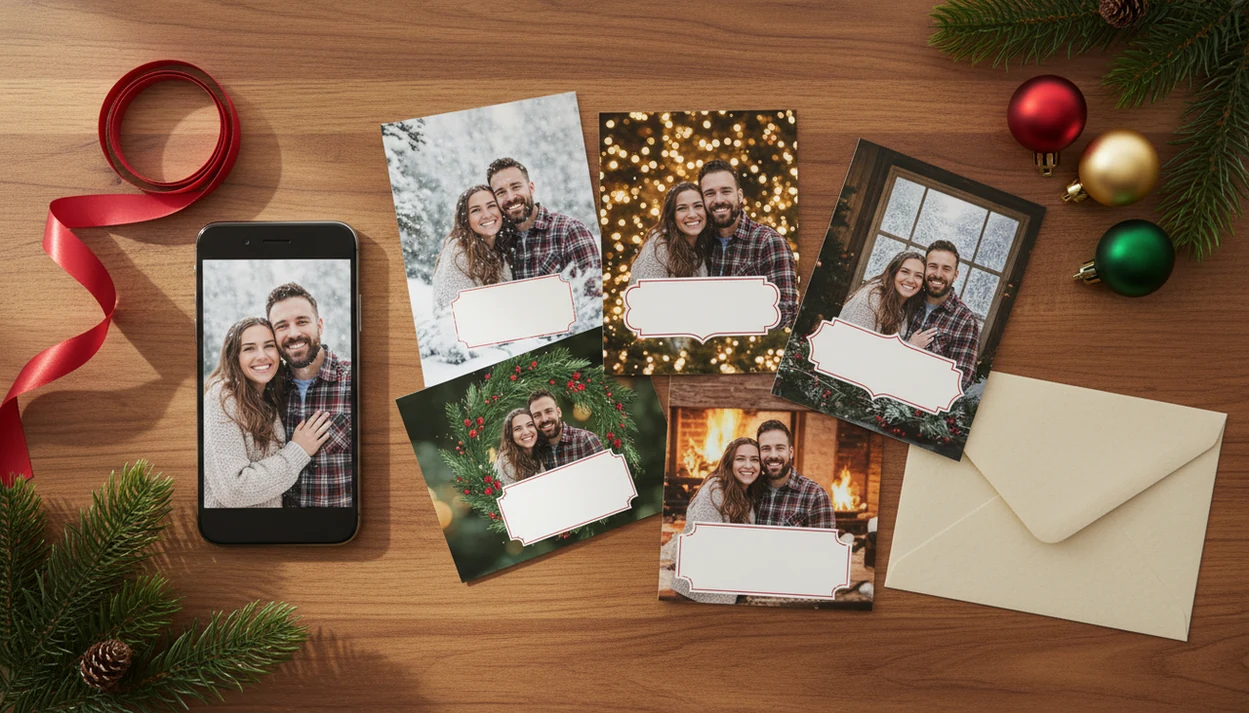
A tool that can turn selfie into Christmas card designs lets you upload a phone photo, choose a festive AI style, add holiday wording, and export a printable or digital card. The best results come from a clear, well-lit selfie and a final check for face accuracy, text placement, resolution, bleed, and safe margins.
> XmasCard is a Christmas card app that turns one photo into printable Christmas cards and holiday greetings for families, couples, and small businesses.
TL;DR
- Upload a sharp, front-facing selfie or family photo before choosing an AI Christmas card style.
- Use festive backgrounds, wording, and card dimensions that match either print or digital delivery.
- Review faces, hands, text, crop marks, resolution, and privacy settings before sending or printing.
What a selfie Christmas card tool does
A tool that turns a selfie into a Christmas card takes a phone photo and builds a holiday card around it. It usually handles four jobs: upload, AI portrait styling, festive background creation, and card export.
In plain terms, you start with the photo you already have. The tool detects the face, adds Christmas elements like snow, lights, trees, ornaments, or warm indoor scenes, then places greeting text on a card layout. A printable card is made for mail or a photo kiosk. A digital greeting is made for email, text, family group chat, or social sharing.
That matters because the phone is now the normal starting point. Pew reported that about 85% of U.S. adults owned a smartphone in 2021, so most card projects begin with a camera roll, not a studio session source.
The crooked couch family photo still counts.
How an AI selfie holiday card tool works behind the scenes
An AI selfie holiday card tool works by detecting faces, preserving the portrait, replacing or extending the background, applying a Christmas style, and generating a card layout. The useful tools keep the person recognizable while changing the scene around them.
Behind the screen, the system may use face detection, image embeddings, style transfer, and layout generation. In normal words, it reads what is in the selfie, matches it to a festive direction, then builds a design around the subject. Prompts or presets may include snow, string lights, Christmas trees, vintage postcards, cute cartoon scenes, or corporate holiday looks.
Good Christmas card makers separate image styling from typography and export settings. That way, “Merry Christmas” is not baked awkwardly across someone’s forehead. Gartner projected worldwide AI software revenue would reach about $62.5 billion in 2022, which helps explain why these tools now show up in everyday card apps, not only design software source.
Photo requirements for a selfie Christmas card maker
A selfie Christmas card maker works better when the original photo is sharp, front-facing, and lightly edited. The input photo matters more than the template, especially if you want the face to still look like you.
- Use clear light. Window light or soft indoor light beats yellow living-room shadows and red-eye flash.
- Face the camera. Extreme angles, sunglasses, and half-turned faces make portrait preservation harder.
- Leave room around heads. Cropped hair, missing shoulders, and tight chins can become strange after styling.
- Separate people in group shots. For couples and families, leave visible space between faces so AI can tell who is who.
- Keep groups simple. Three to five people usually works better than a packed crowd, since overlapping faces can confuse the model.
For a full one-photo workflow, an AI Christmas card from one photo guide is useful when the only usable shot appears after bedtime.
5 steps to use a selfie Christmas card tool
Use a selfie Christmas card tool by choosing one good photo, selecting a Christmas style, adding short wording, reviewing the generated image, and downloading the right file. Many cards can be made quickly, but they still need a human check before sharing.
- Upload a sharp selfie or family photo from your phone, not a tiny screenshot or compressed social media save.
- Choose a style such as cozy family, snow portrait, vintage postcard, cute cartoon, luxury foil, or business holiday greeting.
- Add a short message like “Merry Christmas,” “Happy Holidays,” or “From our family to yours.”
- Review faces, hands, pets, text, and background details; regenerate if the likeness or layout feels off.
- Download a printable file or digital version for email, messaging, social media, or a photo print order.
At 9:47 p.m., with the phone battery at 18%, this is the order that keeps the card moving.
AI selfie holiday card styles for families, couples, and businesses
AI selfie holiday card styles should match the recipient, not just the trend. A grandparent card, a couple greeting, and a client thank-you usually need different visual tones.
| Style | Fits best | Watch for |
|---|---|---|
| Traditional Christmas | Families, grandparents, mailed cards | Avoid cluttered borders near faces |
| Cozy family | Parents, kids, pets, home greetings | Check warm lighting and skin tones |
| Cute cartoon | Kids, pets, playful couples | Make sure likeness is still clear |
| Vintage postcard | Couples, nostalgia cards, keepsakes | Use simple wording and muted colors |
| Luxury foil | Formal family cards, announcements | Confirm metallic effects print well |
| Corporate | Small businesses, teams, clients | Keep logos, names, and dates readable |
Save prompts, colors, and layouts if you want a consistent year-to-year look in tools like XmasCard. A useful maker should give you a finished holiday file — printable card, digital greeting, or festive portrait — not six nearly identical image edits with no size or export guidance.
Christmas card wording and layout checks after AI generation
After AI generation, inspect the card like it is already printed. Face shape, hands, teeth, jewelry, glasses, pets, and background objects can all shift during styling.
AI-generated text is another common trouble spot. It may misspell “Christmas,” bend a name into the border, or place a greeting too close to the trim line. Keep the message short unless the design has a real text box. Good starter lines include “Merry Christmas,” “Happy Holidays,” “With love from our family,” and “From our family to yours.”
For families, a short caption is often easier than a long newsletter sentence because it leaves more safe space around the photo. If the dog leash in the corner turns into a black ribbon, regenerate the image. If only the words are wrong, edit the text layer instead of remaking the portrait.
Tiny mistakes get louder in print.
Print and digital export settings for selfie Christmas cards
Print exports and digital exports solve different problems. A printable file needs resolution, bleed, trim awareness, and safe margins; a digital version needs a clean size that opens well in email, messages, and social feeds.
| Output | Common use | Check before sending |
|---|---|---|
| Postcard | Mailed photo cards | Bleed, address side, crop risk |
| Square | Social posts, texts, modern prints | Face placement and border width |
| Portrait | Phone sharing, email, stories | Text size on small screens |
| Folded card | Home printing, print shops | Inside panels and fold alignment |
| High-res PDF or JPG | Walgreens, CVS, online print | Resolution, color, safe zone |
Digital greetings still matter, but print is not dead: USPS reported 15.2 billion First-Class Mail single-piece letters and cards in fiscal 2022, so mailed cards still coexist with email, text, and social sharing source.
For print-heavy cards, a printable Christmas card maker workflow helps avoid final-final-card.pdf becoming final-final-card-2.pdf.
Common AI selfie Christmas card mistakes
Most AI selfie Christmas card mistakes happen before export. The image may look fine on a phone screen, then fail when printed, cropped, or sent to a larger display.
- Uploading a low-light selfie creates weak likeness. Heavy shadows, yellow lamps, and motion blur give the model less reliable face detail.
- Using a heavily filtered photo can distort the result. Beauty filters, cartoon filters, and tiny screenshots remove useful texture.
- Ignoring dimensions causes bad crops. A square design may not fit a postcard, folded card, or portrait social story.
- Assuming free means full-resolution can backfire. Some free plans limit high-res downloads, bulk exports, commercial use, or watermark removal.
- Skipping privacy review is risky. Read storage, retention, training, and deletion terms before uploading child, school, or family photos.
If you are comparing tools, the AI Christmas card generator vs template maker question comes down to control versus speed.
Limitations
AI selfie Christmas card tools are useful, but they are not a substitute for review. Treat the first result as a draft, especially before printing 80 copies.
- Faces may be stylized too much, softened, aged, narrowed, or made less recognizable.
- Hands, fingers, teeth, jewelry, glasses, and earrings can appear warped or duplicated.
- Overlapping faces in family photos may merge, blur, or assign features to the wrong person.
- Pets may change breed, eye shape, fur color, or collar details.
- Background artifacts can appear near trees, lights, fireplaces, signs, or window frames.
- AI text may be misspelled, uneven, or placed over faces and clothing.
- Low-resolution downloads can look fine on screen but blurry at the kiosk.
- Print colors may shift, and missing bleed or safe-zone checks can crop names or borders.
- Privacy policies vary by tool, including retention, deletion, training use, and account controls.
- Paid plans may affect export size, watermark removal, bulk cards, and commercial-use rights.
Named alternatives such as Canva, Picsart, and Photoleap can help, but the final approval is still yours.
FAQ
Can AI make a Christmas card from a selfie?
Yes. AI can turn a selfie into a festive Christmas card by styling the portrait, adding a holiday background, placing text, and exporting a printable or digital file.
What kind of selfie works best for an AI Christmas card?
A clear, front-facing, sharp, well-lit selfie works best. Avoid heavy filters, sunglasses, harsh shadows, and cropped heads.
Can I print AI-generated Christmas cards?
Yes, if the tool provides a high-resolution download with the correct size, bleed, trim, and safe margins. Check the file against your printer or photo service requirements before ordering.
Are AI selfie Christmas card makers free?
Many tools let you create a card for free. High-resolution downloads, watermark removal, extra styles, or bulk exports may require payment.
Will AI change my face in the Christmas card?
AI may stylize or slightly alter your face. Regenerate the card or choose a milder style if the likeness looks wrong.
Can I add holiday wording to an AI Christmas card?
Yes. Most tools let you add greetings, names, dates, and short family messages such as “Merry Christmas” or “Happy Holidays.”
Are uploaded selfies private when using an AI card maker?
Privacy depends on the tool. Review storage, retention, training, sharing, and deletion policies before uploading selfies, especially family or child photos.
Can businesses use AI Christmas cards made from selfies?
Yes, small businesses can use AI holiday cards from selfies or team photos. Check brand quality, export resolution, logo placement, and commercial-use rights before sending.