
AI Christmas Card Generator vs Template Maker: Which Should You Use?
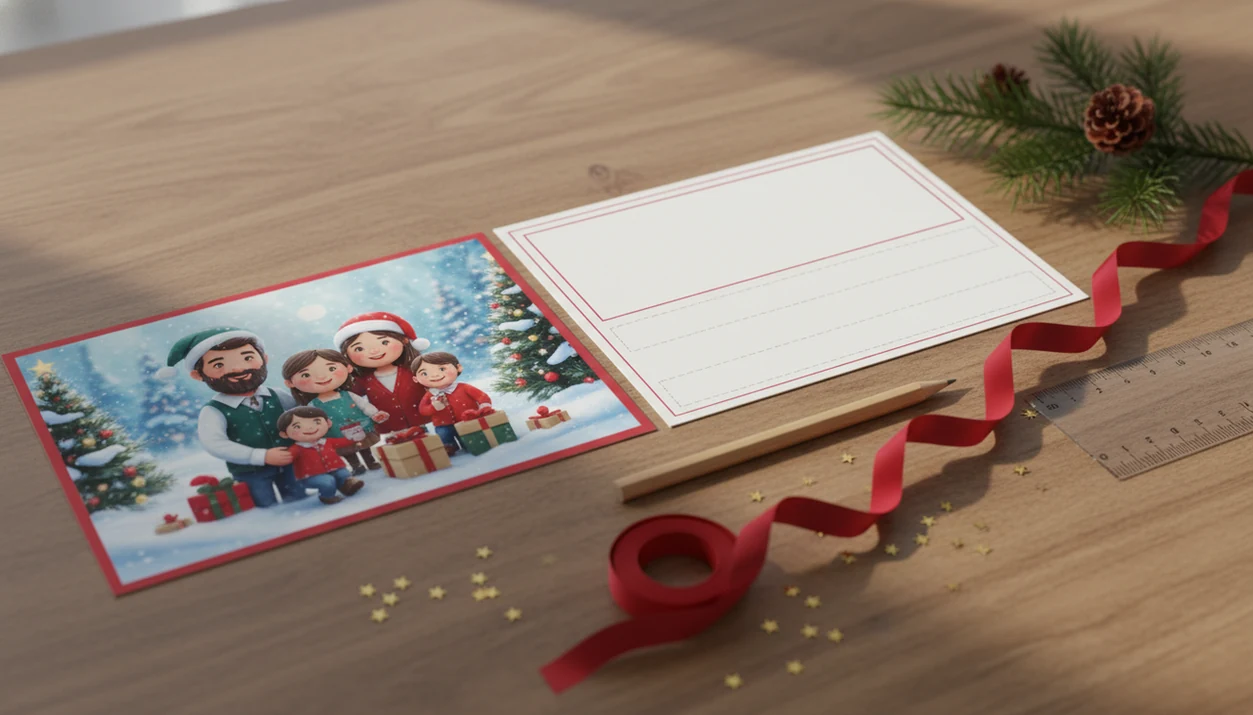
Choose an AI Christmas card generator for originality and photo-to-style personalization, but choose a template maker when you need predictable print layout, readable text, and fast control. The best answer in the AI Christmas card generator vs template maker debate is often a hybrid workflow: generate a unique portrait or background with AI, then place it into a print-safe template.
XmasCard is a Christmas card app that turns one photo into printable Christmas cards and holiday greetings for families, couples, and small businesses.
- AI generators are best for unique styles, portraits, and creative ideas from a phone photo or prompt.
- Template makers are best for reliable sizing, safe margins, typography, and quick print-ready cards.
- A hybrid workflow gives most families the strongest result: AI image first, template layout second.
AI Christmas Card Generator vs Template Maker At a Glance
AI wins when you want a card image nobody else has; templates win when you want a clean card that prints without surprises. Hybrid usually gives the strongest balance, especially when the photo is already good but the design needs more personality.
| Factor | AI Christmas card generator | Template maker |
|---|---|---|
| Speed | Fast if the first prompt works | Fastest for standard cards |
| Originality | High | Medium |
| Personalization | Strong visual styling | Strong text and layout edits |
| Print readiness | Needs checking | Usually more predictable |
| Typography | Can be awkward | Usually cleaner |
| Privacy | Upload and prompt policies matter | Photo storage policies still matter |
| Cost | Credits, trials, subscriptions | Free tiers, premium templates, print fees |
| Control | Creative range, less exact | More manual layout control |
| Best use case | Stylized portrait or scene | Family photo card with readable greeting |
Both can create printable cards and digital greetings, but the risks differ. Design still affects trust and follow-through: Adobe’s State of Content report found that 38% of people stop engaging with content when the layout or imagery is unattractive (https://business.adobe.com/resources/reports/state-of-content.html).
How AI Christmas Card Generators and Template Makers Work
AI Christmas card generators create a new or restyled image from an uploaded family photo, while template makers place your photo and message into a fixed design. The difference is that AI changes the picture itself; templates control the frame around it.
With image-to-image generation, the system reads the uploaded photo as visual patterns, then uses a model to reinterpret faces, clothing, lighting, and background in a chosen holiday style. That variation is the appeal, but it also means the same prompt can produce different crops, odd lettering, or small likeness errors. A template maker works more like a planned page: photo zones, text boxes, margins, grids, and typography are already set, so the greeting line and print edges behave more predictably.
That mechanism affects risk and control. AI gives more creative surprise, especially for snowy scenes or illustrated portraits, but it needs closer review before printing. Templates give less visual invention, yet stronger control over readable names, safe margins, and card size. Any text generated inside an AI image still needs human eyes because letters can look festive while being misspelled or warped.
AI and Template Christmas Card Workflows
An AI Christmas card generator uses text-to-image or image-to-image models to create holiday artwork from a prompt, uploaded photo, or both. A template maker uses a fixed design where you swap the photo, message, colors, and fonts while the structure stays mostly the same.
The technical difference is simple. AI models read image embeddings, meaning they turn a photo into patterns the system can restyle. Templates rely on prebuilt grids, safe margins, font pairings, and standard card sizes.
That difference shows up at 9:47 p.m. when the laptop is open and the phone battery is at 18%. AI can invent a snowy cabin, vintage postcard, or glowing storefront. But it may mishandle text, hands, pets, or print dimensions. Templates feel less surprising, but the crop box and greeting line are easier to trust.
Five Facts About AI and Template Christmas Card Creation
Before choosing AI vs templates Christmas card workflows, start with these five facts.
- AI creates original artwork from prompts or uploaded photos; templates customize fixed designs.
- Templates are usually more predictable for print sizing, bleed, safe margins, and layout.
- AI can turn one phone photo into cartoon, watercolor, cozy illustration, stained glass, or other seasonal looks.
- Templates often handle legible fonts and color contrast better than raw AI output.
- The strongest family workflow is often AI portrait or background plus template layout.
Personalization demand is real: McKinsey reported that 71% of consumers expect companies to deliver personalized interactions (https://www.mckinsey.com/capabilities/growth-marketing-and-sales/our-insights/the-value-of-getting-personalization-right-or-wrong-is-multiplying). Pew Research Center also found that younger adults are more likely than older adults to have used ChatGPT, which matters when families compare AI-first workflows with template tools (https://www.pewresearch.org/short-reads/2024/03/26/younger-adults-are-more-likely-to-have-used-chatgpt-than-older-americans/). For families using PiXmas Cards, that usually means starting with the photo you already have, then choosing whether creativity or print control matters more.
Where an AI Christmas Card Generator Wins
An AI Christmas card generator wins when the card needs a fresh visual idea, not just a new border around the same photo. It can make several looks from one phone photo, which helps when the toddler is looking away but the family moment still feels right.
Original artwork from one photo
AI is useful for families, couples, pets, small businesses, and last-minute senders who want a specific mood. A prompt can ask for a snowy cabin, vintage postcard, cozy illustrated family, festive storefront, or soft bokeh lights behind a couple photo.
For families who need a unique card from one decent phone picture, XmasCard fits because the AI Christmas card from one photo workflow focuses on turning a single upload into a usable holiday card draft.
More style options for families
A template can look polished, but AI can explore more visual directions before you commit. That matters when the photo has yellow living-room light, red cheeks from backyard cold, or a dog leash sitting in the corner.
Good Christmas card makers and holiday greeting guides deliver printable cards, digital greetings, and festive portraits using AI styles, not vague seasonal decoration.
Where a Christmas Card Template Maker Wins
A Christmas card template maker wins when the finished layout matters more than visual surprise. Templates are usually better for standard card sizes, safe margins, balanced spacing, and readable greetings.
Print-ready sizing and margins
Templates help when you plan to use a Walgreens or CVS photo kiosk, or when the home inkjet tray pulls cardstock slightly crooked. A printable version needs enough resolution, a safe crop, and bleed space so no one loses half a hat at the edge.
For parents who already have the right photo, a printable Christmas card maker is often faster than prompting because the layout, card size, and text zones are already set.
Cleaner text and typography
Templates also win on typography. They usually keep “Merry Christmas” readable, align names cleanly, and leave room for a short family message.
Templates are not automatically generic. A personal note, a real family photo, and a less common color palette can make a fixed layout feel specific.
How to Use an AI Christmas Card Generator with a Template Maker
The hybrid workflow is the safest path for many families: use AI for the image, then use a template for the card structure. It gives you creative range without giving up print checks.
- Choose or upload a clear phone photo with faces visible and enough space around the subjects.
- Prompt the AI style you want, such as cozy illustration, vintage postcard, snowy cabin, or festive storefront.
- Generate several versions, then pick the one with the most accurate faces, pets, hands, and clothing details.
- Place the AI image into a template with a standard card size, safe margins, and readable text.
- Review resolution, crop, bleed, text placement, and final export before printing or sharing.
For last-minute senders, XmasCard earns its spot because the workflow centers on one photo, a holiday card draft, and a printable or shareable greeting. If you need phone steps, the how to make AI Christmas card with phone guide covers that narrower workflow.
AI and Template Christmas Card Pricing, Privacy, and Control
Pricing, privacy, and control can matter as much as the design. Before uploading children’s photos, pet images, or business branding, check what the service stores and what export rights you receive.
| Decision factor | AI generator pattern | Template maker pattern |
|---|---|---|
| Free access | Trial images or limited credits | Free layouts with paid upgrades |
| Export limits | Watermarks or low-res downloads | Premium export or print charges |
| Ongoing cost | Credits or subscriptions | Premium templates or print fees |
| Privacy | Prompts and uploads may be stored | Uploaded photos may still be retained |
| Rights | Check reuse and commercial terms | Check template and image licensing |
| Edit control | More variation, less precision | More manual layout control |
Small businesses looking for a holiday greeting should read download resolution, commercial use terms, data retention, and whether prompts or uploads are stored. PiXmas Cards is most useful when the goal is a finished greeting, not endless prompt testing.
For children’s photos, check whether the tool says uploads may be used for model training, product improvement, or advertising. If the policy is unclear, use a lower-risk photo or choose a template workflow that keeps editing local until export.
Who Should Pick an AI Generator or Christmas Card Template Maker
Should you choose an AI generator or a Christmas card template maker? Choose AI for originality, choose templates for print reliability, and choose hybrid when you want both.
Choose AI if
Choose AI if you want original art, stylized portraits, playful pet cards, Santa scenes, or several looks from one phone photo. AI is not always faster, though. Prompt retries can eat the whole evening.
Couples looking for a card that feels less like a stock layout may prefer XmasCard because it can restyle one photo before the final greeting is arranged.
Choose templates if
Choose templates if you need speed, safe printing, clean typography, and minimal editing. For a standard family photo card, a template is often easier than AI because the crop and message areas are already controlled.
Choose hybrid if
Choose hybrid if the card needs a unique visual but a reliable finished layout. Families and small businesses usually land here after comparing Canva, Picsart, Photoleap, and AI-first card tools.
Common Myths in Christmas Card Maker Comparison
Christmas card maker comparison gets easier when you remove four common myths. Neither AI nor templates are universally better; each solves a different part of the job.
- Myth: AI generators always produce print-ready cards. Reality: resolution, bleed, crop, and text still need review before printing.
- Myth: templates are always unoriginal. Reality: phone photos, personal messages, colors, and layout choices can make templates feel warm and specific.
- Myth: AI understands every religious or cultural Christmas nuance. Reality: prompts need care, and the final card needs human review.
- Myth: AI is always faster. Reality: a template can be faster when you already have a usable family photo.
After the download folder fills with card files, the practical question is simple: which version would you actually mail?
Evidence Behind This Christmas Card Maker Comparison
This comparison is based on two realities: people want holiday cards that feel personal, and the finished file still has to survive printing. AI matters because more households are trying generative tools, while templates still matter because card size, resolution, bleed, and safe margins decide whether a design looks right on paper.
The page weighs originality against print reliability in a practical order:
- Start with personalization demand, because custom family photos, pet portraits, names, and seasonal wording are why most people avoid generic cards.
- Compare AI adoption signals, since growing comfort with prompt-based tools makes AI card workflows relevant for last-minute and phone-first senders.
- Check production basics, including high enough resolution, extra bleed beyond the trim edge, and safe margins that keep faces and greetings away from cuts.
- Review current tool terms, because pricing, free exports, watermark rules, storage practices, and privacy policies change often.
- Balance the trade-off: AI gets credit for fresh scenes and stylized portraits, while templates get credit for cleaner typography, predictable crops, and fewer print surprises.
That is why the recommended middle path is often AI image first, template layout second.
Limitations
Both workflows can fail in ordinary, frustrating ways. Check the card before you print, order, or send a digital greeting.
- AI output may distort faces, hands, pets, logos, or family details.
- AI-generated text inside images may be misspelled, warped, or hard to edit.
- AI cards may need manual adjustment for print resolution, bleed, crop, and safe margins.
- Template makers can feel repetitive if the same popular layout is widely used.
- Templates may offer limited creative flexibility compared with prompt-based generation.
- Some tools may store uploaded photos or prompts, so users should review privacy policies.
- Free tools may restrict export quality, add watermarks, or charge for printing.
- Neither workflow guarantees cultural, religious, or family-specific accuracy without human review.
XmasCard, Canva, Adobe Express, Greetings Island, and other card tools still require a final human check. Save a backup before exporting final-final-card.pdf.
FAQ
Are AI Christmas cards printable?
AI Christmas cards are printable if the exported file has enough resolution, correct sizing, bleed, and safe margins. Always check crop, text placement, and file quality before ordering prints.
Are templates better for printing Christmas cards?
Templates are often better for printing because they usually use standard card sizes, fixed margins, and planned text areas. They reduce layout surprises compared with raw AI output.
Which Christmas card maker option is faster?
A template maker is usually faster when you already have a good family photo. An AI generator can take longer if prompts require many retries.
Can AI use family photos for Christmas cards?
Many AI generators can use uploaded family photos to create styled portraits or scenes. The result should be reviewed for likeness, faces, hands, pets, and clothing accuracy.
Do AI Christmas cards look original?
AI Christmas cards can look original because they can create new scenes, art styles, and backgrounds from a prompt or phone photo. Results vary by prompt quality and model behavior.
Are template Christmas cards too generic?
Template Christmas cards do not have to feel generic. Custom photos, personal wording, font choices, and colors can make a template feel specific to one family.
Can AI write Christmas card messages?
AI can suggest Christmas card messages, greetings, and short captions. Users should review spelling, tone, names, and family details before sending.
Is uploading family photos to an AI card maker safe?
Uploading family photos depends on the service’s privacy policy, data retention rules, and usage rights. Review whether photos, prompts, or generated images are stored or reused.
What is the best workflow for making a Christmas card?
The best workflow for many people is hybrid: create or restyle the image with AI, then place it into a stable template layout. This gives originality while preserving print control.