
Does Christmas Card App Work For Real Photo Cards?
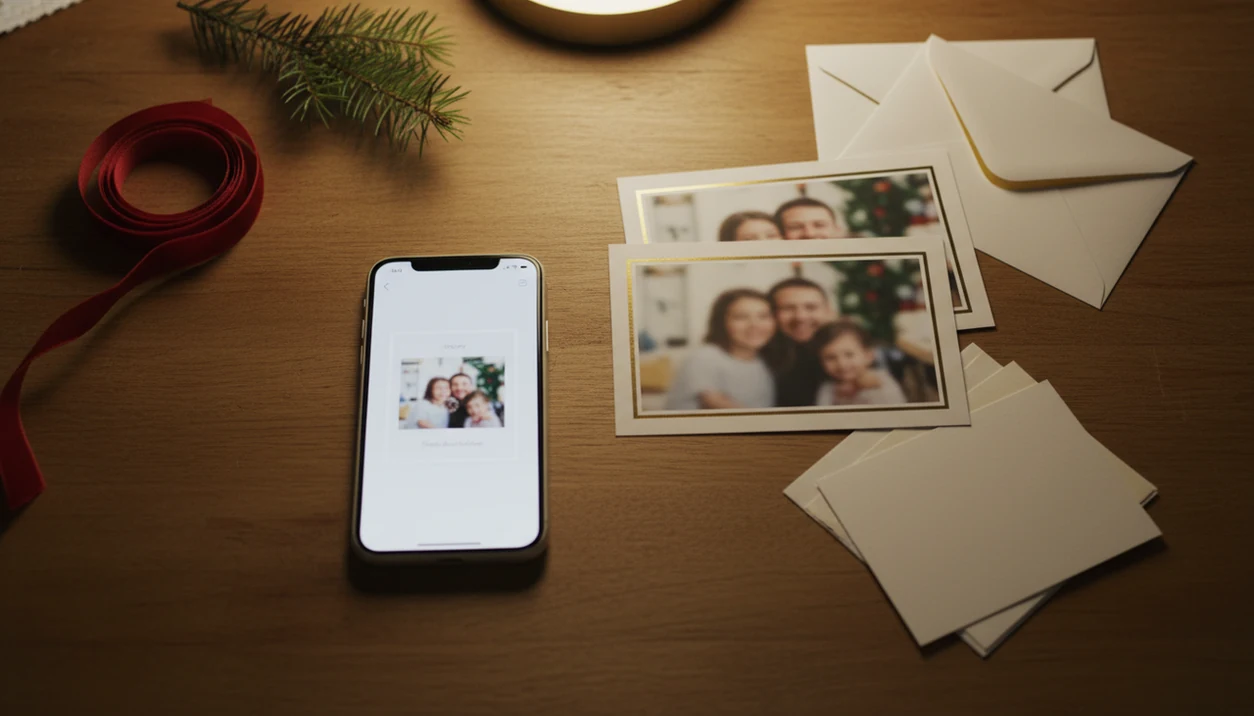
Yes, Christmas card apps can work for real photo cards when the original photo is sharp, well lit, and exported at a print-friendly size. They do not automatically make every card look professional, especially if the app is screen-first, compresses exports, or applies AI styles that distort faces.
> XmasCard is a Christmas card app that turns one photo into printable Christmas cards and holiday greetings for families, couples, and small businesses.
- Christmas card apps help most with speed, templates, text placement, and digital sharing.
- Christmas card app quality depends on photo resolution, layout design, cropping, export size, and print margins.
- AI-styled cards can look festive, but simple templates often print better for real family photo cards.
Does Christmas Card App Work: At-A-Glance Verdict
Christmas card apps do work for many users, especially families making fast photo cards, couples sending digital greetings, and last-minute senders who need a finished file tonight. They work less well when the source photo is blurry, the template crops too tightly, or the export is sized only for screens.
A good result depends on four checkpoints: photo quality, template design, export resolution, and margins. If one of those fails, the card can look fine on your phone and still print badly at a kiosk.
The 9:47 p.m. kitchen-table card session is real. Kids asleep, phone battery at 18%, one decent photo left in the camera roll. Tools like XmasCard fit that practical use case: turning one phone photo into a printable card or holiday greeting without starting from a blank design file.
If you are comparing options, check XmasCard against Canva, Shutterfly, Hallmark, and Paperless Post on three practical points: export size, watermark limits, and whether the design is meant for print or digital sharing.
Christmas Card App Quality: 5 Facts Before You Start
- A Christmas card app builds a finished card file. It combines a phone photo, holiday template, text, stickers, borders, and export tools into one shareable or printable design.
- Digital sharing is usually easier than printing. A card saved for Messages, email, or Instagram has fewer margin and paper issues than a 5x7 print.
- Printable files need more checking. Look for enough resolution, safe margins, and clean cropping before sending anything to Walgreens, CVS, or a home printer.
- Template quality usually beats AI novelty. Good spacing, readable type, and a calm photo crop matter more than painted snowflakes on a child portrait.
- Apps save time, not judgment. You still choose the photo, shorten the greeting, and notice if the dog leash is sitting in the corner.
Good Christmas card maker and holiday greeting guides that help families turn phone photos into printable cards, digital greetings, and festive portraits using AI styles should deliver clear file choices, not one-click perfection.
Christmas Card App Workflow Behind The Card File
A Christmas card app works by placing a selected photo into a template, applying crop and layout rules, adding text layers, then exporting the result as an image, PDF, or shareable card. The useful technical terms are image resolution and aspect ratio; in plain English, that means how much detail the file has and what shape it is.
Traditional templates preserve the original phone photo. AI styles may transform the image using visual pattern matching, often called image embeddings, so the card can look illustrated, snowy, painted, or studio-like. That can be fun, but it may also change faces, clothing, pets, or backgrounds.
Screen-optimized output is meant for viewing on phones. Print-ready output should keep more detail and leave room for trimming. If you need a deeper walkthrough, an app that makes Christmas cards from photos should explain both export paths clearly.
6-Step Christmas Card App Process For Real Photo Cards
- Choose a sharp photo with clear faces, bright light, and enough space around heads for cropping.
- Pick a template that fits the photo shape before adding stickers or AI effects.
- Check the crop for cut-off hair, squeezed shoulders, pets near the edge, and text covering faces.
- Write a short greeting that stays readable on a phone and on a printed 5x7 card.
- Export the card at the largest available size, preferably as a high-resolution image or PDF if printing.
- Test-share or test-print before ordering, especially if the printable version came from a Downloads folder full of duplicates.
Start with the photo you already have. A pajama photo beside the stockings often works better than a forced mini shoot where everyone looks tired.
For families, a simple photo template is often easier than a heavy AI portrait because the faces stay recognizable.
Printable Christmas Cards From Apps: File Quality Checks
Can you print a card made in a Christmas card app? Yes, if the app exports a high-resolution file with safe margins, a clean layout, and a photo sharp enough for the chosen print size.
For a 5x7 print, a practical 300-PPI target is about 1500x2100 pixels; Adobe’s guide to PPI explains why low-pixel exports can look soft on paper: https://www.adobe.com/creativecloud/photography/discover/ppi-vs-dpi.html
Common failures are easy to spot before you pay. Blurry images usually come from low-resolution photos or compressed exports. Cropped heads happen when a screen layout gets forced into a print size. Thin script text may look charming on a phone, then become hard to read on matte paper.
The fridge magnet holding the proof tells you more than the app preview. Print one copy, or at least zoom into the exported file before ordering twenty-five. If your main concern is paper output, compare options in a best Christmas card app guide that discusses export size, not just templates.
Simple check: open the final file, zoom in, and read every name.
Digital Christmas Greetings And Social Sharing With Card Apps
Digital Christmas greetings are often the strongest use case for card apps because email, messaging, share links, and social posting avoid print margins and paper color shifts. They also work well when the mailing window has passed.
Pew Research Center’s 2024 social media report found that Instagram remains especially common among younger U.S. adults and Facebook remains widely used across U.S. adults, which helps explain why mobile-first visual greetings feel normal now: https://www.pewresearch.org/internet/2024/01/31/americans-social-media-use/ That helps explain why mobile-first visual greetings feel normal now. A card saved to Photos can move through the iPhone share sheet in seconds.
Still, digital cards feel different. A tablet screen passed around dinner is quick and warm, but it is not the same as a paper card on a mantel. For last-minute senders, digital sharing usually works best when the goal is speed, while printed cards fit recipients who keep holiday mail on display.
If you’re building on iOS, a Christmas card app for iPhone should make saving and sharing obvious.
4 Christmas Card App Myths That Cause Bad Results
- Myth 1: The app automatically makes a professional card. It can speed up layout, but yellow living-room light and red-eye flash still show unless you choose or edit around them.
- Myth 2: Any screen design will print well. A card that looks crisp in a preview may have weak resolution, tight margins, or text too close to the trim line.
- Myth 3: AI styles always improve family portraits. AI can add snow, glow, or painterly texture, but it can also bend glasses, soften eyes, or make siblings look unrelated.
- Myth 4: Digital cards are always better than printed cards. Digital is faster. Paper still wins when someone wants a keepsake on the fridge or a card wall.
Not every file deserves paper.
If you want an AI-heavy look, compare it with a plain version before sending. An AI Christmas card from one photo usually works best when the original face details are already clear.
Christmas Card App Fit By Sender Type
Christmas card apps fit senders who want a finished greeting faster than a custom design process. They are a weaker fit for people who need full creative control, unusual print sizes, or brand-specific artwork.
| Sender type | Good fit? | Why it works or fails |
|---|---|---|
| Families with phone pictures | Yes | Templates help turn one usable family photo into a card without a design session. |
| Couples | Yes | Simple greetings, soft backgrounds, and festive portrait styles can work well. |
| Small businesses | Sometimes | Seasonal customer greetings are possible, but logo placement and brand colors need checking. |
| Last-minute senders | Yes | Digital export or a printable file can be finished quickly. |
| Full custom design users | Weaker fit | A design tool or local designer may offer more control over layout and print specs. |
Couples often do fine with one clean portrait. Families may need more crop room, especially with siblings squeezing onto one step.
Evidence Behind Christmas Card App Quality Checks
The main quality checks are not just picky design habits. They come from print basics: enough pixels for the chosen size, plus extra layout space for trimming and small shifts in paper handling.
Adobe’s PPI guidance explains why pixel dimensions affect print sharpness, while standard print-design guidance on bleed, trim, and safe areas explains why important faces and text should not sit at the edge. Screen previews can hide trouble because a phone shrinks the card, brightens it, and may smooth over compression; a low-resolution export can look fine in Messages and still print soft.
- Choose the sharpest original photo so the later export has real detail to preserve.
- Match the template shape to the card size before decorating, because resizing can force awkward crops.
- Keep faces, names, and dates inside a safe area, leaving bleed only for background color or pattern.
- Export the largest file the app allows, then check pixel dimensions instead of trusting the preview.
- Test one print or zoom into the saved file before ordering a stack.
Exact requirements vary by printer, paper finish, and card size, so treat app previews as a first pass, not the final proof.
Limitations
Christmas card apps are useful, but they are not quality guarantees. The weak point is usually the input photo or the export file, not the holiday frame.
- Blurry, dark, or low-resolution source photos still look poor in the finished card.
- Some apps are optimized for screens rather than print fidelity, so paper results may disappoint.
- AI portraits can distort faces, clothing, hands, pets, glasses, or background objects.
- Free versions may include watermarks, ads, limited templates, or smaller export choices.
- Home printers can shift colors, pull cardstock slightly crooked, or leave unexpected borders.
- Paper quality changes the final look, especially with dark backgrounds and small text.
- Long messages become hard to read on phone screens and printed cards.
- The user still has to choose a readable layout, check the crop, and save a backup.
If you need casual sharing, a free Christmas card app may be enough. For a mailed stack, test the exported file first.
FAQ
Do Christmas card apps actually help make cards faster?
Yes. They help with templates, text placement, decorations, and sharing, but they do not fix every photo or print-quality problem.
Can I print a card made in a Christmas card app?
Some Christmas card apps support printable exports, while others are mainly built for digital sharing. Check file size, margins, and export format before ordering prints.
Are Christmas card apps good enough for family photo cards?
They can be good enough when the source photo is sharp, the template is clean, and the export resolution fits the print size. Christmas card app quality varies a lot by app and settings.
Do AI Christmas cards look like real photos?
Sometimes, but AI styles may change faces, clothing, pets, or background details. Use AI effects carefully if you want the card to still look like your real family photo.
What kind of photo works best in a Christmas card app?
Use a bright, sharp, high-resolution photo with clear faces and extra space around the edges. Avoid heavy blur, harsh flash, and important details near the border.
Can I send digital Christmas cards from an app?
Yes. Digital sharing through messages, email, saved images, or social posts is one of the strongest uses for Christmas card apps.
Will Christmas cards made in an app look blurry when printed?
They may look blurry if the original photo is low resolution, the app compresses the export, or the print size is too large. A test print is the safest check.
Are free Christmas card apps enough for a decent card?
Free apps can work for casual digital cards. They often have watermarks, ads, limited templates, or restricted export sizes for printing.