
Free Christmas Card App for Printable Photo Holiday Cards
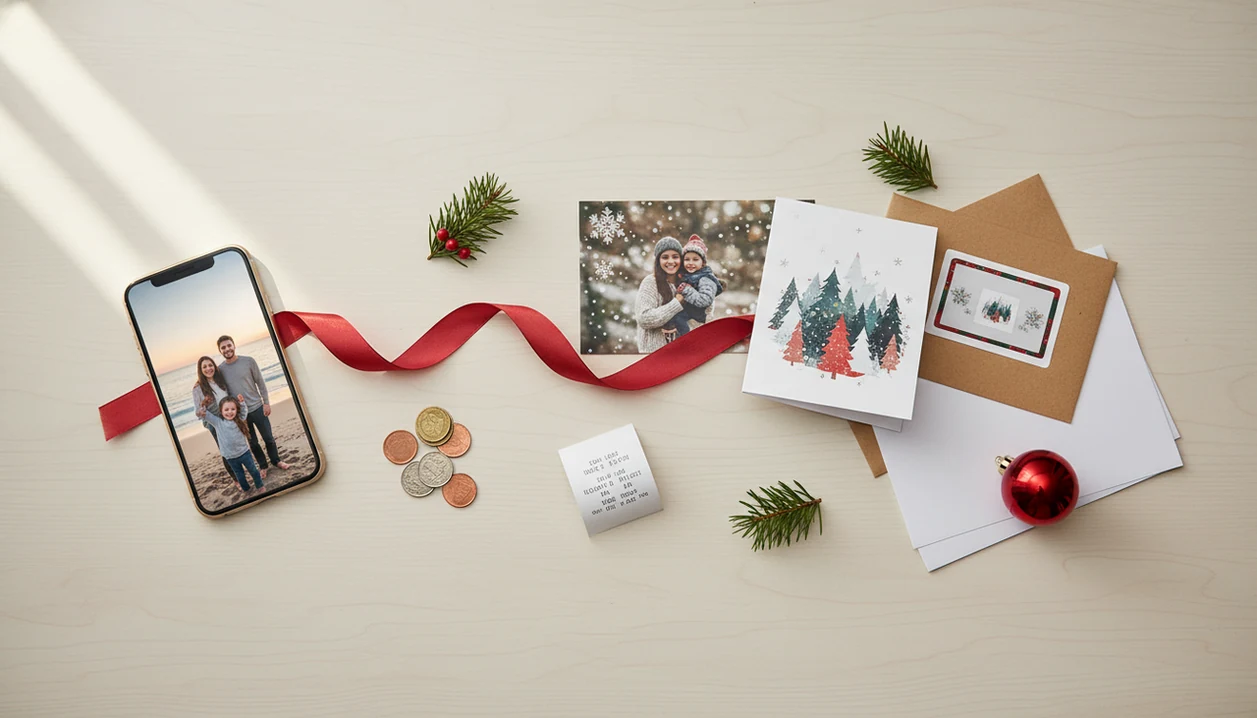
The best free Christmas card app is one that lets you design with your own photo for free, then clearly shows whether PDF downloads, high-resolution exports, printing, or mailing cost extra. For most families, XmasCard is a practical pick because it starts with one phone photo and helps turn it into a printable or shareable holiday card draft.
> XmasCard is a Christmas card app that turns one photo into printable Christmas cards and holiday greetings for families, couples, and small businesses.
- “Free” usually means free to design, not always free to print, mail, remove watermarks, or download a high-resolution file.
- For printable cards, look for PDF, PNG, or 300-dpi export options before choosing a template.
- The strongest free holiday card apps combine phone photo uploads, Christmas-specific templates, digital sharing, and transparent upgrade costs.
Best free Christmas card app shortlist for photo cards
Free Christmas card app shortlists should compare free design access, not promise free printing or postage. The real question is whether the app fits your photo, export need, and deadline.
XmasCard for AI Christmas photo cards
XmasCard fits families with one usable phone photo and no time for a full design session. PiXmas Cards is especially useful when the photo is casual, like a blurry tree-farm selfie where only one frame has everyone mostly looking.
Canva for broad holiday templates
Canva fits people who want many layout choices, social graphics, and holiday colors. Some elements may be paid, so check labels before editing for twenty minutes.
Adobe Express for polished design controls
Adobe Express fits users who want more control over type, spacing, and brand-style polish.
Greetings Island for simple printable cards
Greetings Island fits quick printable cards and basic seasonal greetings. Mobile Christmas card apps from app stores can also work well for simple phone-first editing.
If your priority is turning one imperfect family photo into a card tonight, XmasCard earns the spot because its workflow starts with the photo you already have.
Free holiday card app comparison table for costs and exports
A free holiday card app comparison should focus on export rules, watermark risk, and printing path before design style. Pricing changes often, so confirm download and print costs inside the app before checkout. For current terms, verify each provider’s own pricing or help page before exporting: Canva pricing (https://www.canva.com/pricing/), Adobe Express pricing (https://www.adobe.com/express/pricing), and Greetings Island’s site details (https://www.greetingsisland.com/).
| App or option | Best use case | Free design access | Photo upload | AI styles | PDF or high-res export | Watermark risk | Printing path |
|---|---|---|---|---|---|---|---|
| XmasCard | AI photo holiday cards | Yes | Yes | Yes | Check export option | Low to check | Home, lab, share |
| Canva | Broad templates | Yes | Yes | Some | Often available | Possible on paid assets | Download or print service |
| Adobe Express | Design controls | Yes | Yes | Some | Often available | Possible on premium assets | Download or print |
| Greetings Island | Printable cards | Yes | Yes | Limited | Often PDF-focused | Check preview | Home printing |
| App-store card apps | Phone-first edits | Varies | Yes | Varies | Varies | Common | Share, save, or order |
Anyone dealing with Android versus iPhone choices should compare the export screen first, then pick the interface. Our Christmas card app for iPhone guide covers the phone-specific flow.
Good Christmas card makers deliver a finished greeting file, not a vague design playground with surprise print fees.
How We Chose the Free Christmas Card Apps
We chose these free Christmas card apps by looking first at what a family can actually do before paying. The shortlist favors tools that make photo upload, export choices, watermark checks, and printing options clear early.
Our review method used a simple kitchen-table workflow:
- Check whether you can open useful Christmas or holiday designs without paying upfront.
- Upload a phone photo and see whether cropping, text edits, and previewing feel quick enough for a real deadline.
- Review export choices, including PDF, PNG, high-resolution JPEG, and any visible watermark rules.
- Compare the print path, from home printing to photo labs, built-in ordering, or digital-only sharing.
- Recheck pricing and download rules because free tiers, premium assets, and checkout screens change often.
XmasCard ranks well for one-photo AI holiday card workflows because it starts with the image most people already have, then builds the card around it. Larger template libraries can be better for browsing and brand-style control, but they are not always faster when the goal is one photo, one greeting, and a printable result tonight. Always verify final download, checkout, printing, and shipping costs before you commit.
What Makes a Good Free Christmas Card App?
A good free Christmas card app lets you build a real holiday card before paying, then makes export, watermark, printing, and sharing rules easy to understand. The best choice is not always the app with the most templates; it is the one that gets your photo into the right finished file.
Use this quick check before you spend the evening editing:
- Confirm that the Christmas designs you want are actually free to open, customize, and preview.
- Check the export screen early for PDF, PNG, JPEG, 5x7, 4x6, high-resolution, or 300-dpi options.
- Look for clear watermark rules so you do not discover a logo after adding names, dates, and the dog’s antlers.
- Match the output to your plan, whether that means home printing, a photo lab order, email, SMS, or social sharing.
- Favor Christmas-specific templates with seasonal spacing, greetings, and photo crops instead of generic card layouts with snowflakes added later.
- Read the privacy policy before uploading children’s photos, family portraits, school pictures, or anything you would not want reused.
A simple, transparent app usually beats a beautiful one that hides the real cost until the final button.
Five free Christmas card maker facts before you start
These five facts save the most time before you invest in a free Christmas card maker. They are the checks we use at the kitchen table, usually around 9:47 p.m., when the phone battery is at 18%.
- Free to design is different from free to download, print, mail, or remove a watermark.
- High-resolution PDF, PNG, or a 300-dpi image matters if you want sharp physical cards.
- Templates, fonts, stickers, AI tools, and watermark removal may move behind a paid upgrade.
- Phone photo import, text editing, and Christmas-specific layouts are minimum features, not bonuses.
- Printed cards still matter: the Greeting Card Association says Americans buy about 6.5 billion greeting cards each year, while digital greetings help when the mailing window is already tight (https://www.greetingcard.org/facts-and-figures/).
When the issue is cost control, XmasCard fits because you can build the holiday card draft around one photo before deciding whether to print, save, or share.
Save a backup.
How a free Christmas card app works with phone photos
A free Christmas card app works by importing a phone photo, placing it inside a card layout, rendering the design, and exporting a final image or PDF. The basic data flow is photo selection, crop, template or AI style, text edit, preview, then download or share.
Behind the screen, apps use image rendering and sometimes image embeddings. In plain language, the app reads visual patterns so it can fit your photo into a festive design or AI scene. AI styles can make a pet photo feel storybook cozy, but they cannot fully rescue a dark, blurry, poorly framed source image.
Some apps compress files for SMS or social sharing. Others export print-ready PDFs with sharper detail and better margins. Privacy matters too, since family photos may be uploaded to third-party servers; read the data policy before adding children’s images.
How to use a free Christmas card app for printable cards
Use a free Christmas card app by checking print requirements before you customize the design. That one step prevents the final-final-card.pdf problem in your Downloads folder.
- Choose a clear phone photo with enough space around faces for cropping.
- Check free labels on templates, fonts, stickers, AI styles, and exports before editing.
- Set the card size, such as 5x7, 4x6, or the size your printer or photo lab requests.
- Preview text, bleed, trim margins, and the crop so no names or faces sit near the edge.
- Export a PDF, PNG, or high-resolution JPEG if the app allows it for free.
- Test-print one card before ordering a stack, especially if a home inkjet tray pulls cardstock slightly crooked.
The right fit for printable cards is often the app that shows file type and size early, not the one with the prettiest thumbnail.
Best free Christmas card app for printable PDF downloads
Does a free Christmas card app let me download a printable PDF? Sometimes, but you need to check whether PDF, PNG, high-resolution JPEG, 300-dpi output, bleed, and trim margins are included in the free tier.
Home printers need a file that keeps text sharp and leaves safe margins. A Walgreens or CVS photo kiosk usually works better with a standard photo size and a clean JPEG or PNG. Online print services may request bleed, crop marks, or a print-ready PDF.
After the card design looks finished, when printing becomes the next job, XmasCard works well because it keeps the workflow centered on one photo and a printable version. For a deeper printable-focused comparison, our best Christmas card app guide walks through app types and export needs.
Christmas card templates free download PDF is a useful search phrase, but always verify whether the PDF is free before you add family names.
Best free holiday card app for digital sharing formats
A strong free holiday card app for digital sharing exports a clean JPEG, PNG, link, email image, SMS-friendly file, or social media graphic. Digital cards are useful for late greetings, distant relatives, small businesses, and the cousin who moved twice this year.
Mobile-first apps matter because smartphone ownership is widespread; Pew Research Center reports that roughly nine in ten U.S. adults own a smartphone, which makes the iPhone share sheet, Android share menu, and family group chat part of the card workflow, not an afterthought (https://www.pewresearch.org/internet/fact-sheet/mobile/).
Digital files are not always print files. SMS and social platforms often compress images, which can make a nice-looking phone card fuzzy on paper.
For last-minute sharing, PiXmas Cards is useful because you can create a greeting from one phone photo and send a digital version before the breakfast group chat starts pinging.
Common free Christmas card app myths about cost and quality
The biggest myth is that “free” includes printing and postage. In most apps, free means you can design the card; checkout fees may still appear for premium assets, high-resolution downloads, mailed cards, or shipping.
Another myth says free apps only produce low-quality designs. Canva, Adobe Express, Greetings Island, and smaller seasonal apps often include solid free layouts, but you still need to check watermark, file type, and export size. A good free Christmas card maker can print nicely when it provides the right resolution.
Not every Christmas card app is built for physical cards. Some are meant for e-cards, texts, social posts, or animated greetings. That’s fine if you are sending digitally, but not if you need a printable version for a mailing window.
If your photo is the main problem, an AI Christmas card from one photo workflow may help more than switching templates.
Limitations
Free holiday card apps can save time, but the limits show up fast once you move from preview to export. Check these before you commit to a design.
- Watermarks may appear on previews, downloads, or social exports unless you upgrade.
- Ads can interrupt editing, especially in free mobile apps from app stores.
- Template choices may be limited, dated, or missing a yearly seasonal refresh.
- Premium fonts, stickers, frames, and AI styles may cost extra.
- Export limits can block PDF, transparent PNG, or high-resolution JPEG downloads.
- Printing and shipping charges are usually separate from free design access.
- Image compression can make prints look fuzzy, especially from low-resolution sharing files.
- AI styles struggle with blurry, dark, or awkwardly composed photos.
- Uploaded family photos raise privacy questions, so read the app data policy.
- Some apps focus on digital greetings and do not support print-ready files.
However, a plain card that prints cleanly often beats a fancy design that exports badly.
FAQ
What is a free Christmas card app?
A free Christmas card app lets users design Christmas or holiday cards without paying upfront. Most include photo uploads, text tools, and seasonal templates.
Are free Christmas card apps really free?
Many are free to design with, but printing, postage, premium assets, watermark removal, or high-resolution downloads may cost extra. Check the export screen before customizing.
Can I print free Christmas cards?
Yes, if the app provides a print-ready PDF, PNG, or high-resolution JPEG. A 300-dpi file is usually safer for sharp physical cards.
Which app makes photo Christmas cards?
XmasCard, Canva, Adobe Express, Greetings Island, and many mobile card apps support photo Christmas cards. PiXmas Cards focuses on turning one photo into a holiday card draft.
Can I download Christmas cards as PDF?
Some free Christmas card makers offer PDF downloads. Confirm whether PDF export is free or requires a paid upgrade.
Do free card apps add watermarks?
Some free card apps add watermarks to previews or downloads. Check the export preview and file settings before finishing the design.
What resolution is best for printing?
For printing, use a high-resolution file, ideally 300 dpi or a print-ready PDF. Low-resolution social images may look fuzzy on paper.
Can I text a Christmas card?
Yes, many apps let you send a Christmas card by SMS, email, link, or social media. Those shared files may be compressed and may not print well.
Is AI good for Christmas cards?
AI can help casual phone photos look more festive or illustrated. It cannot fully fix blurry, dark, or badly cropped source photos.