
Christmas Card Creation Timeline: From Phone Photo to Sent Card
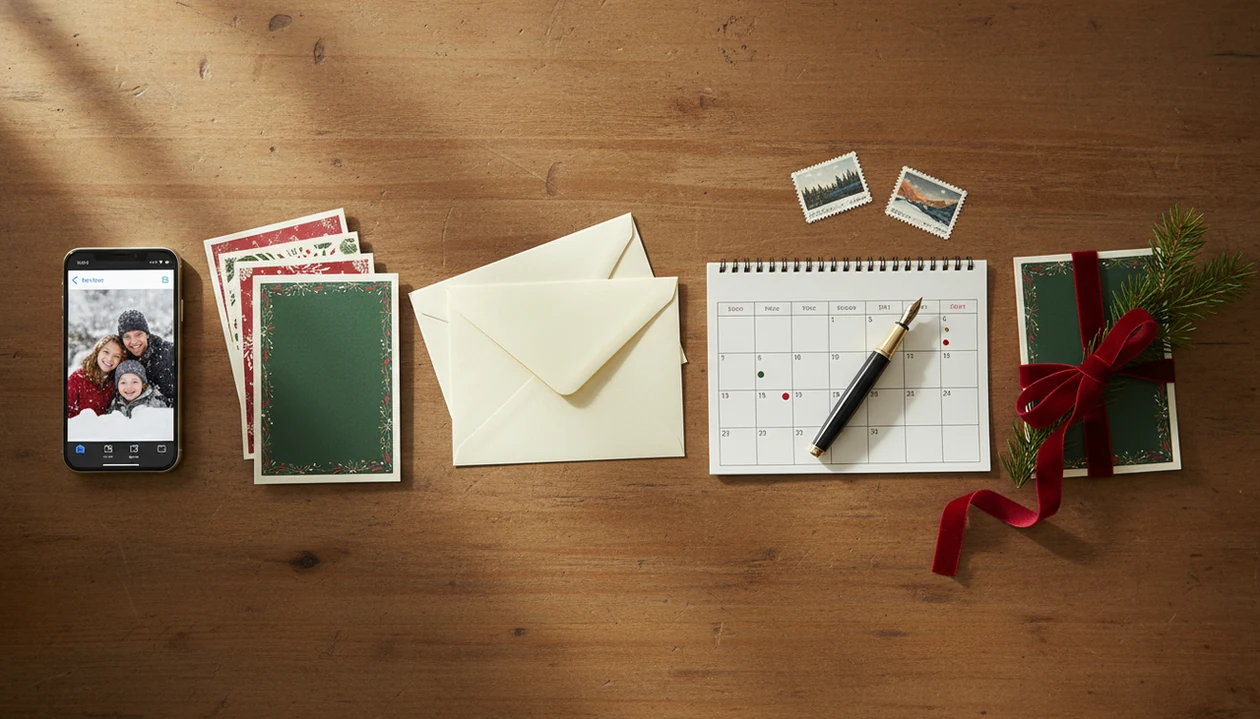
A Christmas card creation timeline should start 6 to 8 weeks before Christmas for printed cards, with photos chosen in October, designs finalized by early to mid-November, and mailing finished shortly after Thanksgiving. Digital cards can be sent much later, but they still need time for photo selection, AI styling, wording, and proofing.
Definition: A Christmas card creation timeline is the practical schedule for turning a phone photo into a finished printed or digital holiday greeting before Christmas delivery deadlines.
TL;DR
- Start printed Christmas cards in October if you want room for photo retakes, AI styling, printing, shipping, and mailing delays.
- Finalize and order printed cards by early to mid-November when possible, then address and mail them after Thanksgiving.
- Digital Christmas cards remove printing and postage time, but still need proofreading, image checks, and a clear send date.
At-a-Glance Christmas Card Planning Schedule
Use this holiday card timeline as the short version: choose photos in October, finish printed designs in November, and mail soon after Thanksgiving. USPS reported handling roughly 13.2 billion letters, cards, flats, and packages during a recent holiday season (https://about.usps.com/newsroom/national-releases/2021/0105-usps-delivers-2020-holiday-season.htm), so buffer time is not just neat planning.
| Timeframe | Printed cards | Digital cards | Last-minute senders |
|---|---|---|---|
| Early October | Pick photos, check addresses | Pick photo style | Start a smaller recipient list |
| Mid-October | Retake photos if needed | Test layouts | Choose one usable phone photo |
| Early November | Finalize design and wording | Draft message | Use a printable or digital template |
| Mid-November | Order prints | Export test version | Skip complex edits |
| After Thanksgiving | Address, stamp, mail | Schedule send date | Send digital first |
| Christmas week | Hand-deliver extras | Text or email greeting | Use digital only |
The kitchen-table session feels different when stamps are already bought.
How a Holiday Card Timeline Works Behind the Scenes
A holiday card timeline works backward from the date you want cards to arrive, then adds time for each production step. The chain is photo selection, backup, AI styling or layout, wording, proofing, printing or exporting, addressing, and sending.
Printed cards slow down at two places: printer production and postal delivery. Those systems are handling everyone else’s holiday orders too. Greeting card demand is real; the Greeting Card Association says Americans buy about 1.3 billion Christmas cards each year (https://www.greetingcard.org/facts-and-figures/).
The practical technical idea is a critical path, which means the slowest required step controls the schedule. If prints arrive late, neat envelopes and finished wording cannot fix the mailing window. For families, a printed card usually works best when the design is locked before Thanksgiving, while a digital greeting fits people who can proof quickly and send closer to Christmas.
Requirements Before Starting a Christmas Card Creation Timeline
Before starting, gather the raw materials first, not after the design is half done. A Downloads folder full of duplicates makes every later choice slower.
- Phone photos: Use well-lit, in-focus images with enough resolution for your chosen card size.
- Backup location: Save originals to iCloud, Google Photos, Dropbox, or a computer before editing.
- Recipient details: Prepare names, addresses, email addresses, and digital-only contacts in one list.
- Card plan: Decide budget, preferred size, print quantity, and whether you need a printable version.
- Send method: Printed cards need paper, postage, and addresses; digital greetings need export quality and sharing checks.
A focused Christmas-card app can keep the workflow centered on one usable image, especially when you are moving from phone photo to printable file. If you are comparing options, an app that makes Christmas cards from photos can help you evaluate that workflow.
Step 1: Choose Phone Photos for the Holiday Card Timeline
When should you choose photos for Christmas cards? Choose them in early to mid-October for relaxed printed cards, or by early November if you are moving fast.
Start with the photo you already have, then make a shortlist of 5 to 10 images. Back them up before cropping, filtering, or uploading them anywhere. Check faces, lighting, sharpness, background clutter, and crop space around heads and shoulders.
One dog nose in the foreground can be funny. It can also eat half the card title.
Plan retakes right away if your strongest image is dark, blurry, or cropped through someone’s hair. The most reliable holiday card photo is a sharp, bright phone photo with clear faces and extra space for text or trimming.
Step 2: Apply AI Styling in the Christmas Card Planning Schedule
AI styling belongs after photo selection and before final wording, because the image may change the whole layout. Allow time to test several styles instead of accepting the first festive result.
Check faces, hands, pets, clothing, text areas, and background artifacts. A matching red scarf added digitally may look charming in preview, but strange at print size. Keep one natural version and one festive version side by side so you can compare warmth, realism, and crop.
AI styling depends heavily on the original phone photo. Yellow living-room light, motion blur, and a toddler looking away all give the tool less to work with. If you want a deeper one-photo workflow, the AI Christmas card from one photo guide covers that path in more detail.
Step 3: Write and Proof the Christmas Card Wording
Write the card copy after the image and layout are mostly settled. Draft the greeting, family names, year, return address, and any short update before ordering or exporting.
Proof once on your phone and once on a desktop if possible. Phone previews hide small spacing problems, while desktop screens make awkward line breaks easier to spot. Check spelling of names, apostrophes, dates, business names, and religious or secular wording.
For small businesses, confirm the logo, offer dates, website, phone number, and store hours. Good christmas card maker and holiday greeting guides that help families turn phone photos into printable cards, digital greetings, and festive portraits using ai styles deliver finished greetings, not a guarantee that every typo, crop, or mailing delay disappears.
Step 4: Order Prints or Export Digital Christmas Cards
When should printed Christmas cards be ordered? For U.S. senders, early to mid-November is the safer window because it leaves time for production, shipping, corrections, and reprints.
Build in 2 to 3 weeks before your target mailing date. Printer queues grow when coupon codes hit inboxes. Stock can run low, paper substitutions happen, and a home inkjet tray can pull cardstock slightly crooked on the test run.
Digital cards can be exported closer to Christmas, but they still need a quality check. Zoom in before sending by email, text, or social media. Tools like Canva, Picsart, and dedicated Christmas-card apps can all fit a timeline, but the deadline still depends on whether you are printing, exporting, or doing both. A Christmas card app for iPhone may be easiest if the whole draft lives on your camera roll.
Step 5: Address, Stamp, and Mail Holiday Cards
Mail domestic printed cards shortly after Thanksgiving or by early December when possible. Holiday mail volume adds pressure, even when local delivery usually feels quick.
- Sort recipients: Group local, national, international, hand-delivery, and digital-only contacts.
- Order stamps early: Do it before the cards arrive, not after the envelopes are stacked.
- Confirm addresses: Apartment numbers and ZIP codes cause many avoidable delays.
- Prepare return details: Check that every envelope has the right return address.
- Leave room for weather: Snow, storms, and regional delays can stretch normal delivery.
Scissors trimming a white border at 11:38 p.m. is not the mailing plan. It is the rescue plan. For most families, mailing early is easier than paying for rush production because postal time is harder to control.
How to Use This Christmas Card Creation Timeline
Use the timeline by choosing the arrival date first, then counting backward through mailing, addressing, printing, proofing, styling, and photo selection. Pick the printed or digital path before you spend time on details.
- Set the arrival date before selecting a template or print option.
- Count backward from mailing and reserve time for addressing, printing, proofing, AI styling, and photo selection.
- Choose print or digital delivery before final export.
- Add buffer days for retakes, reprints, address fixes, and printer delays.
- Save files for next year with a clear name, such as final-final-card.pdf.
A saved list turns next year’s card from a rebuild into an update.
Common Christmas Card Timeline Mistakes
Most timeline problems come from stacking too many steps into one December week. The card may still get made, but every choice becomes rushed.
- Designing, printing, and mailing in the same week: This leaves no room for printer errors or slow delivery.
- Using blurry phone photos: AI can style an image, but it cannot reliably turn motion blur into a crisp print.
- Skipping proofreading: Names, addresses, apostrophes, and return details need a separate pass.
- Waiting for discounts: Last-minute coupons can mean fewer paper choices and slower shipping.
- Assuming digital needs no planning: Digital greetings still need a clean image, correct wording, and a send list.
A rushed proofread before school pickup is when “The Millers” becomes “The Miller’s.” Tiny mark, big annoyance.
Final Christmas Card Quality Check Before Sending
Do one final check after the card looks finished, not while you are still choosing fonts. Inspect printed samples or previews for cropping, color, bleed, margins, and text placement.
Zoom in on digital files before sending by email, social media, or a messaging app. Look for red-eye flash, odd AI edges, fuzzy logos, and text too close to the border. Send one test digital card to yourself before mass sending; the iPhone share sheet can compress images in ways you may not expect.
For printed cards, confirm every envelope has the right recipient, address, stamp, and return address. If you need no-cost options, a free Christmas card app can help with drafting, but you still need to check the crop before sending.
Limitations
A Christmas card planning schedule reduces panic, but it cannot control every outside system. Build the plan, then leave room for the parts that move.
- Postal delays can still happen, especially during peak volume or extreme weather.
- International cards need more time because of customs, longer transit, and local holidays.
- Low-light or motion-blurred phone photos may not print crisply at larger sizes.
- AI styles can introduce artifacts, extra fingers, odd pet fur, or a look that needs manual correction.
- Printer mistakes, paper shortages, and shipping bottlenecks may require reprints.
- Last-minute coupon waiting can force compromises on design, paper, envelope style, or delivery speed.
- A local Walgreens, CVS, or print shop may have its own cutoff times that override your draft schedule.
Card-making apps can shorten the design step, but they cannot guarantee postal delivery dates or fix every source photo.
FAQ
When should I start Christmas cards?
Start printed Christmas cards in early to mid-October if you want a relaxed schedule. Digital cards can start later, but they still need photo selection, wording, and proofreading.
When should Christmas cards be mailed?
Mail domestic Christmas cards shortly after Thanksgiving or by early December when possible. Holiday mail volume makes buffer time important, especially for cards traveling across the country.
When should I order printed cards?
Order printed cards in early to mid-November for the safest U.S. timeline. This allows time for production, shipping, corrections, and possible reprints.
Can I make cards in December?
Yes, you can make cards in December, but printed cards may require faster shipping, local pickup, or a smaller mailing list. Digital cards are usually more practical for late December sending.
Do digital Christmas cards need planning?
Digital Christmas cards avoid printing and postage delays, but they still need a good photo, final wording, and proofing. Send one test to yourself before sharing widely.
How long does AI styling take?
AI styling can take a few minutes per version, but reviewing results often takes longer. Plan time to compare styles, check artifacts, and choose the final image.
What photo works best for cards?
A bright, sharp phone photo with clear faces and space around the subject works best. Avoid heavy blur, harsh flash, cluttered edges, and crops that cut into heads or hands.
Should international cards go earlier?
Yes, international cards should go earlier than domestic cards. Customs, longer transit routes, and local holidays can add delays outside the sender’s control.