
Benefits of AI Christmas Cards From Phone Photos
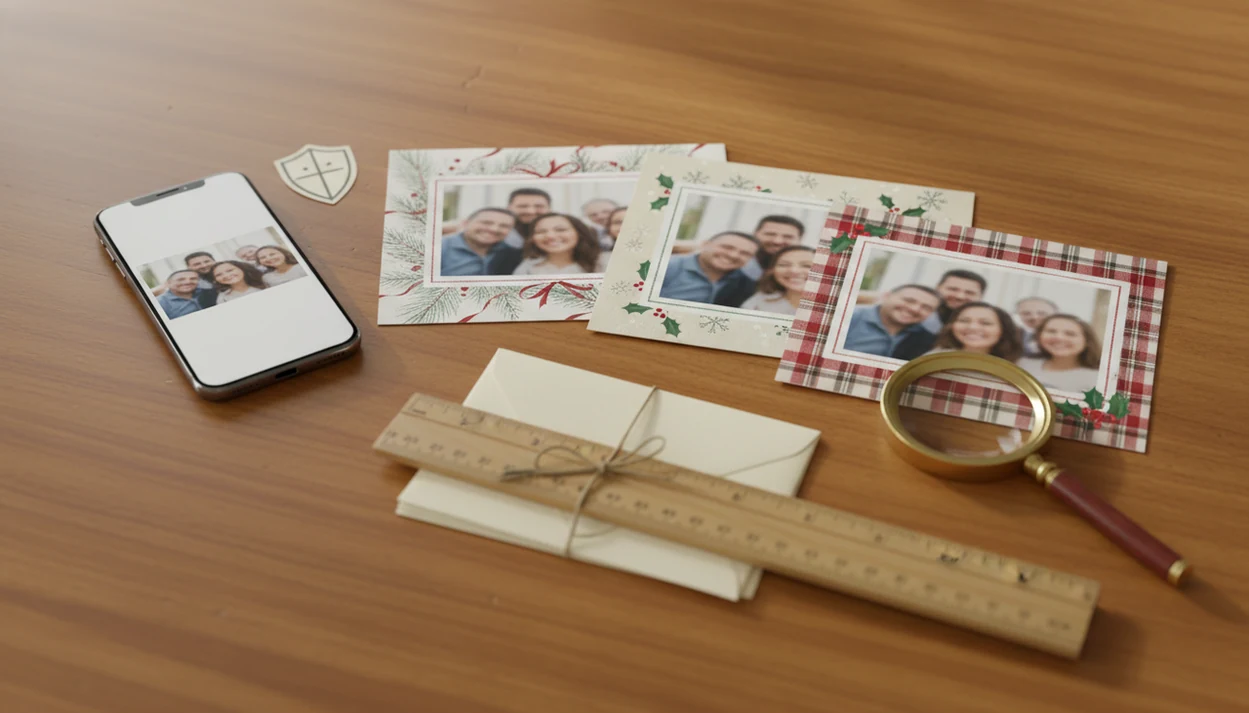
The main benefits of AI Christmas cards are speed, personalization, and the ability to turn ordinary phone photos into printable cards or digital greetings without design skills. They are especially useful for last-minute senders and families with imperfect photos, but the final card still needs review for print quality, likeness, wording, and privacy.
A good AI Christmas card workflow turns one clear phone photo into a recognizable, printable greeting while leaving the final choices to the sender.
- AI Christmas cards help turn imperfect phone photos into festive portraits, layouts, messages, and shareable greetings faster than manual design.
- The strongest AI holiday card benefits are personalization, quick first drafts, mixed print-and-digital use, and easier card creation for non-designers.
- AI photo card advantages have limits: faces, hands, text, cropping, print resolution, cost, and privacy still need human review.
AI Christmas Card Benefits for Imperfect Phone Photos
The practical benefit is not magic photo repair. The real value is faster transformation: a usable phone photo becomes a holiday card draft with a seasonal background, layout, and greeting in minutes instead of a whole evening.
That matters when the photo is close, but not polished. Maybe the toddler is looking away, the living-room light is yellow, or the dog leash sits in the corner. AI can still suggest a snowy scene, soften the background, frame a couple portrait, add holiday greenery near a business logo, or make a pet photo feel card-ready.
Start with the photo you already have, but choose carefully. Clear faces, steady focus, decent lighting, and enough resolution still matter for printing. The benefits of AI Christmas cards show up fastest when the source photo is honest, recognizable, and not too blurry.
Good enough beats missing the mailing window.
Five AI Holiday Card Benefits Readers Should Know
- AI can create a first holiday card draft quickly, which helps last-minute senders staring at an email draft titled Christmas card.
- AI supports personalization by adapting styles, messages, and visual themes for a family, couple, pet, or small business.
- One design can often support both printable cards and digital greetings, so the same idea can go to mailboxes, texts, and email.
- AI can automate tedious tasks such as background changes, stylized portraits, layout ideas, and message drafts.
- Human review is still required because AI can create awkward wording, odd faces, unrealistic hands, or designs that look too polished.
Royal Mail-reported research cited by TechRadar said more than eight million UK people planned to use AI to write Christmas cards in 2024, which shows the idea has moved beyond novelty source. For last-minute families, an AI first draft is often easier than starting from a blank template because it gives you a photo, style, and wording to judge.
How AI Christmas Card Tools Work Behind the Scenes
AI Christmas card tools usually take a phone photo, interpret it through an image model, generate visual variations, place the result into a card layout, and let the user edit text before export.
The usual flow is simple from the outside: upload or choose a photo, select a style or prompt, generate options, place the image in a card, edit the greeting, then save a printable or digital file. Behind that, image embeddings help the system compare visual patterns. In plain language, the tool is matching your photo to learned patterns for faces, lighting, snow, ornaments, clothing, and card design.
AI can reinterpret backgrounds, clothing, lighting, and seasonal details. Layout tools then prepare the card shape. But AI does not know your family story. It predicts visual and text patterns from the input and prompt. Google has shown a Pixel holiday-card workflow using Magic Editor, Reimagine, and Pixel Studio for multiple AI edits in one process source.
Before You Start: Photo, Consent, and Print Checks
Before you upload a phone photo, make sure the image, permission, and final use are clear. A few checks at the start prevent the most common AI card problems: changed faces, awkward crops, privacy worries, and files that look fine on screen but fail in print.
- Choose a photo with visible faces, steady focus, natural-looking light, and enough space around heads, hands, pets, or logos for a safe crop.
- Avoid tiny screenshots, heavy beauty filters, extreme blur, and pictures where someone’s face sits close to the border, because AI and print trimming both need room to work.
- Get permission before uploading photos of children, relatives, employees, clients, or anyone who may not expect their image to be used in an AI tool.
- Decide whether the finished card is meant for print, text, email, or social before generating styles, since each channel has different size, crop, and readability needs.
- Read the service’s privacy, deletion, storage, sharing, and AI-training terms before upload, especially when the image includes children, home interiors, school uniforms, or business customers.
That quick pause makes the later creative choices easier.
How to Use AI Christmas Cards From One Photo
Use AI Christmas cards from one photo by treating the tool as a fast drafting assistant, not the final judge. A quick draft helps, but final review decides whether the card is printable, recognizable, and worth sending.
- Choose a clear phone photo with visible faces, steady focus, and extra space around the edges.
- Select a festive style, such as classic greenery, snowy portrait, Santa scene, pet card, or small business holiday look.
- Generate several options, then reject any version with changed faces, odd hands, or strange background details.
- Edit the message so it sounds like your family, not a generic greeting pulled from a template.
- Check print settings, including size, resolution, crop safety, bleed, and readable text.
- Export one file for printing and another for digital sharing if the tool supports both.
Some AI card tools promise same-session drafts, but treat any time estimate as a product claim rather than a guarantee; source it directly from the provider page if you keep a specific number. If you want a deeper phone workflow, our how to make AI Christmas card with phone guide breaks the same process into smaller checks.
AI Photo Card Advantages for Print and Digital Greetings
The main AI photo card advantages come from building one core holiday design, then adapting it for mail, text, email, or social posting. That saves time when your Downloads folder already has final-card, final-final-card.pdf, and one mystery duplicate.
| Channel | What matters most | What to check before sending |
|---|---|---|
| Printable card | Resolution, bleed, crop safety, aspect ratio, paper size | Faces are not near trim lines, text is readable, export is high enough quality |
| Text message | File size, vertical crop, mobile readability | The greeting is legible on a small screen |
| Email greeting | Attachment size, format, subject line | The file opens cleanly and is not too large |
| Social post or story | Platform crop, aspect ratio, safe margins | No heads, logos, or greetings are cut off |
One design usually works best when the photo has room around the subject, while separate versions fit people who need both mailed cards and story-sized digital greetings. For print-specific setup, a printable Christmas card maker workflow is worth checking before you order.
The best Christmas card maker guidance is honest about trade-offs: AI styles can speed up drafts, but they cannot guarantee that every phone photo will print cleanly or feel personal.
Common Myths About AI Holiday Card Benefits
AI holiday card benefits are real, but a few myths make people expect too much. The emotional value still comes from the sender’s chosen photo, message, and review, not automation alone.
- Myth: AI cards are automatically more meaningful. A handwritten note can still feel warmer if the AI message sounds flat or generic.
- Myth: AI always preserves a perfect likeness. Strong styles can change faces, smiles, hair, glasses, or a child’s expression.
- Myth: AI messages do not need proofreading. Generated greetings can repeat phrases, miss names, or sound too formal for close family.
- Myth: AI cards are always cheaper. Premium tools, printing, postage, and revisions can raise the total cost.
- Myth: polished means better. A porch-light family snapshot may feel more like you than a glossy winter portrait.
AI card tools can help make a draft from one photo, but the sender still has to decide whether it feels true enough to send.
Best Use Cases for AI Christmas Cards From Phone Photos
AI Christmas cards fit situations where speed, style variation, or message help matters more than a formal photo session. They are especially useful when you have one decent phone photo and a short mailing window.
- Last-minute family cards. AI can turn one clear family image into several layouts before the kids wake up.
- Couple portraits. Style options help a simple selfie feel more seasonal without booking a shoot.
- Pet holiday cards. A funny dog or cat photo can become a festive card, even if the pet antlers slipped sideways.
- Small business greetings. AI can suggest polished seasonal looks, but branding, contact details, and professionalism need careful review.
- Digital-only greetings. Quick exports work well for text, email, and social posts when printing is not the goal.
For families with only one usable picture, an AI Christmas card from one photo is often simpler than sorting through fifty near-duplicates. Apps such as Canva and Picsart offer broader manual editing, while one-photo AI card generators focus on faster drafts.
Limitations of AI Christmas Cards for Print, Privacy, and Likeness
AI Christmas cards need a review checklist because the first draft can look finished before it is actually safe to print or share. Privacy matters too, because users may upload photos of children, pets, homes, school uniforms, and family spaces.
- Likeness can be imperfect, especially when a style changes faces, age, hair, glasses, or expressions. - Hands, teeth, eyes, and faces can look strange in heavily edited portrait-style cards. - Generated wording can sound generic, formal, or unlike the sender’s normal holiday voice. - Over-stylized results may feel less personal than the original phone photo. - Text placement can collide with faces, logos, snow effects, or busy backgrounds. - A card that looks good on screen can still print poorly if export size, crop, or resolution is wrong. - Privacy depends on each service’s upload, storage, training, sharing, and deletion policies. Before uploading children’s photos or home interiors, compare the service’s privacy policy with basic app-privacy guidance from the FTC: source. Look specifically for retention, sharing, deletion, and AI-training language. - Costs can grow through premium styles, extra exports, print orders, postage, or revisions.
Check the crop. Then check it again. AI card tools are useful only when the final file still matches the people and message you mean to send.
FAQ About Benefits of AI Christmas Cards
Are AI Christmas cards worth it?
AI Christmas cards are worth it when speed, personalization, and easy layouts help you finish a card faster. They still require review for likeness, wording, privacy, and print quality.
Do AI Christmas cards look realistic?
AI Christmas cards can look realistic when the source photo is clear and the style is not too strong. Heavy edits can change faces, hands, clothing, or background details.
Can AI Christmas cards be printed?
AI Christmas cards can be printed if the export has enough resolution, safe cropping, and readable text. Always check size, bleed, and aspect ratio before ordering prints.
Are AI holiday cards personal?
AI holiday cards can be personal when they use your real photo, names, message, and chosen style. The meaning comes from your choices, not from automation alone.
Are AI Christmas cards private?
AI Christmas card privacy depends on the service’s upload, storage, training, sharing, and deletion policies. Review those terms before uploading family photos, especially photos of children or home spaces.
Can AI write Christmas card messages?
AI can draft Christmas card messages, greetings, captions, and business holiday notes. Proofread the result and add personal details so it does not sound generic.
What photos work best for AI Christmas cards?
Clear, well-lit phone photos with visible faces, minimal blur, and extra space around the subject work best. Avoid tiny screenshots, heavy filters, and photos where faces are near the edge.
Are AI Christmas cards cheaper than traditional cards?
AI Christmas cards may reduce design time, but they are not always cheaper. Total cost can include premium features, printing, postage, extra exports, or revisions.