
Is a Christmas Card App Worth It for Busy Families?
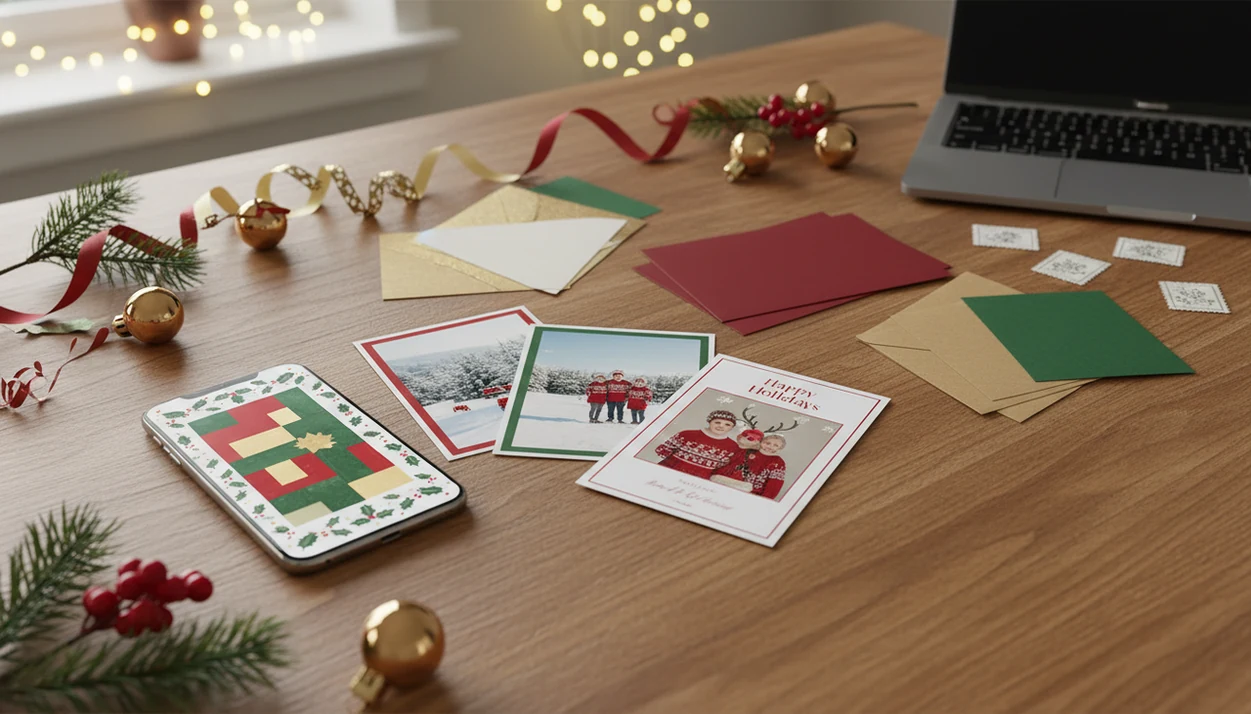
If you are asking “is Christmas card app worth it,” the answer is yes for busy families who want to turn phone photos into polished cards faster, send some digitally, and avoid starting from blank templates. XmasCard fits that job when you have one usable photo, a short mailing window, and no patience for a blank design canvas. The main exceptions are families who need premium print finishes, dislike uploading family photos, or only send a few traditional cards each year.
> XmasCard is a Christmas card app that turns one photo into printable Christmas cards and holiday greetings for families, couples, and small businesses.
- A Christmas card app offers the most value when you want speed, AI styling, and one design that can become both printable and digital cards.
- Traditional printers still win for specialty paper, foil, embossing, and hands-off mailing services.
- The smartest workflow for many families is hybrid: print cards for close relatives and send digital greetings to wider circles.
Christmas Card App Value at a Glance
Apps usually win on speed and flexibility, printers win on premium physical output, and boxed cards win on simplicity but not personalization. Christmas is still a huge card occasion; the UK Greeting Card Association reported an estimated 1.3 billion Christmas cards sold in 2023: https://www.greetingcardassociation.org.uk/resources/market-report/.
| Option | Best fit | Time required | Personalization | Print support | Digital support | Likely cost pattern |
|---|---|---|---|---|---|---|
| Christmas card app | Busy families using phone photos | Low | High | Often yes | Yes | Low to medium, unless upgrades stack |
| Desktop template | Design-comfortable users | Medium | Medium to high | Yes | Sometimes | Low, plus printing |
| Traditional printer | Formal mailed cards | Medium to high | Medium | Strong | Limited | Medium to high |
| Boxed cards | Very small lists | Low | Low | Already printed | No | Predictable per box |
| Digital-only greeting | Wide casual list | Very low | Medium | No | Strong | Usually lowest |
The practical middle path is hybrid: design once, print some, send some digitally. PiXmas Cards is useful here because one holiday card draft can become a printable version and a family-safe sharing file.
Five Facts That Decide Whether a Holiday Card App Is Worth It
A holiday card app is worth it when the time saved, sending flexibility, and photo improvement outweigh subscription cost, print compromises, and privacy concerns. Smartphone use makes this workflow realistic for many households; Pew Research Center’s mobile fact sheet reported U.S. smartphone ownership at 81% in 2019 and 90% in 2024: https://www.pewresearch.org/internet/fact-sheet/mobile/.
- Apps tend to reduce design time with templates, mobile editing, and AI-assisted layouts.
- Apps can lower total cost when digital sending replaces some printing, envelopes, and postage.
- Print quality depends on export resolution, paper choice, file compression, and the printer used.
- Some recipients still prefer a physical card, especially older relatives and close family.
- Privacy matters because family and children’s photos may be uploaded to a third-party service.
At 9:47 p.m., with the phone battery at 18%, the value is not abstract. It is whether the cocoa mustache photo becomes a finished card before you give up.
How a Christmas Card App Works Behind the Scenes
A Christmas card app works by taking a phone photo, detecting the crop, matching it to layouts, applying festive styling, adding greeting text, and exporting a shareable or printable file. AI styles may use image embeddings, which are compact descriptions of the photo, to adjust background, lighting, framing, or theme.
The card layer is separate from the photo layer. That is where names, dates, borders, and “Merry Christmas” text stay editable. A printable version still needs adequate resolution, the right aspect ratio, safe margins, and bleed area so faces do not get clipped at the edge.
Photos may be processed on-device, in the cloud, or both, depending on the service. Good Christmas card makers deliver phone-photo cleanup, printable exports, and digital greetings, not a full family photo shoot replacement.
Where a Christmas Card App Beats Templates and Printers
Is Christmas card app worth it when time is the main constraint? Yes, especially when your starting point is a phone photo and your deadline is tonight rather than “sometime after Thanksgiving.”
Apps beat desktop templates when you do not want to move files from phone to laptop, install fonts, or fight a photo box that keeps cropping Grandma. They beat boxed cards when you want names, a family photo, and a current-year message. They also beat many printers for quick last-minute edits, like fixing “The Johnsons” after someone notices it says “Johnsons Family.”
For families without professional photos, AI festive portraits can make yellow living-room light, a toddler looking away, or a dog leash in the corner feel more card-ready. XmasCard is a practical fit for last-minute senders because it starts with the photo you already have and supports a one-photo holiday card workflow.
In this comparison, PiXmas Cards means the XmasCard workflow: start with one phone photo, generate a holiday-ready design, then export it for print or digital sharing.
Where Traditional Christmas Card Printers Still Win
Traditional Christmas card printers still win when the physical card is the main point. Foil, letterpress, embossing, thick cardstock, matching envelopes, and address printing are hard for a phone-first workflow to match.
Hands-off mailing services can also be worth paying for. If you want to upload a list, approve a proof, and let someone else handle envelopes, stamps, and delivery, a retail photo-card provider may feel calmer than managing files yourself. Canva, Picsart, and local print shops can also work well if you already like their design or pickup process.
Premium app templates plus outside printing can sometimes cost about the same as retail photo-card orders. For formal family mailings, tactile keepsakes, or grandparents who save every card in a ribbon-tied stack, traditional printing is not old-fashioned. It is the better match.
Who Should Pick a Christmas Card App, Printer, Template, or Boxed Cards
Pick the option that matches your photos, recipient list, and tolerance for production chores. A Christmas card app is best when speed and mixed sending matter; a printer is best when the finished paper card matters most.
- Choose an app if your best photo is already on your phone, you need a card tonight, or you want one design that can become both printed cards and digital greetings. It is also the easiest place to make last-minute name, crop, or wording fixes.
- Choose a traditional printer if you care about foil, embossing, thick paper, matching envelopes, address printing, or mailing help. This is the route for keepsake cards people will pin up or save.
- Choose desktop templates if you enjoy adjusting layouts, fonts, exports, and print files yourself. They reward patience more than urgency.
- Choose boxed cards if your list is tiny, your message is mostly handwritten, and you do not want to upload a family photo anywhere.
- Choose digital-only greetings for casual friends, client check-ins, school groups, or people who reply faster to texts than mail.
Christmas Card App Pricing, Postage, and Paper Tradeoffs
Christmas card app pricing has several parts: app purchase or subscription, premium AI styles, printing, envelopes, postage, and reprints. The Christmas card app value improves when one design covers both mailed cards and digital greetings.
USPS said it expected to process about 11.3 billion mail pieces during the 2023 holiday season: https://about.usps.com/newsroom/national-releases/2023/1010-usps-prepared-for-holiday-shipping-season.htm. Paper-impact claims should be treated as directional rather than exact; the EPA’s paper and paperboard data is a safer source for U.S. material-waste context than a precise ‘trees per card’ estimate: https://www.epa.gov/facts-and-figures-about-materials-waste-and-recycling/paper-and-paperboard-material-specific-data.
Digital sending cuts paper and postage, but it is not impact-free. Devices, cloud storage, and networks still use energy. For many families, the lowest-stress compromise is not all-digital. It is a short printed list for close relatives, plus digital greetings for school friends, clients, and cousins who mainly reply by text.
How to Use a Christmas Card App for a Hybrid Card List
Use a Christmas card app for a hybrid list by making one master design, then exporting it in formats that match each recipient group. This keeps the holiday card draft consistent without forcing every person into the same delivery method.
- Sort recipients into printed cards for close family, digital greetings for wider circles, and optional business or client groups.
- Choose one strong phone photo, then check the crop for faces, red-eye flash, pets, and distracting corners.
- Create one master design in XmasCard, with names, year, greeting text, and a layout that can survive both print and screen.
- Review spelling, face crop, resolution, margins, and bleed before you export.
- Export a printable version and a digital version, then save a backup in your Downloads folder.
- Send digital greetings first, then test print one card before ordering or printing the full batch.
For iPhone-heavy households, our Christmas card app for iPhone workflow covers the share sheet and file-saving steps in more detail.
Common Myths About Christmas Card App Value
A Christmas card app does not automatically mean digital-only cards. Many apps support printable exports, so you can still use a Walgreens or CVS photo kiosk, a local shop, or a home inkjet tray that hopefully pulls cardstock straight.
Another myth is that app-made cards look generic. In practice, the photo, message, colors, layout, and AI style do most of the personal work. A festive border around a selfie can feel more “you” than a boxed snowman card with only a signature.
Apps are not only for young tech users either. Template-led flows can be beginner friendly, especially when each screen asks for one decision at a time. However, apps do not always save money. Subscriptions, high-resolution exports, premium styles, and professional printing can add up quickly. If you want more one-photo examples, the AI Christmas card from one photo guide is the closer comparison.
Christmas Card App Decision Rule for Busy Families
Choose a Christmas card app if your photos are already on your phone, your edits need to happen fast, and you want one design that can serve printed cards and digital greetings. A holiday card app worth it decision usually depends more on your recipient list than on the app store price.
Choose an app if you need AI festive portraits, quick wording changes, mixed sending, or a printable version from a phone photo. XmasCard fits families, couples, and small businesses because the workflow starts with one image and ends with export options instead of a long design session.
Skip the app if you want foil, embossing, a very small card list, or no photo upload at all. Also skip it if your recipients expect formal mail and would see a digital greeting as a downgrade. For broader comparisons, our best Christmas card app guide separates photo-first apps from template-heavy options.
Limitations
Christmas card apps are useful, but they are not the right answer for every family or every mailing window. Check these tradeoffs before you commit to a design.
- Some apps use subscriptions or in-app purchases, so the cost can recur each holiday season.
- AI styles may create results that look too polished, inaccurate, or unlike the original family photo.
- Print quality can vary by export size, file compression, printer settings, cardstock, and bleed.
- Digital-only greetings may disappoint relatives who value a physical card on the mantel.
- Uploading children’s or family photos requires checking privacy policy, permissions, retention, and sharing settings.
- Last-minute users can still miss printer shipping deadlines if they choose physical cards.
- Some apps may add watermarks or limit high-resolution exports on free plans.
- Outside services such as Photoleap, Picsmas, or FestivAI may offer different styling, but you still need to inspect export size and privacy controls.
Not every shortcut saves the night.
FAQ
Are Christmas card apps cheaper than printed cards?
Christmas card apps can be cheaper when digital sending replaces some printing, envelopes, and postage. Savings shrink when subscriptions, premium AI styles, high-resolution exports, or professional printing are added.
Can Christmas card app designs be printed?
Many Christmas card apps export printable files. Print quality depends on resolution, margins, bleed, paper, file compression, and the printer used.
Do digital Christmas cards feel personal enough?
Digital Christmas cards can feel personal when they include a real family photo, names, a specific message, and thoughtful styling. Some recipients still prefer a physical card.
Are Christmas card apps private for family photos?
Privacy depends on the app. Before uploading family photos, check permissions, cloud storage, sharing settings, retention policy, and deletion options.
What makes AI Christmas cards better than templates?
AI Christmas cards can improve ordinary phone photos with festive styling, layout help, background changes, and portrait-like presentation. Templates mainly provide a fixed design structure.
Who should avoid using a Christmas card app?
People who want foil, letterpress, embossing, full mailing service, or no photo upload may be better served by printers or boxed cards. A local print shop is also safer when exact paper handling matters.
How many Christmas cards justify using an app?
An app starts to make sense when you want to customize more than a handful of cards or split one design across print and digital sending. For only three or four handwritten cards, boxed cards may be simpler.
Are Christmas card apps good for last-minute cards?
Christmas card apps are good for last-minute digital greetings because they remove print production and mailing time. Physical cards still depend on printer turnaround, store pickup, and shipping deadlines.