
Canva vs Adobe Express Christmas Cards for Photo Cards
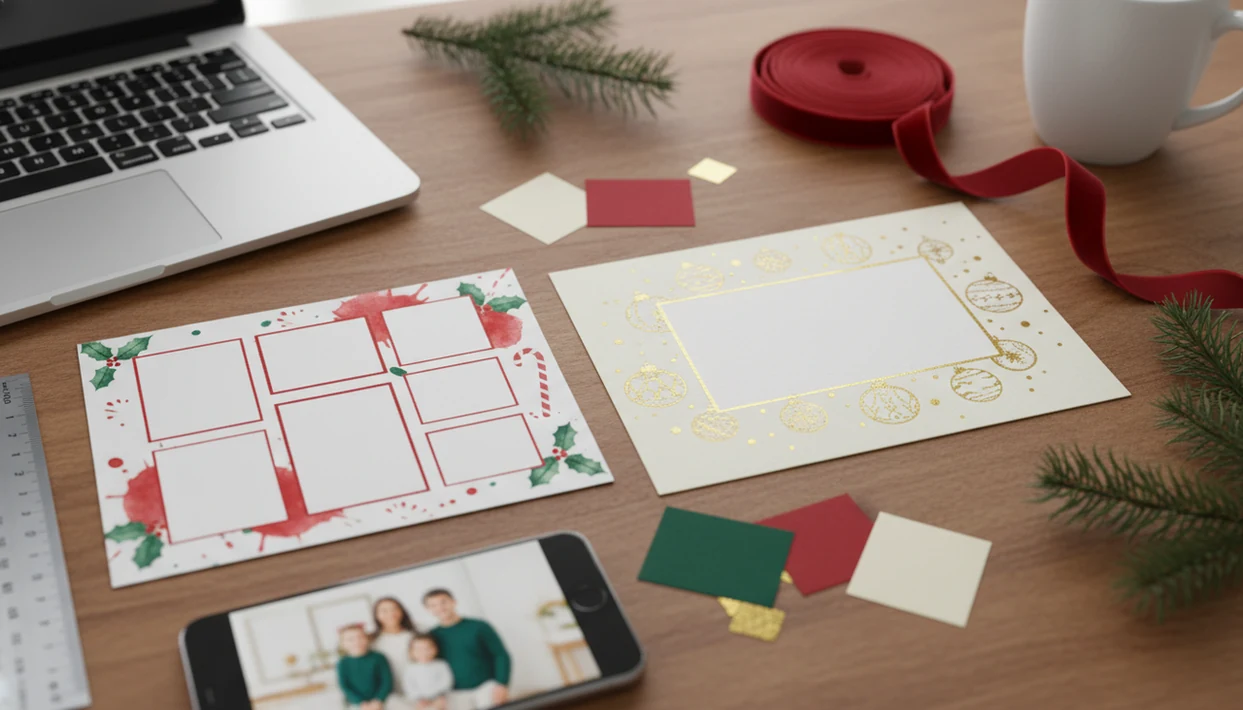
Canva is usually the faster choice for beginner-friendly family photo cards, while Adobe Express is better if you want Adobe Fonts, Firefly AI effects, and tighter photo control. The best Canva vs Adobe Express Christmas cards choice depends on whether you value template speed or more polished creative control. XmasCard fits before either tool when the real problem is choosing one usable phone photo and getting the holiday card draft started.
XmasCard is a Christmas card app that turns one photo into printable Christmas cards and holiday greetings for families, couples, and small businesses.
- Pick Canva Christmas cards if you want the quickest drag-and-drop workflow and the broadest template selection.
- Pick Adobe Express Christmas cards if you want Adobe-style typography, Firefly AI effects, and stronger creative ecosystem links.
- For print quality, export settings, photo resolution, bleed, and the printer matter more than the design tool name.
Canva vs Adobe Express Christmas Cards at a Glance
Canva is generally fastest for non-designers making family cards, while Adobe Express is stronger for Adobe ecosystem polish. Both can export high-resolution images or PDFs for printing, but the final card still depends on crop, resolution, and printer setup.
| Decision point | Canva Christmas cards | Adobe Express Christmas cards |
|---|---|---|
| Best for | Fast family layouts and beginner edits | Fonts, photo control, and Adobe-style polish |
| Template depth | Larger general template library | Strong holiday templates with Adobe assets |
| Photo upload ease | Very simple drag-and-drop uploads | Easy uploads with stronger photo adjustment options |
| AI features | AI design and editing tools vary by plan | Firefly AI effects and background tools |
| Typography | Good template-driven type choices | Adobe Fonts are a major strength |
| Print exports | PDFs and high-resolution images | PDFs and high-resolution images |
| Free-plan usefulness | Useful, but premium assets appear often | Useful, with plan-based AI and asset limits |
| Learning curve | Lower | Slightly higher, still built for non-designers |
Most DIY cards now start with phone photos. Pew Research Center reported that 83% of U.S. adults owned a smartphone in 2024, which explains the crooked couch family photo problem: https://www.pewresearch.org/internet/fact-sheet/mobile/
Five Facts About Canva Christmas Cards and Adobe Express Christmas Cards
- Canva has a larger general template library and is typically easier for beginners who want a card finished at 9:47 p.m.
- Adobe Express has Adobe Fonts, Firefly AI, and links to Adobe tools such as Photoshop and Lightroom.
- Free-tier differences can affect version history, premium assets, AI credits, brand kits, and how many drafts you can comfortably make.
- Print quality depends on export resolution, file format, bleed, trim, and the print service, not only the design platform.
- XmasCard can be used upstream for photo choice, holiday crop guidance, and AI portrait style before layout work in either platform.
If the priority is getting one decent family photo into a printable greeting tonight, XmasCard handles the photo-first step with a one-photo holiday card workflow before you move into Canva or Adobe Express for layout polish.
Good Christmas card makers deliver printable files, digital greetings, and realistic photo workflows, not a guarantee that every yellow living-room picture will look like a studio portrait.
How Canva vs Adobe Express Christmas Cards Work
Canva vs Adobe Express Christmas cards work by using template-based design: you upload a photo, place it in a frame, adjust type, add holiday elements, then export a printable or shareable file. The core system is cloud editing, which means projects are saved to an account and reopened later from a browser or app.
Canva leans on a drag-and-drop library model. You search “Christmas card,” swap a photo, change names, and resize for a post or printable version. Adobe Express leans on Adobe assets, Adobe Fonts, and Firefly image tools. In plain terms, Canva feels like arranging pieces on a table, while Adobe Express gives you more style controls around the same table.
Modern DIY cards usually begin with a smartphone photo and a web tool. A photo-first step can help when the source image needs a holiday crop, AI portrait style, or clearer card direction before design begins.
Where Canva Christmas Cards Win for Family Photos
Does Canva work better for quick family Christmas cards? Yes, Canva usually wins when a first-time user, busy parent, or last-minute sender needs a simple family layout without learning a design system.
Canva is especially useful for drag-and-drop editing, broad template volume, easy resizing, and quick text swaps. It handles multi-photo collages well, which helps when one child smiled in one frame and the dog looked at the camera in another. The family group chat can be pinging at breakfast, and a digital greeting can still be ready before the cereal bowls are cleared.
On days when the mailing window is closing, XmasCard fits the parent who wants to start with the photo already on the phone because it narrows the crop and holiday style before the Canva layout step.
The caveat is cost. Premium templates, elements, stock photos, and some power features may require Canva Pro, so check the crown icons before you fall in love with a design.
Where Adobe Express Christmas Cards Win for Fonts and AI
Does Adobe Express work better for polished Christmas cards? Yes, Adobe Express is stronger when typography, photo treatments, Firefly AI effects, and Adobe ecosystem compatibility matter more than raw template speed.
Adobe Fonts are the clearest advantage. They help a holiday card feel less like a reused template and more like a deliberate greeting. Firefly AI can add effects, support background work, and help shape a photo treatment, though you still need to inspect the face, fingers, ornaments, and fur. AI mistakes get weird fast.
If you already use Lightroom, Photoshop, or Illustrator, Adobe Express can feel more familiar than Canva. It is not only for professionals. The current product is built for non-designers too, including families making cards from phone photos.
Couples who care about a softer portrait finish can use XmasCard first for AI holiday styling, then use Adobe Express for Adobe Fonts and the final greeting layout.
How to Use Canva or Adobe Express for Christmas Cards
Use Canva or Adobe Express by choosing the photo first, setting the card size second, and exporting only after checking print requirements. That order prevents the most common mess: a nice design built around a blurry crop.
- Choose one strong phone photo before opening a template; look for clear faces, enough light, and space around heads.
- Set the card size and orientation before designing, such as 5x7 portrait, 5x7 landscape, or square digital greeting.
- Upload the photo and test crops; keep faces, names, and the year away from trim lines.
- Customize the greeting text with fonts, family names, business name if needed, and the correct year.
- Check printer specs for bleed, trim, color, file type, and resolution before export.
- Export a print-ready PDF or high-resolution image, then save a backup with a name you will recognize later.
For families, couples, and last-minute senders, the finished card usually depends more on the source photo and crop than on whether the layout started in Canva or Adobe Express.
Canva vs Adobe Express Christmas Card Pricing and Print Policies
Canva and Adobe Express both offer free and paid plans, but useful limits vary by account, region, and current plan rules. Check premium templates, stock assets, fonts, brand kits, AI tools, version history, and download options before starting a card.
| Policy area | What to check in Canva | What to check in Adobe Express |
|---|---|---|
| Free templates | Which Christmas designs are free | Which holiday designs are free |
| Paid assets | Premium elements and photos | Premium Adobe Stock-style assets |
| Fonts | Template fonts and brand kit access | Adobe Fonts access by plan |
| AI tools | Credit or feature limits | Firefly credit or feature limits |
| Printing | Export specs and print ordering options | Export specs and print ordering options |
| Commercial use | Template and element licenses | Font, stock, and template licenses |
Free plan differences
Free plans can be enough for a family card, especially if you use your own photo and a free template. For small businesses, licensing matters more. A branded team greeting may be better planned with a business Christmas card app workflow before ordering prints.
Print file differences
Both tools can create printable files, but you still need to confirm bleed, trim, resolution, and printer requirements. A Walgreens or CVS photo kiosk may handle files differently from a local print shop.
Evidence and Sources for Canva vs Adobe Express Christmas Cards
The comparison above is based on official product documentation where the claim is about features, exports, fonts, AI, or plan limits. The speed and “which feels easier” judgments come from hands-on workflow judgment: starting with a phone photo, building a 5x7 card, checking the crop, and exporting a file.
For Canva, the relevant evidence is its official Christmas card template library, print/export guidance, and plan-limit documentation for premium assets and feature access. For Adobe Express, the documentation to check is its template help, Adobe Fonts availability, Firefly feature notes, and export/download options. The phone-photo framing is supported by the Pew smartphone ownership data already cited above; most people are not starting from a studio shoot.
- Verify the template source before choosing a design, especially if a crown, premium badge, or stock asset appears.
- Check the export page for PDF, PNG, JPG, bleed, and size choices before sending anything to print.
- Review the plan terms for AI credits, premium assets, fonts, and commercial use.
- Recheck regional pricing and licensing before checkout, because plan names, credits, and asset rights can change by country and over time.
Which Christmas Card Maker Should You Choose
Choose the Christmas card maker based on the part of the job that is slowing you down. Template speed, creative polish, and photo readiness are three different problems.
- Pick Canva for speed. Canva fits families and last-minute senders who want template variety, simple family photo layouts, fast resizing, and quick text edits.
- Pick Adobe Express for polish. Adobe Express fits couples, creators, and brand-conscious senders who want Adobe Fonts, Firefly AI, and tighter visual control.
- Use XmasCard first for the source photo. XmasCard fits users who are stuck choosing, cropping, styling, or improving the holiday photo before they open a larger design platform.
- Use a business-specific workflow for client cards. Small teams sending branded greetings may want a dedicated best Christmas card app for small business comparison before choosing templates.
If the hard part is turning one phone photo into a card-ready image, XmasCard earns the first step because the workflow starts with photo selection, holiday crop guidance, and a printable version.
For team photos, a business holiday card from team photo workflow can also prevent tiny faces, awkward crops, and unreadable logos.
Limitations
These tools can make holiday card work easier, but none of them remove the need to check the file before printing. The ink warning blinking red is still your problem.
- Neither Canva nor Adobe Express can perfectly rescue blurry, low-resolution, or poorly composed photos.
- AI effects can introduce artifacts, odd textures, warped objects, or unnatural faces.
- Screen colors may not match printed colors without a color-managed workflow.
- Free tiers may restrict premium Christmas templates, assets, downloads, version history, or AI access.
- Cloud projects are tied to account policies, pricing changes, login access, and platform availability.
- Licensing terms can limit commercial use of fonts, illustrations, stock photos, or templates.
- Bleed, trim, and color profile requirements still need verification with the printer.
- Competitors such as canva.com, picsart.com, photoleap.app, picsmas.com, and festivai.app may offer different AI styles, but print specs still need checking.
- A photo-first card workflow can help with the source image, but it does not guarantee USPS delivery dates or local print-shop results.
For mailed cards, compare print services too. The Shutterfly vs Walmart Christmas cards question is separate from the design-tool choice.
FAQ
Is Canva better for Christmas cards?
Canva is better for Christmas cards when speed, template variety, and beginner-friendly editing matter most. It is often the simpler choice for family photo cards.
Is Adobe Express good for Christmas cards?
Adobe Express is good for Christmas cards if you care about Adobe Fonts, Firefly AI effects, and stronger photo adjustment options. It also works for non-designers.
Which tool has better Christmas card templates?
Canva usually has the broader general template selection. Adobe Express often feels stronger when typography and polished visual style matter.
Which Christmas card maker is easier for beginners?
Canva is usually easier for beginners because the drag-and-drop workflow is very direct. Adobe Express is still beginner-friendly, but it has more creative controls.
Can Canva and Adobe Express both print Christmas cards?
Both Canva and Adobe Express can export printable PDFs or high-resolution image files. Always check bleed, trim, resolution, and the printer’s file requirements.
Which tool is better for uploading family photos?
Canva is faster for basic uploads and collage layouts. Adobe Express gives more room for photo treatment, background tools, and font-driven design.
Do Canva and Adobe Express free plans include Christmas card templates?
Yes, both free plans usually include some Christmas card templates. Premium templates, assets, AI tools, and version history may require a paid plan.
Can AI fix bad Christmas card photos?
AI can improve lighting, backgrounds, or style in some photos. It cannot reliably fix severe blur, tiny faces, low resolution, or poor composition.
Which tool is better for small business holiday cards?
Adobe Express can be stronger for branded holiday cards because of Adobe Fonts and creative ecosystem links. Canva may be faster for simple staff greetings and social versions.