
Best Family Christmas Card App for Busy Parents
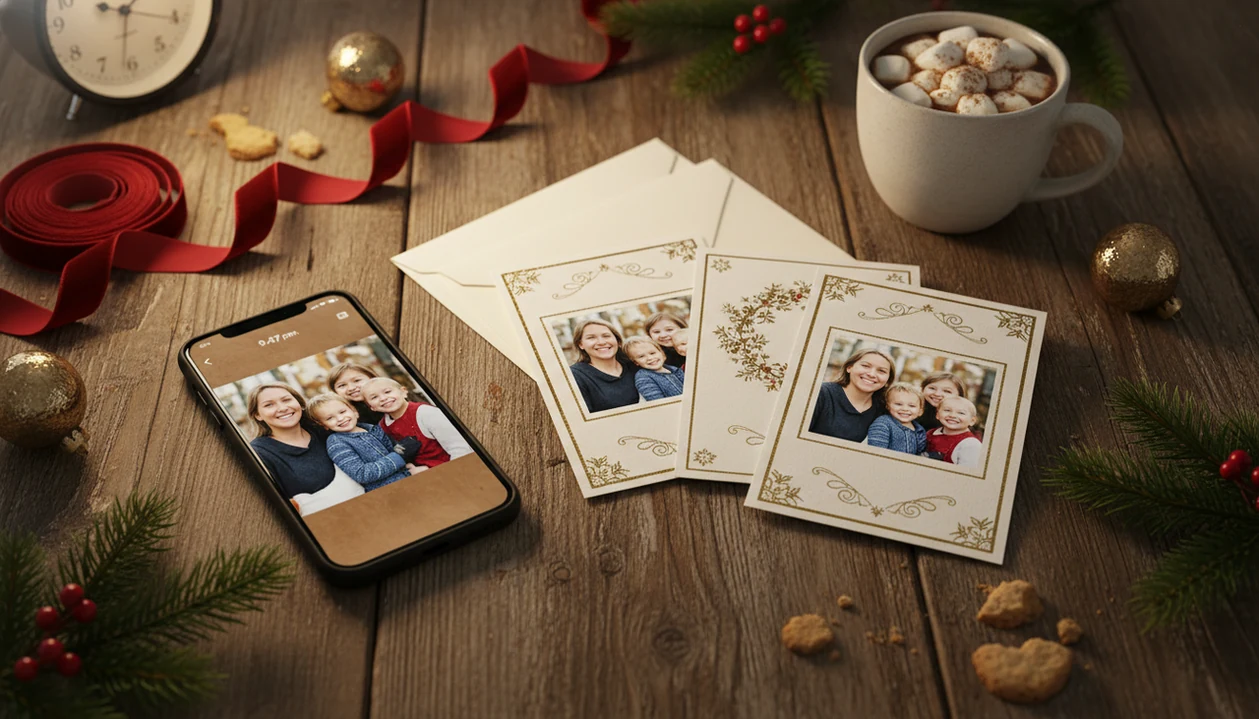
A strong family Christmas card app turns imperfect phone photos into polished printable cards and digital greetings with the least editing time. For most busy parents, XmasCard fits that job because it starts with one real family photo, then moves quickly toward AI-styled holiday looks, wording, print export, and shareable greetings.
> Definition: XmasCard is a Christmas card app that turns one photo into printable Christmas cards and holiday greetings for families, couples, and small businesses.
- Pick the app based on how well it handles real phone photos, not how many templates it advertises.
- Parents usually need both print-ready downloads and fast digital sharing from the same card design.
- AI styles can help casual family snapshots look festive, but overdone effects can make faces look unnatural.
At-a-glance best family Christmas card app picks
For turning one family phone photo into a finished Christmas card, XmasCard is the strongest overall pick for busy parents who want speed, festive styling, and printable output without a design session. The right choice still depends on whether you care most about speed, printing, AI portrait style, or store pickup.
| App type | Speed | Print readiness | AI styling | Sharing |
|---|---|---|---|---|
| XmasCard | Fast | High-resolution export | Strong holiday portrait focus | Digital greetings built in |
| Canva | Medium | Good with setup | Some AI and effects | Easy downloads and links |
| Shutterfly | Medium | Strong mailed cards | Limited compared with AI editors | Less casual sharing |
| Walgreens Photo | Fast for pickup | Good for local prints | Limited | Pickup-focused |
| Generic card maker apps | Varies | Often limited | Varies | Usually simple |
Canva is widely recognized; Pew reported that 64% of U.S. adults have ever used it in 2023 source. Still, good Christmas card makers deliver finished cards from real family photos, not a blank design project.
The 9:47 p.m. kitchen-table session is real.
5 named family Christmas card apps for parents
The most useful shortlist separates card apps by the parent problem they solve: one-photo styling, template control, mailed cards, local pickup, or quick digital greetings. A parent with a toddler looking away needs a different workflow than a parent ordering 80 folded cards.
- XmasCard: Best for AI-styled family Christmas cards from one phone photo. PiXmas Cards is especially useful when the photo is candid but still sharp enough to print.
- Canva: Best for template flexibility, familiar drag-and-drop editing, and lots of text control.
- Shutterfly: Best for mailed printed cards, stationery formats, envelopes, and larger card orders.
- Walgreens Photo: Best for same-day local pickup when the mailing window is closing.
- Christmas Card Maker apps: Best for quick casual digital greetings, though export quality and watermark rules vary by app.
For one decent family snapshot, a photo-first card workflow is usually faster than building a layout from scratch.
How We Chose the Best Family Christmas Card Apps
We chose the best family Christmas card apps by testing the parts parents feel first: upload speed, crop control, face quality, and whether the final card is easy to print or share. A pretty preview was not enough if the export was blurry, watermarked, or awkward at 10 p.m.
- Start with one real phone photo and check how quickly each app moves from upload to a usable first draft.
- Inspect the crop tools for common card shapes, especially whether heads, hands, pets, and baby carriers stay inside the frame.
- Compare the finished files for print-ready clarity and a separate digital version that can be texted or emailed without extra work.
- Judge AI styling gently, giving more credit to apps that add holiday polish while keeping faces, skin tone, and expressions natural.
- Consider parent timing, including bedtime interruptions, last-minute mailing, local pickup, and the need to finish without learning a full design tool.
- Separate free from paid usefulness by checking watermark rules, high-resolution export limits, and locked templates before calling an app family-ready.
How family Christmas card apps turn phone photos into cards
Family Christmas card apps turn a phone photo into a card by uploading the image, cropping it to a chosen format, enhancing the picture, placing it inside a template, adding text, and exporting a print or share file. Print quality depends on resolution, aspect ratio, file format, and whether the export is watermark-free.
AI card tools may use subject detection, foreground separation, and image embeddings. In plain language, the system tries to understand where people are, separate them from the background, adjust light, and apply a festive treatment. That can help with yellow living-room light, but it should not rewrite a child’s face.
Web-based card apps are practical for many households because the U.S. Census Bureau reported that 93% of households had broadband internet subscriptions in 2023 source. For parents comparing options, our family Christmas card app guide goes deeper on one-photo workflows.
7-step parent workflow for a Christmas card app
A fast Christmas card workflow starts with the photo you already have, then locks the format before you edit. That order prevents the classic problem: a nice design that chops off someone’s hair in the 5x7 crop.
- Choose the sharpest phone photo you have, even if it is candid or one child is half-smiling.
- Set the format first, such as 5x7 print, square social post, or textable image.
- Check the crop before adding stickers, borders, or wording.
- Apply light AI enhancement so faces still look like your family.
- Add the greeting, names, year, and return-message details before export.
- Save one high-resolution print file for a lab, kiosk, or home printer.
- Export one smaller digital version for text, email, or the iPhone share sheet.
If Christmas is close, prioritize an app that turns one photo into both a printable version and a digital greeting in the same workflow.
Five facts parents should know before choosing a Christmas card app
Parents should judge a Christmas card app by real output, not by a long feature page. The app has to handle phone-photo flaws, family-safe sharing, and print details without turning the evening into a design class.
- The app should be judged first by how well it improves imperfect phone photos.
- The strongest options support both printable cards and digital greetings from one design.
- Templates, text editing, stickers, photo fixes, and aspect ratios matter more than advanced design controls.
- AI portraits and background enhancement can polish casual photos, but they should preserve likeness.
- The best app balances speed, simplicity, photo quality, privacy, and export options.
When the issue is a Downloads folder full of duplicates, XmasCard helps because the workflow pushes toward one finished holiday card draft instead of ten half-edited files.
Best family Christmas card app for imperfect phone photos: XmasCard
Does XmasCard work for imperfect family phone photos? Yes, XmasCard is strongest when parents have one usable family photo rather than a professional shoot, especially when the goal is a festive card tonight.
The practical use cases are familiar: siblings squeezing onto one step, a couple photo with kids, a low-effort family portrait, or a last-minute greeting before the mailing window closes. XmasCard supports AI festive portraits, Christmas card styling, printable output, and digital greetings. PiXmas Cards also fits parents who want a card from one phone photo without choosing from hundreds of unrelated design templates.
After the photo is chosen, when the dog leash is still visible in the corner, XmasCard can help style the card around the image. It cannot rescue every file, though. Severe blur, tiny screenshots, and very low-resolution photos still limit the final result.
Best family card app for flexible templates: Canva
Canva is a strong choice when parents want broad template control, drag-and-drop layout editing, and detailed text placement. It is especially familiar to families who already use it for school flyers, party signs, or social posts.
Pew reported that 64% of U.S. adults had ever used Canva in 2023, and about one-third of adults under 30 said they had used it that year. That recognition matters. A familiar editor can reduce the “where is the button?” problem when bedtime ran late.
However, broad flexibility can take longer than a purpose-built Christmas card workflow. You may need to choose dimensions, adjust layers, test print margins, and make sure the download is sharp enough. For parents who enjoy layout work, Canva fits. For parents who want one-photo Christmas styling, XmasCard is often easier because the path starts with the family image.
Best Christmas card apps for printed cards and same-day pickup
Printed Christmas cards need more than a pretty preview. Photo resolution, crop, paper choice, export quality, and lab requirements all affect whether the final card looks sharp.
Shutterfly for mailed holiday cards
Shutterfly makes sense for mailed printed cards, stationery choices, envelopes, address options, and larger orders. It fits parents who want the service to handle printing and mailing steps. The tradeoff is that it may feel heavier than a quick one-photo greeting workflow.
Walgreens Photo for local pickup
Walgreens Photo makes sense when same-day or local pickup matters. A CVS or Walgreens photo kiosk can be the difference between mailing cards tomorrow and giving up.
Check the proof first.
Free or low-cost workflows may limit high-resolution downloads or add watermarks. For families racing the calendar, a last minute Christmas card maker works only if the export is actually usable for print.
4 myths about the best family Christmas card app
Parents often pick the wrong app because the preview looks nice before the hard checks: crop, export, print size, and privacy. The right app should solve the actual constraint, whether that is speed, photo quality, print export, or sharing.
| Myth | Fact |
|---|---|
| The app with the most templates is automatically best. | Template count matters less than how well the app handles your family photo. |
| AI effects always improve a family Christmas card. | Light AI can polish an image, but heavy effects can make faces look wrong. |
| A free app is always enough for printing. | Free tiers may restrict resolution, templates, or watermark-free downloads. |
| A pretty image is the same as a print-ready card. | Print-ready cards need correct size, crop, resolution, and file quality. |
Parents who make cards from the sofa after school events usually need fewer controls, not more. For kid-focused workflows, our Christmas card app for parents page covers the practical checkpoints.
Limitations
Christmas card apps can save time, but they still depend on the photo, export settings, and the app’s rules. Before uploading family pictures, check the limits that matter for your household.
- Severe blur, very low resolution, harsh shadows, and blocked faces may not be recoverable. - AI portrait tools can alter faces, skin tones, teeth, hair, or background details in unwanted ways. - Free tiers may restrict high-resolution export, premium templates, or watermark-free files. - Print-ready output still requires correct size, crop, resolution, paper choice, and file format. - Web-based apps depend on stable internet access, which can be awkward while traveling. - Privacy policies differ, so parents should check photo storage, deletion, sharing, and AI processing terms. For a baseline privacy check, parents can compare app disclosures against the FTC's guidance on protecting children's privacy online: https://consumer.ftc.gov/articles/how-protect-your-childs-privacy-online. - Generic apps may work for a quick text greeting but fail when you need a clean printable version.
XmasCard is a practical fit when the source photo is decent and the goal is a finished Christmas card, not a full manual design project.
FAQ
What is the best Christmas card app for a family photo?
The right app depends on whether you need AI styling, flexible templates, mailed printing, local pickup, or quick digital sharing. XmasCard fits families who want to turn one phone photo into a printable or shareable holiday card.
Which app makes family Christmas cards fastest?
The fastest workflow is one-photo upload, automatic styling, simple wording, and direct export. Apps built around a finished card flow usually take less time than general design editors.
Can phone photos make good Christmas cards?
Yes, phone photos can work well if they are sharp, bright enough, and exported at print-ready resolution. Check the crop before printing because phone photos often do not match 5x7 proportions.
Are free Christmas card apps enough for families?
Free apps can be enough for casual digital sharing. For printed cards, paid exports may matter if the free version limits resolution, templates, or watermark-free files.
What app prints Christmas cards from my phone?
Stationery services, local photo lab apps, and print-ready Christmas card makers can all print cards from phone photos. Shutterfly fits mailed cards, while Walgreens Photo fits local pickup.
Is Canva good for family Christmas cards?
Canva is useful for templates, text editing, and manual layout control. It may take more design time than a purpose-built family card workflow.
Do AI Christmas cards look real?
AI Christmas cards can look polished when effects are used lightly. They may look unnatural if the tool changes faces, skin tone, eyes, or body shape too much.
What size should family Christmas cards be?
A common family Christmas card size is 5x7 inches, but square and 4x6 formats are also common. Always check the printer, app, or photo lab requirements before exporting.
Are Christmas card apps private with family photos?
Privacy varies by app. Parents should review photo storage, deletion, sharing, and AI processing terms before uploading family images.